Google KWS TFL flexdelegates custom layers

Google have created a repo of all state of art NN for KWS.

Really there are only 3 natural streaming KWS GRU, SVDF & CRNN but suggest a look at CRNN.

Its all google stuff but to make things easier its been extracted from the googleresearch repo and a little guide on how to install on Pi3/4 Arm64

The training and a simple KWS test tfl-stream.py is included with a simple custom dataset than the universal google command set.

I have no idea if it will detect you on your mic as its been trained for me on my mic but the example is there.
It depends on how close your voice and accent is to mine but you can look at the output it gives.
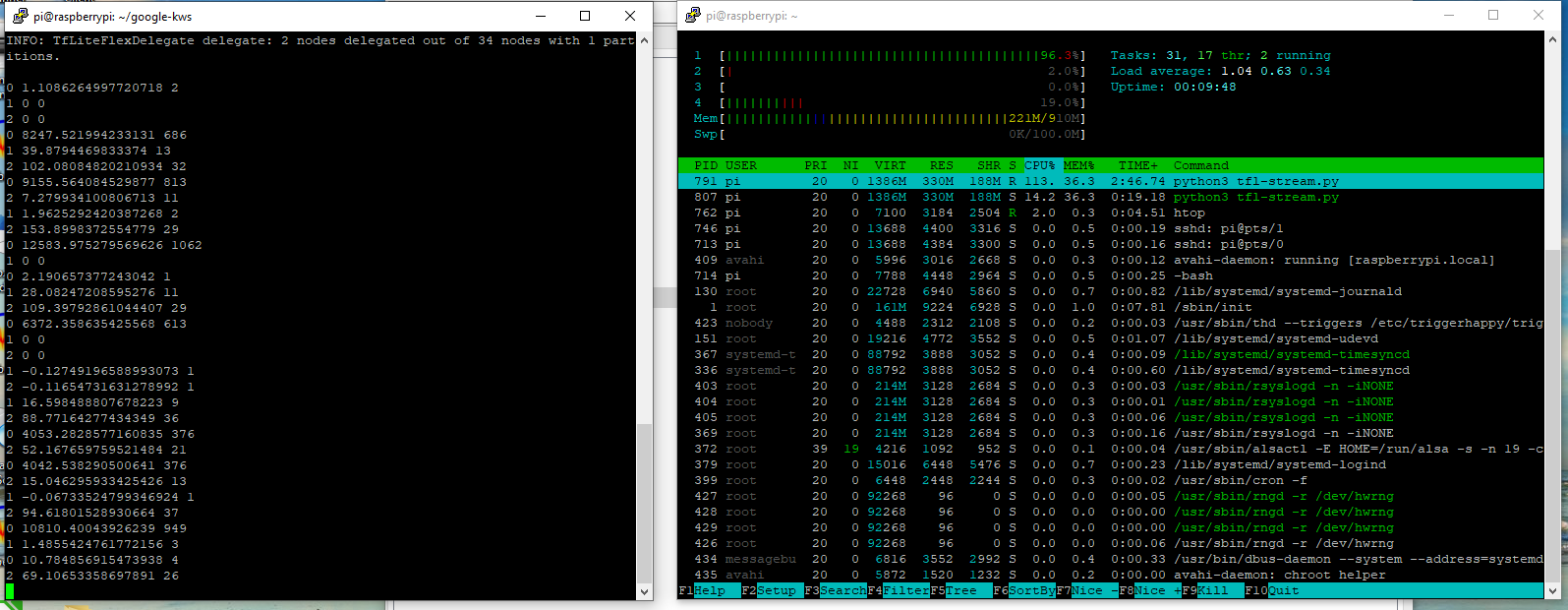
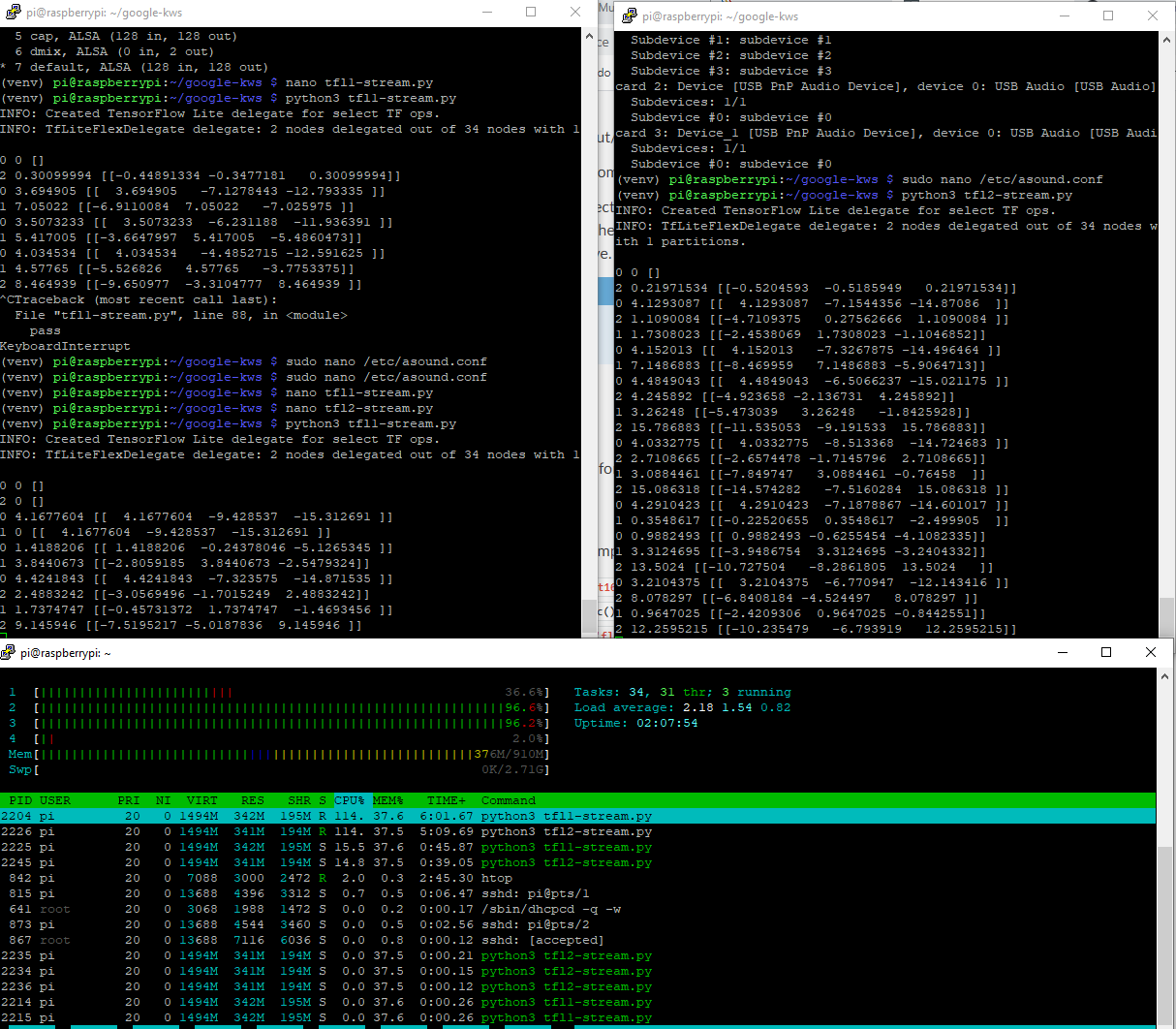
It creates a silence label so does not need vad and runs on a single core of a Pi3, which is exciting for me as finally I can run 2x instances on a Pi3 with 2x directional mics and use the best audio stream for static hardware beamforming.

Raven would be a great dataset collector for this NN but unfortunately it only collects keyword and really with a custom KW you should also provide custom !kw, but guess you could you the universal google command set items for !kw but as said your own would be much better especially for silence detection as we can do something better and detect when you are not speaking rather than silence.

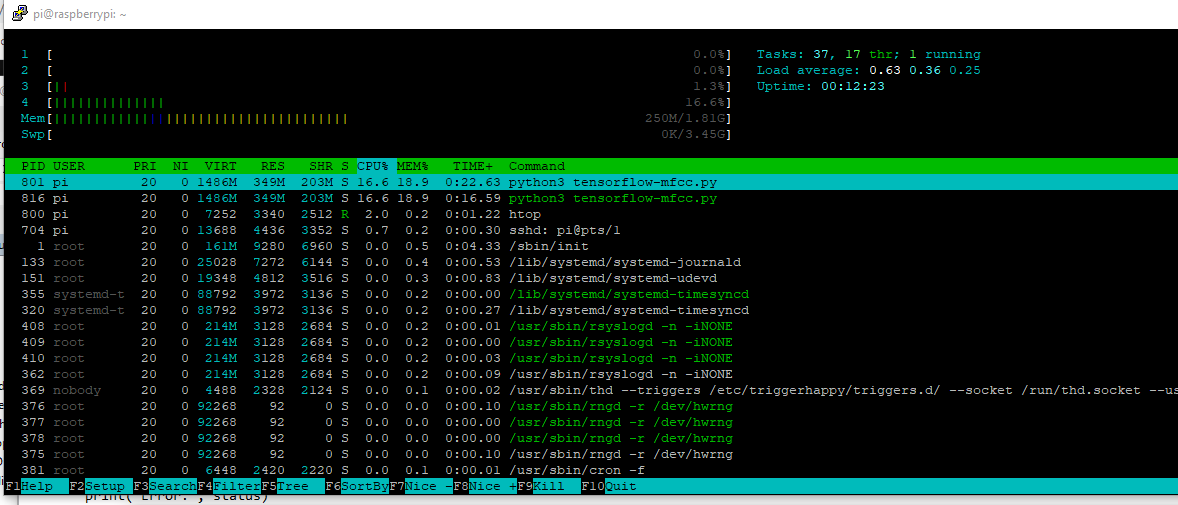
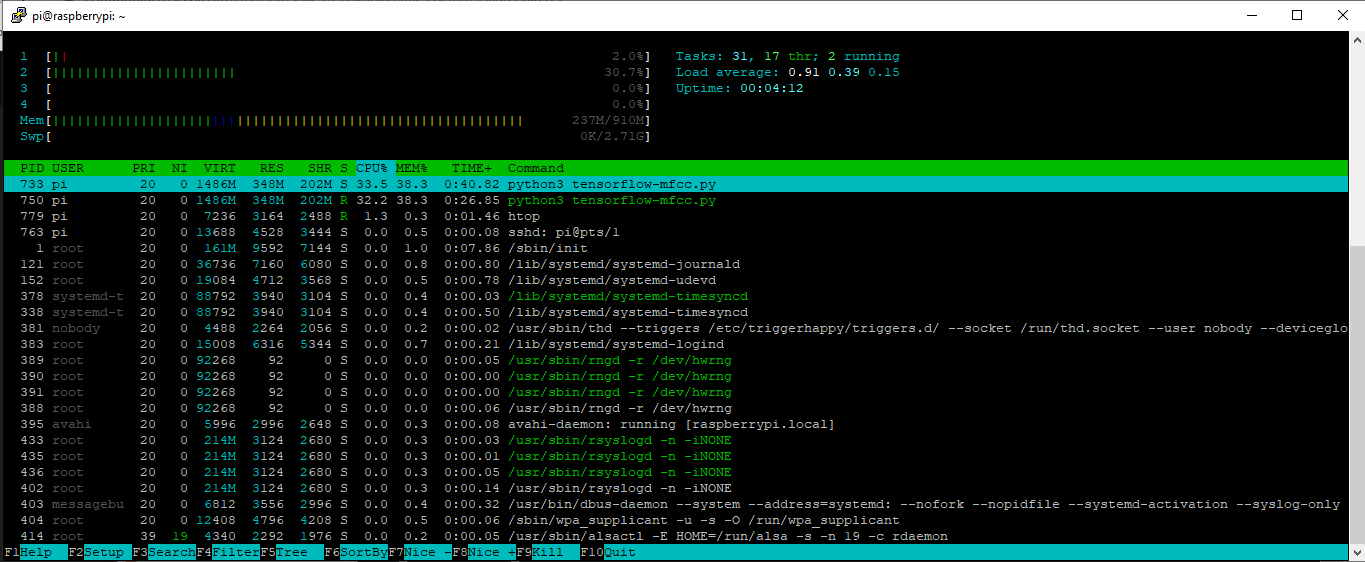
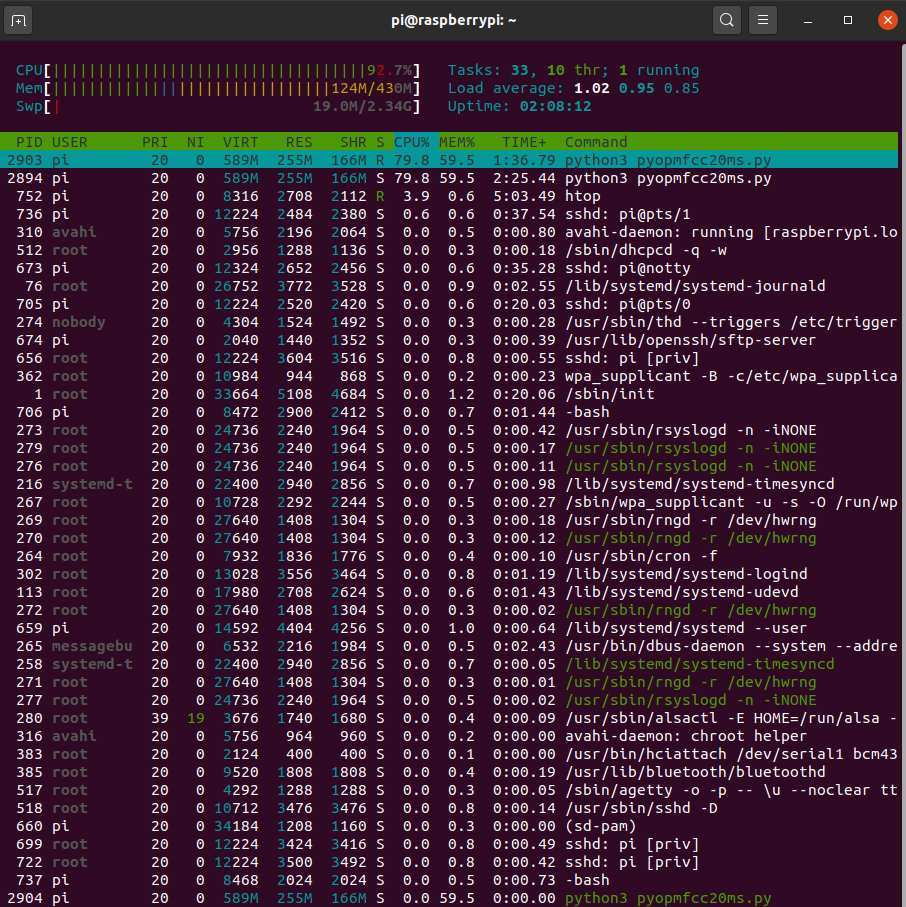
Pi3b (!+) KWS running

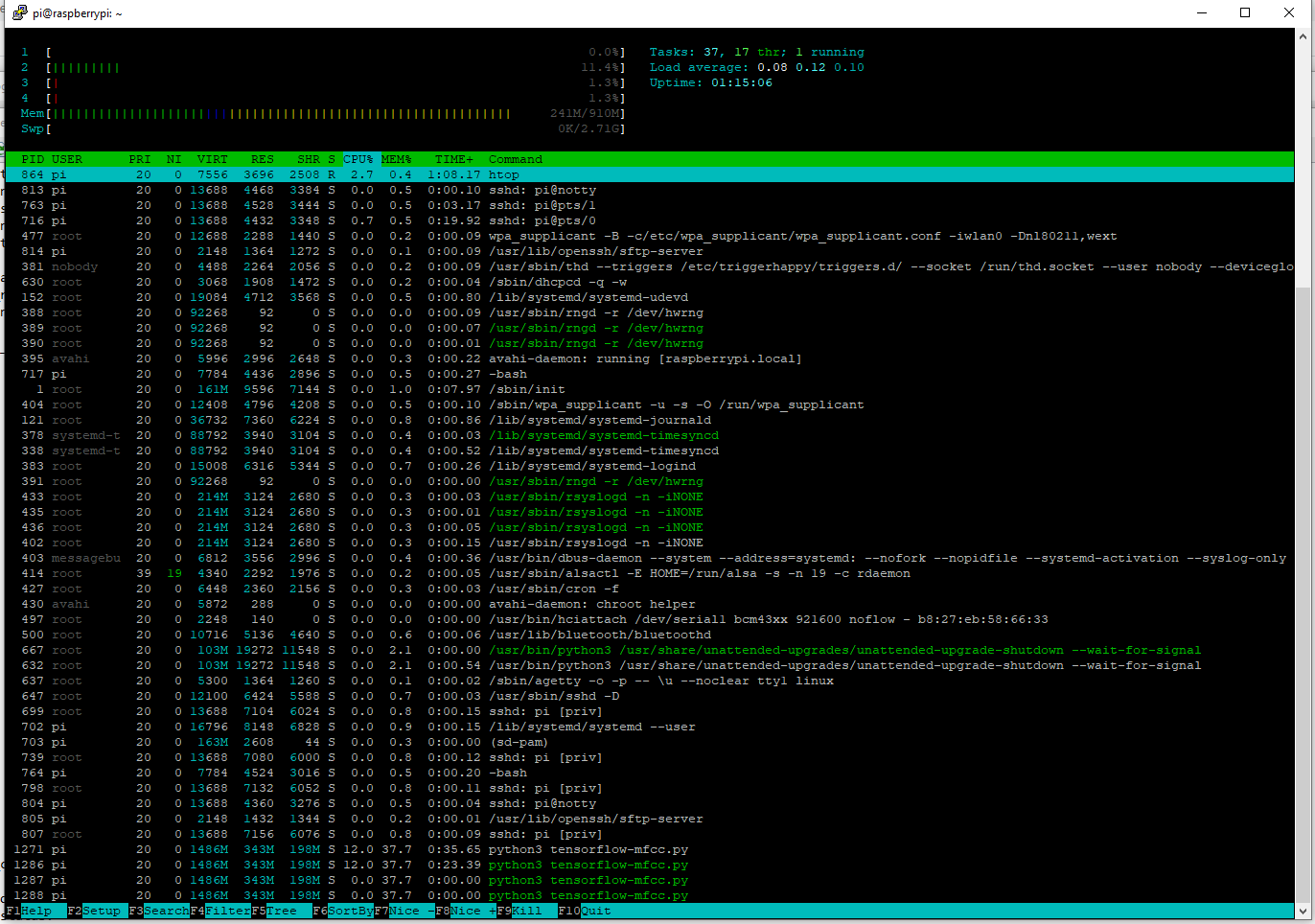
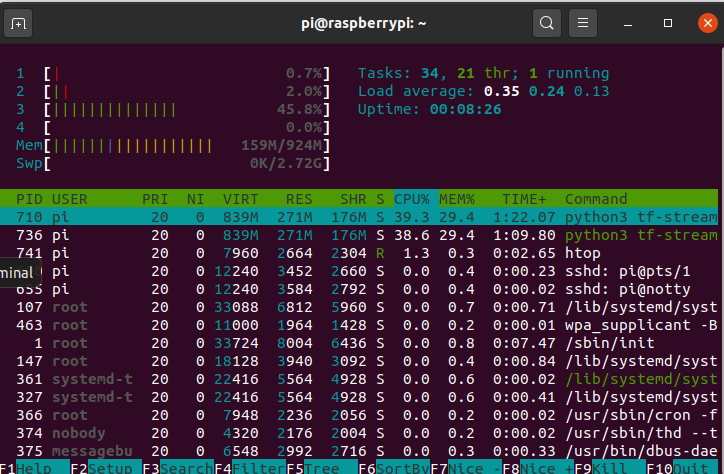
1xPi3b 2x KWS running
The current input is using sounddevice which creates an array frames, channels but strangely the model wants the axis swapped to 1,320.

# Load the TFLite model and allocate tensors.
interpreter = tf.lite.Interpreter(model_path="/home/pi/google-kws/models2/crnn_state/quantize_opt_for_size_tflite_stream_state_external/stream_state_external.tflite")
interpreter.allocate_tensors()

# Get input and output tensors.
input_details = interpreter.get_input_details()
output_details = interpreter.get_output_details()

last_argmax = 0
out_max = 0
hit_tensor = []
inputs = []
for s in range(len(input_details)):
  inputs.append(np.zeros(input_details[s]['shape'], dtype=np.float32))
    
def sd_callback(rec, frames, time, status):

    global last_argmax
    global out_max
    global hit_tensor
    global inputs
    
    
    # Notify if errors
    if status:
        print('Error:', status)

     
    rec = np.reshape(rec, (1, 320))
    
    # Make prediction from model
    interpreter.set_tensor(input_details[0]['index'], rec)
    # set input states (index 1...)
    for s in range(1, len(input_details)):
      interpreter.set_tensor(input_details[s]['index'], inputs[s])
  
    interpreter.invoke()
    output_data = interpreter.get_tensor(output_details[0]['index'])
    # get output states and set it back to input states
    # which will be fed in the next inference cycle
    for s in range(1, len(input_details)):
      # The function `get_tensor()` returns a copy of the tensor data.
      # Use `tensor()` in order to get a pointer to the tensor.
      inputs[s] = interpreter.get_tensor(output_details[s]['index'])
      
    out_tflite_argmax = np.argmax(output_data)
    if last_argmax == out_tflite_argmax:
      if output_data[0][out_tflite_argmax] > out_max:
        out_max = output_data[0][out_tflite_argmax]
        hit_tensor = output_data
    else:
      print(last_argmax, out_max, hit_tensor)
      out_max = 0
    
    last_argmax = out_tflite_argmax


# Start streaming from microphone
with sd.InputStream(channels=num_channels,
                    samplerate=sample_rate,
                    blocksize=int(sample_rate * rec_duration),
                    callback=sd_callback):
    while True:
        pass

The above just a pure hack by me and presume a more optimised pythonic script can be made.
But really I shouldn’t be needing to do rec = np.reshape(rec, (1, 320)) but guess the overhead is low in comparison to inference.

1 Like

The current model is low latency 320 chunk size vs 2048 of precise and so is doing 6.4x inferences per second more than Precise.
I will have a go at reordering the top layers for a 1920 chunk size so its comparable to what Precise does.
I am having a rest for a while as to be honest tensorflow twists my brain. The upper streaming layers seem to be static on parameters but will have a look at giving 1920, 960 & 320 chunk sizes that should greatly effect latency and load.
320 is as is with lowest latency.
Also swap the training around so that the array is channels, frame so it does not need to be reshaped.

@koan If you are having a play have a look at the outputs of the crnn-state as with the vectors of _silence, kw, !kw with a 20ms timebase we should be able to have a super accurate very low latency KWS.

I have been wondering if the tensor should be feed into a fuzzylogic argument as been puzzling whats the best and must optimised way to process the tensor envelope returned?
If you have any ideas post as my math is as good as health.
I guess its just the sum of the difference between KW vector and !KW vector (kw-!kw), but thinking also the timescale of inference is also good data and maybe something more eleoquent.
The sum of the difference is prob enough and like usual I am overthinking as the threshold with that is just a simple static variable.

If you want to test one of the non-stream models you can try this.

import sounddevice as sd
import numpy as np
import tensorflow as tf


# Parameters
rec_duration = 0.5
sample_rate = 16000
num_channels = 1

sd.default.never_drop_input= False
sd.default.latency= ('high', 'high')
sd.default.dtype= ('float32', 'float32')
sd.default.device = 'cap1'

# Sliding window
window = np.zeros((int(rec_duration * sample_rate) * 2), np.float32)

# Load the TFLite model and allocate tensors.
interpreter = tf.lite.Interpreter(model_path="/home/pi/google-kws/tensorflow-lite/cnn/quantize_opt_for_size_tflite_non_stream/non_stream.tflite")
interpreter.allocate_tensors()

# Get input and output tensors.
input_details = interpreter.get_input_details()
output_details = interpreter.get_output_details()

last_argmax = 0
out_max = 0
hit_tensor = []
inputs = []
for s in range(len(input_details)):
  inputs.append(np.zeros(input_details[s]['shape'], dtype=np.float32))
    
def sd_callback(rec, frames, time, status):

    global last_argmax
    global out_max
    global hit_tensor
    global inputs

    
    # Notify if errors
    if status:
        print('Error:', status)
    
    rec = np.squeeze(rec)
    # Save recording onto sliding window
    window[:len(window)//2] = window[len(window)//2:]
    window[len(window)//2:] = rec[:]
    chunk = np.reshape(window, (1, 16000)) 
    
    # Make prediction from model
    interpreter.set_tensor(input_details[0]['index'], chunk)
    # set input states (index 1...)
    for s in range(1, len(input_details)):
      interpreter.set_tensor(input_details[s]['index'], inputs[s])
  
    interpreter.invoke()
    output_data = interpreter.get_tensor(output_details[0]['index'])
    # get output states and set it back to input states
    # which will be fed in the next inference cycle
    for s in range(1, len(input_details)):
      # The function `get_tensor()` returns a copy of the tensor data.
      # Use `tensor()` in order to get a pointer to the tensor.
      inputs[s] = interpreter.get_tensor(output_details[s]['index'])
      
    out_tflite_argmax = np.argmax(output_data)
    out_max = output_data[0][out_tflite_argmax]
    hit_tensor = output_data[0]
    print(out_tflite_argmax, out_max, hit_tensor)
    
# Start streaming from microphone
with sd.InputStream(channels=num_channels,
                    samplerate=sample_rate,
                    blocksize=int(sample_rate * rec_duration),
                    callback=sd_callback):
    while True:
        pass

I was wondering how much was inference and how much was mfcc in the google example
Apols once more about the code and if something stupid as prob is then shout
I will just do a single mfcc calc and reuse on inference on a 20ms loop.

You can create the model with :-
parser.add_argument(
‘–preprocess’,
type=str,
default=‘raw’,
help=‘Supports raw, mfcc, micro as input features for neural net’
'raw - model is built end to end ’
‘mfcc - model divided into mfcc feature extractor and neural net.’
‘micro - model divided into micro feature extractor and neural net.’
'if mfcc/micro is selected user has to manage speech feature extractor ’
‘and feed extracted features into neural net on device.’
)

So we will reuse the same without mfcc calc overhead

import tensorflow.compat.v1 as tf
import sounddevice as sd
import numpy as np
import sfeatpy
import time

rd_signal = np.random.random(320)

# Parameters
rec_duration = 0.020
num_channels = 1
sd.default.device = 'cap1'

sample_rate = 16000
window_length = 320
window_stride = 160
fft_size = 1024
min_freq = 120
max_freq = 7800
num_filter = 40
num_coef = 20
windowFun = 1
preEmp = None
keep_first_value = False

res = sfeatpy.mfcc(rd_signal,           # audio signal
                   sample_rate,         # sample_rate -- Audio sampling rate (default 16000)  
                   window_length,       # window_length -- window size in sample (default 1024)  
                   window_stride,       # window_stride -- window stride in sample (default 512)  
                   fft_size,            # fft_size -- fft number of points (default 1024) 
                   min_freq,            # min_freq -- minimum frequency in hertz (default 20) 
                   max_freq,            # max_freq -- maximum frequency in hertz (default 7000) 
                   num_filter,          # num_filter -- number of MEL bins (default 40) 
                   num_coef,            # num_coef -- number of output coeficients (default 20) 
                   windowFun,           # windowFun -- window function: 0- None | 1- hamming (default 0) 
                   preEmp,              # preEmp -- preEmphasis factor ignored on None (default 0.97) 
                   keep_first_value     # keep_first_value -- if False discard first MFCC value (default False)
                   )
print(res.shape)

res = np.reshape(res, (1, 1, 20))

print(res.shape)

# Load the TFLite model and allocate tensors.
interpreter = tf.lite.Interpreter(model_path="/home/pi/google-kws/tensorflow-lite/crnn/quantize_opt_for_size_tflite_stream_state_external/stream_state_external.tflite")
interpreter.allocate_tensors()

# Get input and output tensors.
input_details = interpreter.get_input_details()
output_details = interpreter.get_output_details()

last_argmax = 0
out_max = 0
hit_tensor = []
inputs = []
for s in range(len(input_details)):
  inputs.append(np.zeros(input_details[s]['shape'], dtype=np.float32))

starttime = time.time()
while True:
    # Make prediction from model
    interpreter.set_tensor(input_details[0]['index'], res.astype(np.float32))
    # set input states (index 1...)
    for s in range(1, len(input_details)):
      interpreter.set_tensor(input_details[s]['index'], inputs[s])
  
    interpreter.invoke()
    output_data = interpreter.get_tensor(output_details[0]['index'])
    # get output states and set it back to input states
    # which will be fed in the next inference cycle
    for s in range(1, len(input_details)):
      # The function `get_tensor()` returns a copy of the tensor data.
      # Use `tensor()` in order to get a pointer to the tensor.
      inputs[s] = interpreter.get_tensor(output_details[s]['index'])
      
    out_tflite_argmax = np.argmax(output_data)
    out_max = output_data[0][out_tflite_argmax]
    hit_tensor = output_data
    print(last_argmax, out_max, hit_tensor)
        
    last_argmax = out_tflite_argmax
    
    time.sleep(0.02 - ((time.time() - starttime) % 0.02))

That right ?

! Librosa test :slight_smile:

Always a bit of a pain as needs numba, numba needs llvm-lite and that needs llvm and raspberries versions is too old.
Head to https://apt.llvm.org/
sudo apt-get install python3-sklearn python3-sklearn-lib

wget https://apt.llvm.org/llvm.sh
chmod +x llvm.sh
sudo ./llvm.sh 9
export LLVM_CONFIG=/usr/bin/llvm-config-9
 pip install librosa

fingers crossed :slight_smile:

Doesn’t really cope as losing frames but aint bad as my bad tensorflow script seemed to lose less frames but cause more load. Maybe a different audio framework is needed than sounddevice?

import tensorflow as tf
import sounddevice as sd


rec_duration = 0.020
sample_rate = 16000
num_channels = 1
sd.default.never_drop_input= False
sd.default.latency= ('high', 'high')
sd.default.dtype= ('float32', 'float32')
sd.default.device = 'cap1'


def get_spectrogram(waveform):
  sample_rate = 16000.0
  waveform = tf.squeeze(waveform)
  # Padding for files with less than 16000 samples
  zero_padding = tf.zeros([320] - tf.shape(waveform), dtype=tf.float32)

  # Concatenate audio with padding so that all audio clips will be of the 
  # same length
  waveform = tf.cast(waveform, tf.float32)
  equal_length = tf.concat([waveform, zero_padding], 0)
  spectrogram = tf.signal.stft(equal_length, frame_length=320, frame_step=80)

  spectrogram = tf.abs(spectrogram)
  
  # Warp the linear scale spectrograms into the mel-scale.
  num_spectrogram_bins = spectrogram.shape[-1]
  lower_edge_hertz, upper_edge_hertz, num_mel_bins = 80.0, 7600.0, 80
  linear_to_mel_weight_matrix = tf.signal.linear_to_mel_weight_matrix(num_mel_bins, num_spectrogram_bins, sample_rate, lower_edge_hertz,  upper_edge_hertz)
  mel_spectrogram = tf.tensordot(spectrogram, linear_to_mel_weight_matrix, 1)
  mel_spectrogram.set_shape(spectrogram.shape[:-1].concatenate(linear_to_mel_weight_matrix.shape[-1:]))

  # Compute a stabilized log to get log-magnitude mel-scale spectrograms.
  log_mel_spectrogram = tf.math.log(mel_spectrogram + 1e-6)

  # Compute MFCCs from log_mel_spectrograms and take the first 13.
  spectrogram = tf.signal.mfccs_from_log_mel_spectrograms(log_mel_spectrogram)[..., :13]

  return spectrogram


def sd_callback(rec, frames, time, status):
    
    # Notify if errors
    if status:
        print('Error:', status)
        
    mfcc = get_spectrogram(rec)

# Start streaming from microphone
with sd.InputStream(channels=num_channels,
                    samplerate=sample_rate,
                    blocksize=int(sample_rate * rec_duration),
                    callback=sd_callback):
    while True:
        pass

So yeah most of the load is actually MFCC calc.

@synesthesiam

There is something really screwy going on maybe 64bit arm and this pi3?

import tensorflow as tf
import sounddevice as sd
import numpy as np

rec_duration = 0.25
sample_rate = 16000.0
num_channels = 1

def get_mfcc(waveform):

  waveform = tf.squeeze(waveform, axis=1)
  spectrogram = tf.signal.stft(waveform, frame_length=2048, frame_step=512, window_fn=tf.signal.hann_window)

  spectrogram = tf.abs(spectrogram)
  
  # Warp the linear scale spectrograms into the mel-scale.
  num_spectrogram_bins = spectrogram.shape[-1]
  lower_edge_hertz, upper_edge_hertz, num_mel_bins = 60.0, 7600.0, 40
  linear_to_mel_weight_matrix = tf.signal.linear_to_mel_weight_matrix(num_mel_bins, num_spectrogram_bins, sample_rate, lower_edge_hertz,  upper_edge_hertz)
  mel_spectrogram = tf.tensordot(spectrogram, linear_to_mel_weight_matrix, 1)
  mel_spectrogram.set_shape(spectrogram.shape[:-1].concatenate(linear_to_mel_weight_matrix.shape[-1:]))

  # Compute a stabilized log to get log-magnitude mel-scale spectrograms.
  log_mel_spectrogram = tf.math.log(mel_spectrogram + 1e-6)

  # Compute MFCCs from log_mel_spectrograms and take the first 13.
  mfccs = tf.signal.mfccs_from_log_mel_spectrograms(log_mel_spectrogram)[..., :13]

  return mfccs


def sd_callback(rec, frames, time, status):
    
    # Notify if errors
    if status:
        print('Error:', status)
    if not hasattr(sd_callback, "counter"):
         sd_callback.counter = 0
         sd_callback.buffer = [np.empty([13,8]), np.empty([13,8]), np.empty([13,8]), np.empty([13,8])]
    
    #sd_callback.buffer[sd_callback.counter] = get_mfcc(rec)[:]
    sd.wait()
    #print(sd_callback.buffer[sd_callback.counter])
    sd_callback.counter += 1
    if sd_callback.counter == 4:
        sd_callback.counter = 0
        mfccs = np.concatenate((sd_callback.buffer[0], sd_callback.buffer[1],sd_callback.buffer[2],sd_callback.buffer[3]), axis=1)
        #print(mfccs, mfccs.shape)

# Start streaming from microphone
with sd.InputStream(channels=num_channels,
                    samplerate=sample_rate,
                    blocksize=int(sample_rate * rec_duration),
                    callback=sd_callback):
    while True:
        pass

I have remarked out the mfcc call and still have 100% load

It’s your main loop (while True) causing the “load”. You can either do a sleep or this:

import threading

# Replace loop
# while True:
#    pass
# with this
threading.Event().wait()
1 Like

Librosa is still pretty stink but was thinking its possible to do it that way or even on a lesser .5 sec scale.

No inference there but actually that should run pretty smooth.

I can now run some tests on a simple cnn with xnnpack and stoof

Sort of wierd as external & inference is looking like it will run faster than there model with raw built in.

I had to check a couple of times that was not the pi4 but the audio.ops seems to provide best perf but the tensorflow stuff is far faster than librosa

import tensorflow.compat.v1 as tf
from tensorflow.python.ops import gen_audio_ops as audio_ops
import sounddevice as sd
import numpy as np
import threading

rec_duration = 0.25
sample_rate = 16000
num_channels = 1

def get_mfcc(waveform):
        # Run the spectrogram and MFCC ops to get a 2D audio: Short-time FFTs
        # background_clamp dims: [time, channels]
        sample_rate = 16000

        spectrogram = audio_ops.audio_spectrogram(
            waveform,
            window_size=1366,
            stride=342)
        # spectrogram: [channels/batch, frames, fft_feature]

        # extract mfcc features from spectrogram by audio_ops.mfcc:
        # 1 Input is spectrogram frames.
        # 2 Weighted spectrogram into bands using a triangular mel filterbank
        # 3 Logarithmic scaling
        # 4 Discrete cosine transform (DCT), return lowest dct_coefficient_count
        mfccs = audio_ops.mfcc(
            spectrogram=spectrogram,
            sample_rate=sample_rate,
            upper_frequency_limit=7600,
            lower_frequency_limit=60,
            filterbank_channel_count=40,
            dct_coefficient_count=13)
        # mfcc: [channels/batch, frames, dct_coefficient_count]
        # remove channel dim
        mfccs = tf.squeeze(mfccs, axis=0)
        return mfccs


def sd_callback(rec, frames, time, status):
    
    # Notify if errors
    if status:
        print('Error:', status)
    if not hasattr(sd_callback, "counter"):
         sd_callback.counter = 0
         sd_callback.buffer = [np.empty([13,8]), np.empty([13,8]), np.empty([13,8]), np.empty([13,8])]
    
    sd_callback.buffer[sd_callback.counter] = get_mfcc(rec)[:]
    sd.wait()
    
    print(sd_callback.buffer[sd_callback.counter],sd_callback.buffer[sd_callback.counter].shape )
    sd_callback.counter += 1
    if sd_callback.counter == 4:
        sd_callback.counter = 0
        mfccs = np.concatenate((sd_callback.buffer[0], sd_callback.buffer[1],sd_callback.buffer[2],sd_callback.buffer[3]), axis=1)
        print(mfccs, mfccs.shape)

# Start streaming from microphone
with sd.InputStream(channels=num_channels,
                    samplerate=sample_rate,
                    blocksize=int(sample_rate * rec_duration),
                    callback=sd_callback):
    threading.Event().wait()

I hacked that from the google-kws and its ops to go in a model that obviously you can call direct.
It actually produces a slightly different mfcc than tf.signal.mfccs_from_log_mel_spectrograms( log_mel_spectrograms, name=None )
I have been having a terrible time with external mfcc as any difference is huge in inference.

But wow that is low load guess I have to test the models again with threading.

Ok so apols about the last couple of days as just have not been with it but have some really excellent load paramters to pass.

1st is a Pi3B(!+) running a tensorflow-lite model streaming at 16khz 20ms samples.

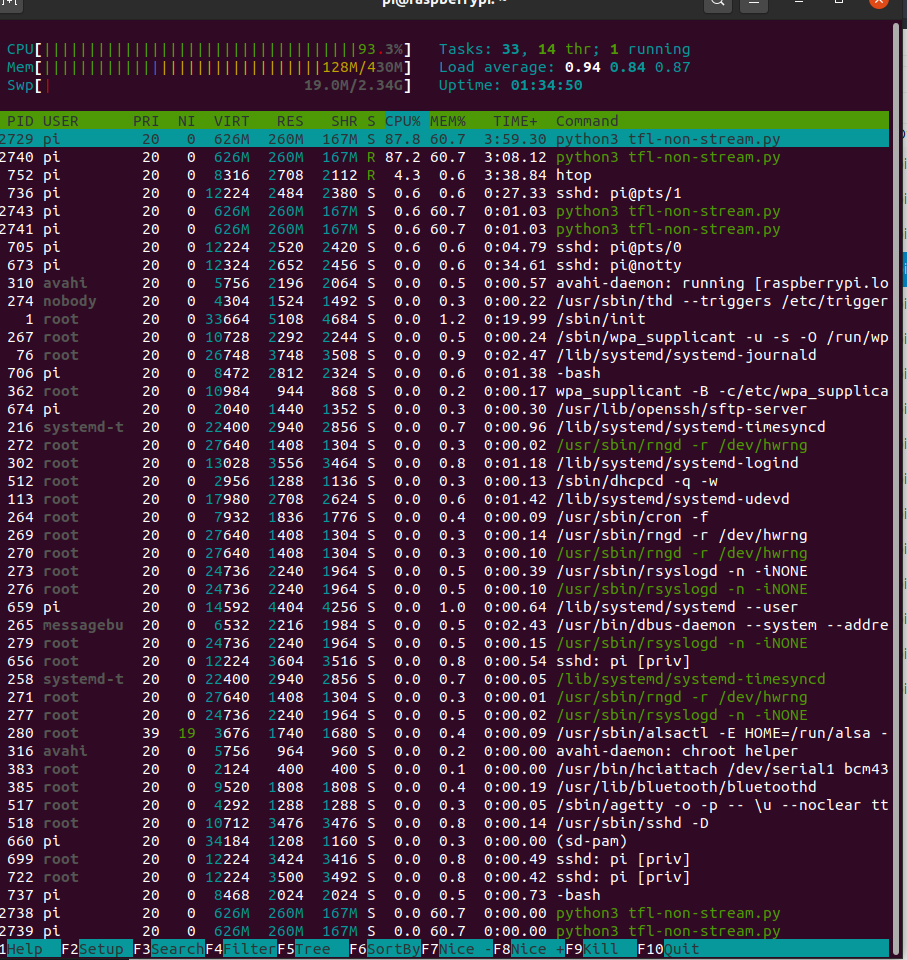
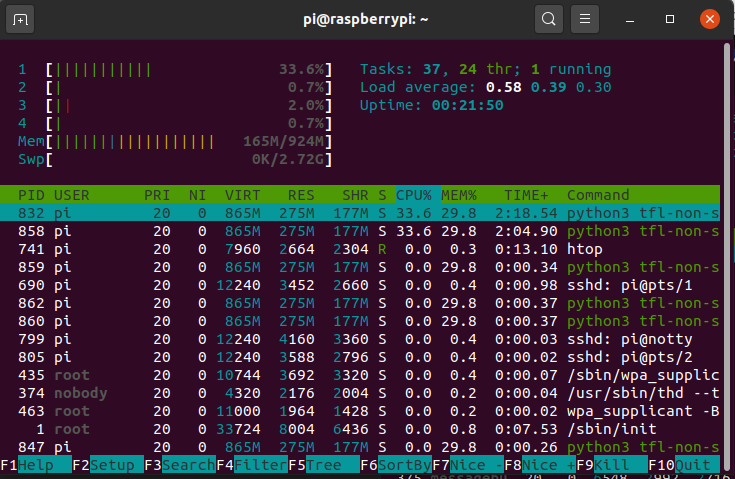
And here is the is it running of non stream running with a .5 samples 16khz.

Now the mighty PiZero and yes it can steam 16khz @ 20ms

forgot to do asound.conf but seemed to work (seriously I can do no right at the moment!)

pcm.!default {
  type asym
  playback.pcm "play"
  capture.pcm "cap"
}


pcm.play {
  type plug
  slave {
    pcm "plughw:2,0"
  }
}


pcm.cap {
  type plug
  slave {
    pcm "plughw:2,0"
    }
}

defaults.pcm.rate_converter "speexrate"

speexrate is the lowest quality highest perf sample rate convertor on linux and when my memory returns I will try to use :slight_smile:

The above is my default setting as keep forgetting to say plughw rather than hw does have overhead but most cards are 44Khz and many don’t do 16Khz and you will get problems if you you specify a hardware device of software.
sudo apt-get install libasound2-plugins as not installed as standard
Have no idea as had to set the default sd.device to ‘cap’ on the zero? Plughw:1 doh! again, but might even make things worse?

Strange as seems to be the same, even more.

Just some mfcc tests on the Pi0

import tensorflow.compat.v1 as tf
#import tensorflow as tf
from tensorflow.python.ops import gen_audio_ops as audio_ops
import sounddevice as sd
import threading

#tf.compat.v1.disable_eager_execution()
rec_duration = 0.020
sample_rate = 16000
num_channels = 1

sd.default.never_drop_input= False
sd.default.latency= ('high', 'high')
sd.default.dtype= ('float32', 'float32')

def get_mfcc(waveform):
        # Run the spectrogram and MFCC ops to get a 2D audio: Short-time FFTs
        # background_clamp dims: [time, channels]
        

        spectrogram = audio_ops.audio_spectrogram(
            waveform,
            window_size=320,
            stride=160)
        # spectrogram: [channels/batch, frames, fft_feature]

        # extract mfcc features from spectrogram by audio_ops.mfcc:
        # 1 Input is spectrogram frames.
        # 2 Weighted spectrogram into bands using a triangular mel filterbank
        # 3 Logarithmic scaling
        # 4 Discrete cosine transform (DCT), return lowest dct_coefficient_count
        mfccs = audio_ops.mfcc(
            spectrogram=spectrogram,
            sample_rate=sample_rate,
            upper_frequency_limit=7600,
            lower_frequency_limit=60,
            filterbank_channel_count=40,
            dct_coefficient_count=13)
        # mfcc: [channels/batch, frames, dct_coefficient_count]
        # remove channel dim
        mfccs = tf.squeeze(mfccs, axis=0)
        return mfccs

def sd_callback(rec, frames, time, status):

    # Notify if errors
    if status:
        print('Error:', status)
    mfcc = get_mfcc(rec)[:]
    sd.wait()
    #print(mfcc)
    
# Start streaming from microphone
with sd.InputStream(channels=num_channels,
                    samplerate=sample_rate,
                    blocksize=int(sample_rate * rec_duration),
                    callback=sd_callback):
    threading.Event().wait()

import tensorflow.compat.v1 as tf
#import tensorflow as tf
from tensorflow.python.ops import gen_audio_ops as audio_ops
import sounddevice as sd
import threading
import numpy as np

#tf.compat.v1.disable_eager_execution()
rec_duration = 0.25
sample_rate = 16000
num_channels = 1

sd.default.never_drop_input= False
sd.default.latency= ('high', 'high')
sd.default.dtype= ('float32', 'float32')

def get_mfcc(waveform):
        # Run the spectrogram and MFCC ops to get a 2D audio: Short-time FFTs
        # background_clamp dims: [time, channels]
        

        spectrogram = audio_ops.audio_spectrogram(
            waveform,
            window_size=1366,
            stride=342)
        # spectrogram: [channels/batch, frames, fft_feature]

        # extract mfcc features from spectrogram by audio_ops.mfcc:
        # 1 Input is spectrogram frames.
        # 2 Weighted spectrogram into bands using a triangular mel filterbank
        # 3 Logarithmic scaling
        # 4 Discrete cosine transform (DCT), return lowest dct_coefficient_count
        mfccs = audio_ops.mfcc(
            spectrogram=spectrogram,
            sample_rate=sample_rate,
            upper_frequency_limit=7600,
            lower_frequency_limit=60,
            filterbank_channel_count=40,
            dct_coefficient_count=13)
        # mfcc: [channels/batch, frames, dct_coefficient_count]
        # remove channel dim
        mfccs = tf.squeeze(mfccs, axis=0)
        return mfccs

def sd_callback(rec, frames, time, status):

    # Notify if errors
    if status:
        print('Error:', status)
    if not hasattr(sd_callback, "counter"):
         sd_callback.counter = 0
         sd_callback.buffer = [np.empty([8,13]), np.empty([8,13]), np.empty([8,13]), np.empty([8,13])]
    
    mfcc = get_mfcc(rec)[:]
    print(mfcc.shape, mfcc)
    sd_callback.buffer[0] = mfcc
    sd.wait()

    #print(sd_callback.buffer[sd_callback.counter])
    sd_callback.counter += 1
    if sd_callback.counter == 4:
        sd_callback.counter = 0
        mfccs = np.concatenate((sd_callback.buffer[0], sd_callback.buffer[1],sd_callback.buffer[2],sd_callback.buffer[3]), axis=1)
        #print(mfccs, mfccs.shape)
    
# Start streaming from microphone
with sd.InputStream(channels=num_channels,
                    samplerate=sample_rate,
                    blocksize=int(sample_rate * rec_duration),
                    callback=sd_callback):
    threading.Event().wait()

There is a way with the pi zero to not use eager and use openblas
 which is faster.
I guess it depends on the wheel you install and how its been setup.
Also the optimisation flags where set to default so it balances latency with size you might get a bit more if optimised purely for latency.
I you unremake #tf.compat.v1.disable_eager_execution() then you get complaints about

" a NumPy call, which is not supported".format(self.name))
NotImplementedError: Cannot convert a symbolic Tensor (strided_slice_3:0) to a numpy array. This error may indicate that you're trying to pass a Tensor to a NumPy call, which is not supported

Which is prob due to the mfcc python.ops call and not a tf.signal.mfcc

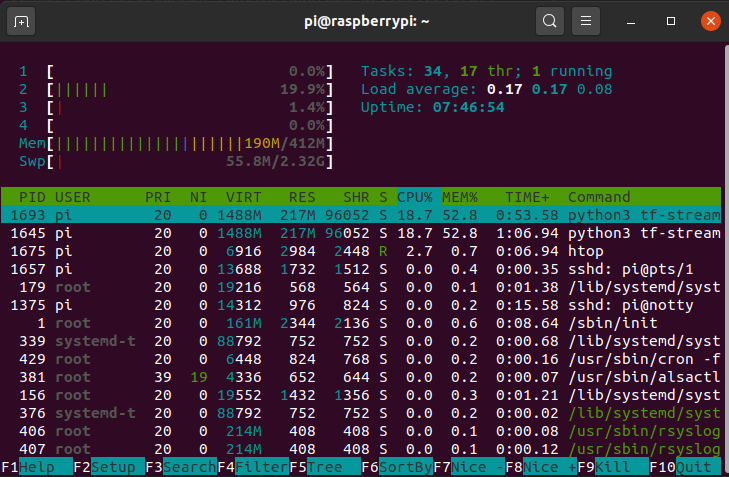
Last bit of checking as the Pi3 above was running Aarch64 whilst this is the same Pi3 exact same model and script running 200% slower on armv7.

So I did hear 2-3x but here its does look like 2x at least by the approx load.

So again running the same non-stream script and model and here it is near 3x so yeah seems true tensorflow lite aarch64 is 2-3x faster than armv7

A final one as just a test on a Pi3A+ (my pick for satellite) looks about right as the + has a marginal gain on the 3b I tested earlier.
Not going to bother with the non-stream as before the load was nothing :slight_smile:

1 Like

Nice work! How’s the performance comparing to other kws like Porcupine? Can it spot keywords with background noise or other people speaking?
It seems a lot of work preparing the training samples. Can you share a pretrained model for a quick testing?
I also find this project https://github.com/Turing311/Realtime_AudioDenoise_EchoCancellation, which is based on DTLN. And there’s another DTLN-aec project. I tried it on my MacBook it seems a lot better than voiceengine ec or webrtc aec. But I haven’t been able to set it up on my Pi. Looks like the setup is similar to the google-kws you have done here, maybe you can have a try?

I will have a go just at this moment doing the automated dataset-maker which I am not really a dev or really if it gives you any timescale I was quite exceptionally good with M$ com and then they through .Net @ me.

So I am plodding through but I mangled a dataset and training with some scripts and audacity and got some extremely good results with high noise levels.
Its took me much longer to hack python into a automated dataset builder but will post something.
Its a custom dataset and its my voice really but you might find it easier than you think.

Its just prrof of concept as sure someone more tal;ented than me will make it all pythonic and wonderfull.

I will have a look at the above but there are a few apps that seem to work on X86 and other platforms but the Archv7 raspberry ports don’t seem to work that well maybe just enough clock?

PS if your up to it give this a go and give feedback.

The idea is to get a start dataset that works and then as you use to replace the original augmented dataset with actual usage capture and train when idle which gives updates over days / weeks.

I am just testing initial datasets and seeing how its going.

There is reader.py python3 reader.py that throws up words and the KW onto the CLI and records.
Set you mic up with AGC gain as high as it goes and see what you get in the rec folder.

I have a prefabed background noise folder but really this should be tailored to suit the environ but its just actual recording of your background noise.

https://drive.google.com/file/d/1qyV2hsM8ODbfyFHdc_L0PrfEOcdWqr_F/view?usp=sharing

If your short on samples mix.py will fail but had enough for today but really should use the above noise folder anyway.

Then run mix.py python3 mix.py really they are supposed to be web scripts as if they can be automated CLI then web should be no problem.

Then its training with the https://github.com/StuartIanNaylor/g-kws

Which is a install mainly as training is a single command and wait.

If you use the Aarch64 version of raspios its near 3x speedup over the Armv7 distro.

There is a model here but its me and everything is bleeding edge but as a 1st test seems to be fine.

https://drive.google.com/file/d/1ik1xP64HhaP3iVyLMjWMxSmvI1Q_PeNf/view?usp=sharing

Dataset here with samples so you can test even if not your voice.

https://drive.google.com/file/d/1w23VFwZK_aHPBnqQE4r5_cb-seZCv8jS/view?usp=sharing

for install

Tensorflow 2.5 should be any time soon as we now up to RC4 for tflite the MLIR backend is default and supposedly more optimised for post quantisation which will be interesting to see if its speeded anything up.
Also intel optimisation is built in and turned on by and environment variable and no need for the intel optimised version.

There where also some training aware quantisation options that haven’t got round to see how much they affect but quite a lot of interesting stuff for TF especially embedded linux / microcontrollers.

Thanks a lot. I am downloading your model for a try first. Will use your tool for my custom dataset later if I have time to setup the training environment.

Meanwhile, I had some experiment with the DTLN. The stream noise suppression on my Pi 3B+ itself is working very nicely. However when I tried to chain it after EC it starts to behave strangely. I created a separate post (here)[DTLN Noise Suppression Setup] with details.

Tried your pretrained model. Even playing your samples of “raspberry” won’t trigger it. Seems it’s really overfitted to your voice. Will try to train with my voice later.

Easiest way is to see what you are delivery record it capturing and send the samples like I did the model via Gdrive or something.

The augmentation has a number of settings but here I am recognized no problem so likely your hardware settings and recording and comparing to the dataset will give info to way.
You can record yourself of remix with different parameters.

ython3 mix.py --help
usage: mix.py [-h] [-b BACKGROUND_DIR] [-r REC_DIR] [-R BACKGROUND_RATIO] [-d BACKGROUND_DURATION] [-p PITCH] [-t TEMPO] [-D DESTINATION] [-a ATTENUATION]
              [-B BACKGROUND_PERCENT] [-T TESTING_PERCENT] [-v VALIDATION_PERCENT] [-S SILENCE_PERCENT] [-n NOTKW_PERCENT]

optional arguments:
  -h, --help            show this help message and exit
  -b BACKGROUND_DIR, --background_dir BACKGROUND_DIR
                        background noise directory
  -r REC_DIR, --rec_dir REC_DIR
                        recorded samples directory
  -R BACKGROUND_RATIO, --background_ratio BACKGROUND_RATIO
                        background ratio to foreground
  -d BACKGROUND_DURATION, --background_duration BACKGROUND_DURATION
                        background split duration
  -p PITCH, --pitch PITCH
                        pitch semitones range
  -t TEMPO, --tempo TEMPO
                        tempo percentage range
  -D DESTINATION, --destination DESTINATION
                        destination directory
  -a ATTENUATION, --attenuation ATTENUATION
                        random attenuation range
  -B BACKGROUND_PERCENT, --background_percent BACKGROUND_PERCENT
                        Background noise percentage
  -T TESTING_PERCENT, --testing_percent TESTING_PERCENT
                        dataset testing percent
  -v VALIDATION_PERCENT, --validation_percent VALIDATION_PERCENT
                        dataset validation percentage
  -S SILENCE_PERCENT, --silence_percent SILENCE_PERCENT
                        dataset silence percentage
  -n NOTKW_PERCENT, --notkw_percent NOTKW_PERCENT
                        dataset notkw percentage

Not sure but until I can have a look at your recorded stream can not really say.

https://drive.google.com/file/d/1UQKA7fWJSbub8_c_p-h-gOn1MTEnOdnr/view?usp=sharing might be better but if you would post your hardware recording it would be a really good piece off info.

It was very hot of the press and have been tweaking some of the defaults and at a very boring stage of doing that and seeing how it affects to gauge some settings.
Might of been not enough attenuation in that 1st model and we have a lot of difference in mic input but post.

I need to pull the latest Google-kws as also they made some changes but here I am using the CRNN tflite quantised model but you can run any model from the dataset.
There are some sample inference code in the g-kws repo tfl-stream.py and the threshold is hardcoded currently but that is where I will likely move next after some tidying of the dataset-builder.

I wasted a couple of days trying to find an alternative to Sox and then realise use /tmp with sox and just create what I want with silence detect in stages.
So it got derailed and rewrote and is still very hot off the press haven’t really done much testing myself.

2hrs old so the dataset_builder can wait as going to have a play with the new version.

Here’s the recording: https://paste.c-net.org/MediocreAllergic
Maybe because of too much background noise?

BTW, also PR to your git repo for the script with recording function

Dunno the later models might be better but if you ever get the time send a dataset and model of your own as that will be loads of info and have much to work with.

This is the problem when your one and it works for you.

The pitch does seem to me different maybe the proximity affect of the cardioid of record to one now in use but couldnt say that model was one of not the first.

This is a later one think the latest https://drive.google.com/file/d/1UQKA7fWJSbub8_c_p-h-gOn1MTEnOdnr/view?usp=sharing

Just tried your latest model and it’s a lot better. Even with my voice it can hit your default kw threshold sometimes.
The previous one didn’t even trigger the output in kw_count > 3.

Interestingly, playing your samples from my laptop didn’t work as well as me speaking. Maybe the speaker changes some characteristics of the audio?

Also, when I have my vacuum working it can detect nothing. So I guess background noise matters in training set really matters.

Its volume then as I actually reduced pitch as thought some sounded ‘mickey mouse’ and likely out of any norm.

Interesting as didn’t lower much and can go further I just need to play with the params but hopefully it wasn’t noise as another goal is to introduce noise to the max and make it as noise resilient as possible as with KW that should be much easier than ASR and from KW at least you can ‘duck’ playing volumes if not urban noise.

If I am reading right a I5 6600K CPU 32 ms frame executes in 2.08 ms which might mean its possible as x15 still leaves some scope. Whoops still talking AEC.

PS did you try a 64bit version of RaspiOS as maybe ?

PS there have been a number of updates to https://github.com/google-research/google-research/tree/master/kws_streaming

Really should switch but for some reason it still fails with a error on custom datasets.
Just remark part of line 260 out so its looks like this
for dir_name in dirs: #+ [du.BACKGROUND_NOISE_DIR_NAME]

There is an error if you use TF2.5 but 2.4.1 works fine

Also you should be able to record your own dataset and copy and paste over mine and train and we should have a 2 person custom dataset that is likely to lose some indvidual accuracy but also be a bit more universal and should continue that way with each additional voice actor.

I tried to use your dataset builder to record my kw & !kw. Now the problem is that mix.py always gives “too many samples are oversize” (or undersize). Is it okay to just change the 1.25/0.75 ratio in the code?

Don’t :slight_smile: been having a huge brainfart but the NS/AEC was a good diversion and went back to the original g-kws.

In Google-kws the default for silence & notkw is 10% and finally I clicked where I had taken a detour and all my improvements where slowly making false positives worse.

I will load up what I have just been doing as gone back to scratch and should not try to improve things and leave that to someone with more talent than I.

Mix-b.py is a restart as had to make a 2nd take and build up to see where I was going wrong.
Basically you want to ‘overfit’ kw as much as possible and ‘underfit’ silence & notkw so they have higher hit probability.

I will push it now.

The g-kws I just cut out some elements from tfl-stream just to make non-kw reset quicker.

    if np.argmax(output_data[0]) == 2:
      if kw_count > 3:
        print(output_data[0][0], output_data[0][1], output_data[0][2], kw_count, kw_sum)
        if output_data[0][2] > kw_max:
          kw_max = output_data[0][2]
      kw_count += 1
      kw_sum = kw_sum + output_data[0][2]
      kw_avg = kw_sum / kw_count
      if (kw_sum / kw_avg) / 45 > 1:
        kw_probability = 1.0
      else:
        kw_probability = (kw_sum / kw_avg)  / 45
      if kw_probability > 0.50:
        kw_hit = True
    elif np.argmax(output_data[0]) != 2:
      if kw_hit == True:
        print("Kw threshold hit", kw_max, kw_avg, kw_count, kw_probability)
        file_object.write("Kw threshold hit " + str(kw_max) + ' ' + str(kw_avg) + ' ' + str(kw_count) + ' ' + str(kw_probability) + '\n')
      kw_count = 0
      kw_sum = 0
      kw_hit = False
      kw_max = 0
      kw_probability = 0

You just have to do a couple of ‘close’ tests to set the probability divisor ‘45’ in the above.

The step count needs to be only 800 and you can under-fit further by running 400 on each step which also has the bonus of a quicker train.

I have split out a lot of the pysox commands as for some reason even though you should be able to do in a single build I seemed to get weird results.

parser = argparse.ArgumentParser()
parser.add_argument('-b', '--background_dir', type=str, default='_background_noise_', help='background noise directory')
parser.add_argument('-r', '--rec_dir', type=str, default='rec', help='recorded samples directory')
parser.add_argument('-R', '--background_ratio', type=float, default=0.25, help='background ratio to foreground')
parser.add_argument('-d', '--background_duration', type=float, default=2.5, help='background split duration')
parser.add_argument('-p', '--pitch', type=float, default=4.0, help='pitch semitones range')
parser.add_argument('-t', '--tempo', type=float, default=0.8, help='tempo percentage range')
parser.add_argument('-D', '--destination', type=str, default='dataset', help='destination directory')
parser.add_argument('-a', '--foreground_attenuation', type=float, default=0.4, help='foreground random attenuation range')
parser.add_argument('-A', '--background_attenuation', type=float, default=0.4, help='background random attenuation range')
parser.add_argument('-B', '--background_percent', type=float, default=0.8, help='Background noise percentage')
parser.add_argument('-T', '--testing_percent', type=float, default=0.1, help='dataset testing percent')
parser.add_argument('-v', '--validation_percent', type=float, default=0.1, help='dataset validation percentage')
parser.add_argument('-S', '--silence_percent', type=float, default=0.1, help='dataset silence percentage')
parser.add_argument('-n', '--notkw_percent', type=float, default=0.1, help='dataset notkw percentage')
parser.add_argument('-s', '--file_min_silence_duration', type=float, default=0.1, help='Min length of silence')
parser.add_argument('-H', '--silence_headroom', type=float, default=1.0, help='silence threshold headroom ')
parser.add_argument('-m', '--min_samples', type=int, default=100, help='minimum resultant samples')
parser.add_argument('-N', '--norm_silence', type=bool, default=True, help='normalise silence files')
parser.add_argument('-o', '--overfit-ratio', type=float, default=0.75, help='reduces pitch & tempo variation')
args = parser.parse_args()

The --overfit-ratio reduces the settings of KW with pitch & temp of !kw so that the data is more varied in !kw as well as only 10% in the dataset so its ‘more’ ‘underfitted’ and hence accepts more.
Conversly kw has far more items in the dataset with less variance and so is ‘more’ ‘overfitted’ to stop false positives.
The 0.75 default if prob quite high so lower to tighten the variance of KW.

I have been using a cardioid and get really good results with noise but omnidirectional just bleed in equally so much less tolerant to dB noise in.

Without beamforming I find el cheapo cardioid mic & usb soundcard (generalplus chipset) much better than any omnidirectional hat.

If the generalplus chipset the agc is pretty great on the above.

I knocked out the attenuation ranges and do very little with the silence category but need to add back and not further break like I did before.

The mix-b.py works! It has been running quite a while (~1.5hrs) and is still running. It would be great if it supports parallel processing so I can put it to some multi-core server for faster mixing.

I am also curious if g-kws can support training with multiple custom kw?

Yeah it can its just my dataset-builder that builds as such but in reality there are 3 classifications silence, notkw and kw which equally could of been multiple custom.

My idea was to use Raven as that has a really simple alg that capture kw as reader.py and getting initial samples grows on each addition.

https://github.com/google-research/google-research/blob/master/kws_streaming/experiments/kws_experiments_35_labels.md Shows and example but basically you can do the same with any model by adding classification but the example does show 2 extremely accurate lightweight models from the framework.

With mix-b.py its likely that further resilience to false positives could be by adding notkw from the Google command set but have tried not to include and 3rd party single language dataset.
I have tried to keep to own voice for kw & notkw, silence I have posted a selection of background_noise files that are universal. Actual background_noise can only increase this.
With the cardioid mic I get an element of natural beamforming and resilience to noise is much higher and why I am desperate to find a steerable beamformer and DOA where the result expectations can be quite low as even with the relatively low attenuation of a cardioid mic when you sum with a noise resilient kws the overall sum is seems to be exponential in result.

I picked the CRNN because it has only the GRU is delegated out but is a natural streaming model with only slightly more Ops than a CNN that seems to provide decent accuracy levels.
In the framework though and model from basic CNN to att_mh_rnn could be used and to be honest we are only talking a couple of % in overall accuracy.

A CRNN is basically the GRU of the Precise model but with a post CNN layer section that greatly reduces GRU parameter processing with the delegates the GRU layer is delegated so that TFlite can be used for the majority of processing, then add quantization, Aarch64 the accuracy and load just completely blow precise out of the water, whilst on accuracy its just a little more accurate than GRU alone.

What is Raven? Any reference links?

Its really stupid as its been implemented only capturing KW so you have an incomplete dataset.
But raven could be a quick start-up KWS to capture KW & command sentences for a more accurate KWS as Raven is not very accurate but enough to get you going and also doesn’t scale well for multiple voices.

Its an old alg where it looks for a line of fit through some frequency bands that was employed by some early KWS examples.

Its only if the ‘reader.py’ training is considered too much.

Try to train the prepared dataset with kws_streaming, encounter this error:

tensorflow.python.framework.errors_impl.InvalidArgumentError: 
Node 'training/Adam/gradients/gradients/gru/cell/while_grad/gru/cell/while_grad': 
Connecting to invalid output 51 of source node gru/cell/while which has 51 outputs. 
Try using tf.compat.v1.experimental.output_all_intermediates(True).

Any idea?

Yeah your using TF2.5

Same for me on an early adoption over 2.4.1

Dunno some TF error with sym links??!

code

Thanks. “unroll=True” did the trick. Now training.

A question: is training for 4000 step necessary? Now at 1500 steps it seems already converges to ~99% accuracy.

1 Like

The 6x en*.txt are short phonetic sentences based on English (en) if you manage to find any similar alternative language sentences then please post.

parser = argparse.ArgumentParser()
parser.add_argument('-b', '--background_dir', type=str, default='_background_noise_', help='background noise directory')
parser.add_argument('-r', '--rec_dir', type=str, default='rec', help='recorded samples directory')
parser.add_argument('-R', '--background_ratio', type=float, default=0.20, help='background ratio to foreground')
parser.add_argument('-d', '--background_duration', type=float, default=2.5, help='background split duration')
parser.add_argument('-p', '--pitch', type=float, default=4.0, help='pitch semitones range')
parser.add_argument('-t', '--tempo', type=float, default=0.8, help='tempo percentage range')
parser.add_argument('-D', '--destination', type=str, default='dataset', help='destination directory')
parser.add_argument('-a', '--foreground_attenuation', type=float, default=0.4, help='foreground random attenuation range')
parser.add_argument('-A', '--background_attenuation', type=float, default=0.4, help='background random attenuation range')
parser.add_argument('-B', '--background_percent', type=float, default=0.8, help='Background noise percentage')
parser.add_argument('-T', '--testing_percent', type=float, default=0.1, help='dataset testing percent')
parser.add_argument('-v', '--validation_percent', type=float, default=0.1, help='dataset validation percentage')
parser.add_argument('-S', '--silence_percent', type=float, default=0.1, help='dataset silence percentage')
parser.add_argument('-n', '--notkw_percent', type=float, default=0.1, help='dataset notkw percentage')
parser.add_argument('-s', '--file_min_silence_duration', type=float, default=0.1, help='Min length of silence')
parser.add_argument('-H', '--silence_headroom', type=float, default=1.0, help='silence threshold headroom ')
parser.add_argument('-m', '--min_samples', type=int, default=100, help='minimum resultant samples')
parser.add_argument('-N', '--norm_silence', type=bool, default=True, help='normalise silence files')
parser.add_argument('-o', '--overfit-ratio', type=float, default=0.20, help='reduces pitch & tempo variation')
args = parser.parse_args()

Prob should do more testing but the above seemed a reasonable start point.

Attenuation isn’t employed in mix-b.py as seems to cause all sorts of probs but likely KW was just less ‘overfitted’ KW but also the NotKW & Silence percent was far too high and not ‘underfitted’ enough.
Prob can be but now I have realized where I was going wrong from my initial attempts it needs to be employed without creating too much KW variance.

In TFL-stream.py I have the sensitivity as 0.5 as watching the near hits that maybe a normal setting of 0.65/0.7 would not produce.

Finished training and tried it on my Mac first. It seems to work very well, even the mic is different from that used in my dataset.
But when I try to run it on Pi with tflite_runtime, it failed as there’s no flexdelegate support. Seems like I need to install full tensorflow first.

Yeah install the full TF again pinto. https://github.com/PINTO0309/Tensorflow-bin/blob/main/tensorflow-2.5.0-cp37-none-linux_armv7l_numpy1195_download.sh
https://github.com/PINTO0309/Tensorflow-bin/blob/main/tensorflow-2.5.0-cp37-none-linux_aarch64_numpy1195_download.sh

Just call the lite method from TF same perf and the usual aarch64 is 2-3x faster than armv7

import tensorflow.lite as tflite

Guess you could use tflite and let it delegate out but presume that just loads up both in a way as tflite is a method of tf maybe delegate just loads the delegate method as dunno as always just used full tf.
grcpio can be an absolutely killer install on a pi3 have a look at my install guide of kws and install zram & increase swap size for the compile from hell.

Its always better by quite a bit to record on device of use with sound equipment of use.
Just clone and use record.py and then stfp the ‘rec’ files to run the model on the mac.
In the 4 training steps you should maybe only need 800,800.800.800 even 400 steps will prob do.

$CMD_TRAIN \
--data_url '' \
--data_dir ~/Dataset-builder/dataset/ \
--train_dir $MODELS_PATH/crnn_state/ \
--wanted_words silence,notkw,kw \
--mel_upper_edge_hertz 7600 \
--how_many_training_steps 800,800,800,800 \
--learning_rate 0.001,0.0005,0.0001,0.00002 \
--window_size_ms 40.0 \
--window_stride_ms 20.0 \
--mel_num_bins 40 \
--dct_num_features 20 \
--alsologtostderr \
--resample 0.0 \
--split_data 0 \
--train 1 \
--lr_schedule 'exp' \
--use_spec_augment 1 \
--time_masks_number 2 \
--time_mask_max_size 10 \
--frequency_masks_number 2 \
--frequency_mask_max_size 5 \
--feature_type 'mfcc_op' \
--fft_magnitude_squared 1 \
crnn \
--cnn_filters '16,16' \
--cnn_kernel_size '(3,3),(5,3)' \
--cnn_act "'relu','relu'" \
--cnn_dilation_rate '(1,1),(1,1)' \
--cnn_strides '(1,1),(1,1)' \
--gru_units 256 \
--return_sequences 0 \
--dropout1 0.1 \
--units1 '128,256' \
--act1 "'linear','relu'" \
--stateful 1

The CRNN is just the GRU of Precise but with the CNN filtering parameters so when delegating out the GRU part has much less work to do than Precise.
Surprised the have still kept with a full non TFlite model for Precise as there are a couple to choose from the DSCNN is supposed quite good and is fully tflite with no delegation but slightly more load and isn’t a true streaming model but as said is full TFlite.

You can use the same dataset and play with the models.
I never worked out if the SVDF one is or isn’t full tflite but also another true streaming models but the GoogleR guys do get all to stream.

The training loop is pretty old school as the Google-research team choose to keep it the same as the initial kws example of tensorflow and https://github.com/ARM-software/ML-KWS-for-MCU for direct comparison.

They keep adding new bits as recently they added some of the new dynamic post quantisation methods with a CNN example.
I am not sure how easy it would be to change the training loop to something a little less ‘brute force’ but whilst they are still adding and updating out of interest want to make sure its capable of those changes and haven’t looked at what might be needed.

Tried on Pi and worked like a charm. Can detect keyword when my TV play loud shows. I noticed in tfl-stream.py you have changed the kw hit logic (originally I remember is by kw_sum?). Now if I want to adjust the sensitivity which number should I modify?

I initially had a count to only reset on a arg_max from a non KW result which I removed as just not needed as seemed to make no difference.
I need to check as occasional dips maybe lowering score and addition may not increase false positives.

I sort of lost track where I was going as had started and stopped and me being me forgot where I was going.

Basically in a clean environment test with 3-4 or more good near KW tests and use the max result as the divisor.
Divided the kw_sum by the kw_avg just seems to normalise the result and provide a better scale.
That is used and test for a max divisor so that gives you the usual 0-1 probability score.

I always order the initial model silence, notkw, kw but the index in the model folder will show indexs

    if np.argmax(output_data[0]) == 2:
      if kw_count > 3:
        print(output_data[0][0], output_data[0][1], output_data[0][2], kw_count, kw_sum)
        not_kw_count = 0
        if output_data[0][2] > kw_max:
          kw_max = output_data[0][2]
      kw_count += 1
      kw_sum = kw_sum + output_data[0][2]
      kw_avg = kw_sum / kw_count
      if (kw_sum / kw_avg) / 55 > 1:
        kw_probability = 1.0
      else:
        kw_probability = (kw_sum / kw_avg)  / 55
      if kw_probability > 0.5:
        kw_hit = True
    elif np.argmax(output_data[0]) != 2:
      if not_kw_count > 3:
        if kw_hit == True:
          print("Kw threshold hit", kw_max, kw_avg, kw_probability)
        kw_count = 0
        kw_sum = 0
        kw_hit = False
        kw_max = 0
        kw_probability = 0
        not_kw_count = -1
      not_kw_count += 1

The 55 is just the max divisor just to create a 0-1 prob float as that seems more the norm.
Sensitivity is kw_probability > 0.5 so really set the divisor to the next ceil int of what you get as a max of some good clean KW tests.
Then set kw_probability to approx ‘0.65-075’ (again purely a norm) but really whatever you deem fits and seems to work as the divisor is just to cope with a range of quality many user models may create rather than a single known black box model.
There are just 2 settings purely to convert the summed envelope into a more standard probability score but you could just kw_sum / kw_avg or kw_sum but `kw_sum / kw-avg’ gives a much more normalised range over kw-sum alone and the divisor again is purely there just to convert to a float probability.

Choice is yours as basically the KWS is a raw model and the code currently has just got messy after a lot of misguided hacks and changes.
I would say kw_sum / kw_avg and conversion to float and whatever you deem fit as in code as it is a bit messy at the moment but not much is needed really.

If you can get a unidirectional (cardioid) or beamformer then the attenuation to noise will also increase resilience and making the clean voice more predominant gives results much higher than just the attenuation value you may achieve.

I will let you decide as your code is far more pythonic and streamlined than mine and really all is needed is a websocket that transmits the KW hit and following command sentence.

I was also going to do a little routine to store last_kw as in audio to a /tmp file that a websocket command would retrieve on some form of logic that it all ran through ASR to intent and there is a pause which seems to signify completion and a correct inference session. Then fire off a get_last_kw which is retrieved from /tmp.

Kw-hit is for zoned distributed array so that the best stream can be selected for ASR and other zone lesser Kw-hit KWS command sentence transmits can be kicked.

But really any method you deem fit, there really isn’t all that much to a NN KWS model and they are quite simple. I even ignored my own mantra that less is more and created loads of additions rather than simply underfitting non kw classification and overfitting kw to help stop false positives.
As more natural usage data is added and the augmented samples replaced it should grow in accuracy on each retrain.
Again part of the websocket could be to deliver an OTA tflite model so much of the code is peripheral to the actual inference.

I did think about maybe using the other classification results to add weight to the kw score but never got round to devising a plan. (IE a KW hit that has strongly negative other classification has more weight than the same KW value where the other classifications are showing more entropy)
prob simple to implement as the av of the sum of other classification and its the span of that to current KW value rather than kw alone, just never checked what results that provides.

If you have a KW that contains smaller common word phones likely adding them to notkw as individual words should stop any problems if they arise but also maybe a minimum kw_count could be implemented but its very subjective as the difference between a fast kw and slow spoken ‘subword’ could be minimal.

       kw_count += 1
      kw_weight = (output_data[0][0] + output_data[0][1]) / 2
      kw_sum = kw_sum + output_data[0][2] + (kw_weight * -1)
      kw_avg = kw_sum / kw_count

?


Just out of interest