Rebranded the Matrix Voice to esp32-rhasspy-satellite

The core dump error is a general core dump, is absolutely says nothing about the cause.
Actually, the LoadProhibited is a message saying a memory address error

You can get those kinds of errors when you assign a small stack size to a task for instance, or just a wrong/null pointer

Also, this same code is running fine for a large amount of time on my M5 and I would probably have bumped across it when running the I2STask on core 0.
And the previous versions were all running on core0 without any issues.

So yes, in theory too much work on one core can cause an issue but I do not think this is the issue in this case.

Really simple question, how do you access the M5 web server?

Navigate to the IP in the browser

hi everyone, so I can use one these ESP32-Aduio-Kit WiFi+ bluetooth Module ESP32 Serial to WiFi Audio Development Board with ESP32-A1S Sale - Banggood UK as satellite while all operations are made by a separate raspberry? and could it be a pi 3 b+? thank you

If you set the device_type to 2 (AUDIOKIT), then most likely yes

What is “it” referring to in this case?

I mean if a pi3 b+ is powerful enough. I also have a pi zero but maybe Is too slow. Thank you

Powerful enough for Rhasspy or for some other software? It will do fine for Rhasspy

Dear all,

I was very excited because my m5Atom Echos arrived today in my mailbox. I was searching this topic here but I cannot figure out how to use this M5 as satellite and which settings in Rhasspy (server – Hassio-Addon) I have to chose. Can someone make a short write-up here? I already flashed sucessfully the m5 and webinterface of M5 is working properly. But now I am stuck.

Thanks a lot fellows. That would be awesome :slight_smile:

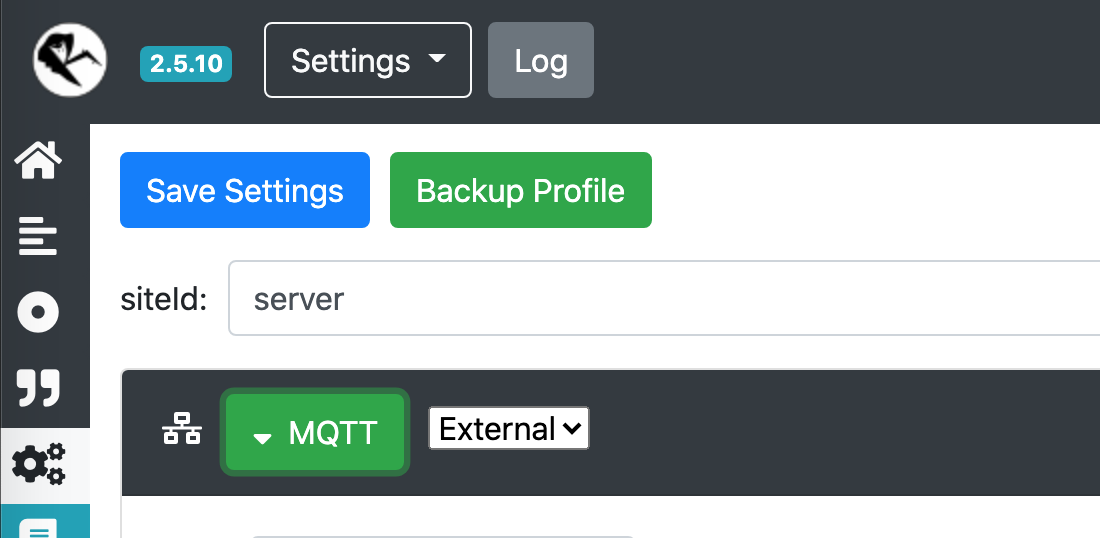
Rename siteID in your addon to something like server or base

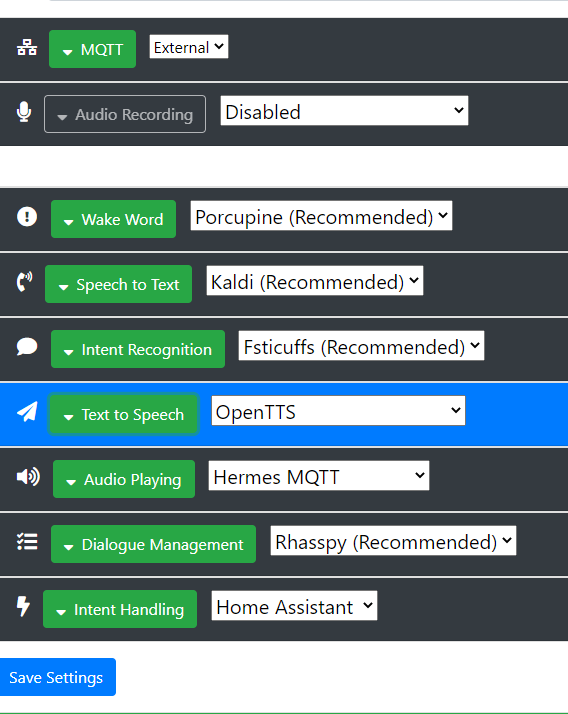
Set MQTT to external and connect it to your broker ( I suggest using the MQTT addon)

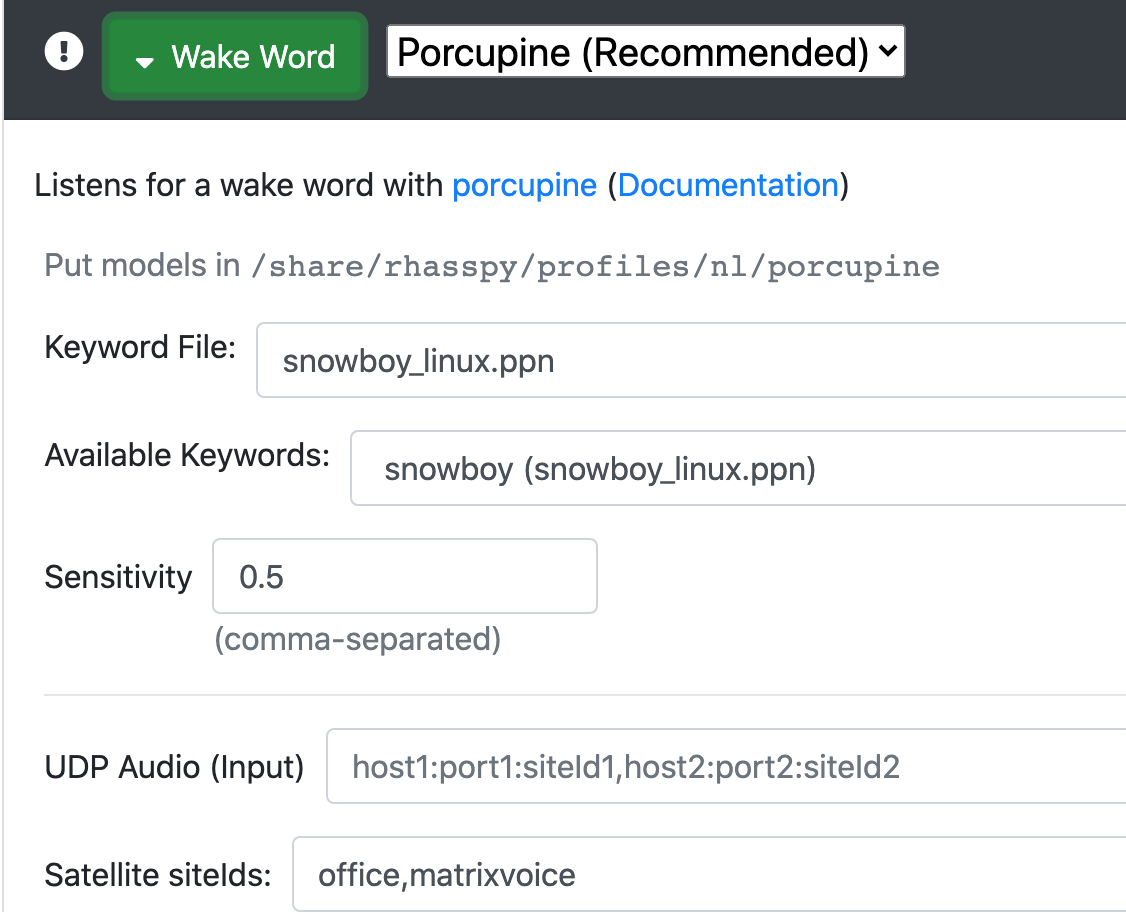
On every setting, fill in the Satellite siteIds: field with the siteId you have set in the M5 echo
Set Intent Handling to Home Assistant if you are using that, and Dialogue Manager to Rhasspy
Set Audio Playing to Hermes
You can leave Audio Recording to disabled, because Rhasspy will pickup the MQTT audio streams you have filled in the Satallites Ids field autmatically.

Example for Satellite IDs field:

AWESOME! this is the smallest IoT device in my house and the MOST efficient :slight_smile: Thanks soooooooooooooooooooooooooo mich… WAF 100%!!! :slight_smile: I will place them all in the house as they are small and with usbc i can attach them to outlets with usb exit.

If I could maybe as for some feature requests and if they are out of scope or not.##But as this little tiniy device has plenty of technic on board I was thinking to use it also as room detection (bluetooth tracking). Would that be an option / possible?

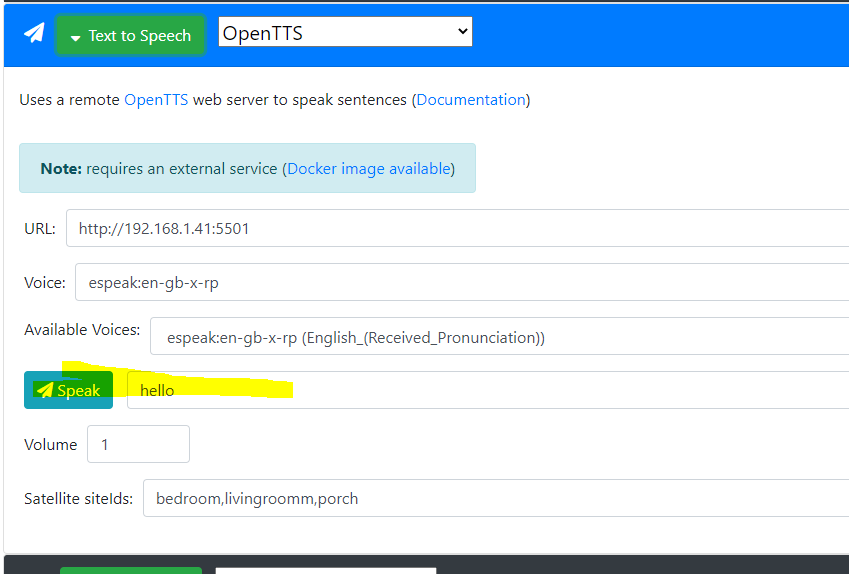
Another BIG question. Is it possible to send tts to the mini devices? I hang a bit and forgot how to make this :stuck_out_tongue:

bzw here is my config:

and as described above. i added all dieIDs to each config. Just …wow!

THANKS SO MUCH FOR THIS awesome stuff. And honestly i have the feeling it is more reliable than my rpi setup with a seeed MIC :slight_smile:

However i don
t know if I already read this but TTS doesnÄt work isnÄt it?

When I try sending a text via

I don
t hear any sound but i hear the beep and beep and also when I ask for the time I have sound … Just the speak thing in this config wonÄt give me anything :frowning:

Yes, if you send TTS to Rhasspy with the correct siteId, it will play on the device.
You can send tts via MQTT like in the docs:
https://rhasspy.readthedocs.io/en/latest/reference/#text-to-speech

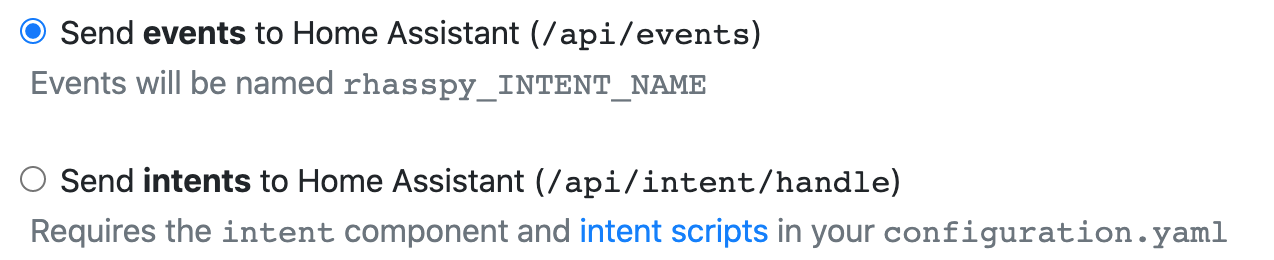
If you use Home Assistant as Intent Handler, I suggest setting Rhasspy to send events and not intents.
You events can then be use in automations, also sending TTS like so:

- id: '1581372525473'
  alias: EventLampen
  trigger:
  - event_data: {}
    event_type: rhasspy_Lights
    platform: event
  condition: []
  action:
  - data_template:
      entity_id: light.{{ trigger.event.data.location }}
    service_template: light.turn_{{ trigger.event.data.action }}
  - service: mqtt.publish
    data:
      topic: hermes/dialogueManager/endSession
      payload_template: '{"sessionId": "{{trigger.event.data._intent.sessionId}}","siteId": "{{trigger.event.data._intent.siteId}}","text": "Ok, {{ trigger.event.data.location }} {{ trigger.event.data.action }}"}'
  mode: single

If you enter text via the webUI, the siteId will be your server, not the device.

Maybe, but I am not plannig on it.

Hello thanks alot for your answer. Would it be possible to post only one single example to get started … the rest should be finethen :slight_smile:

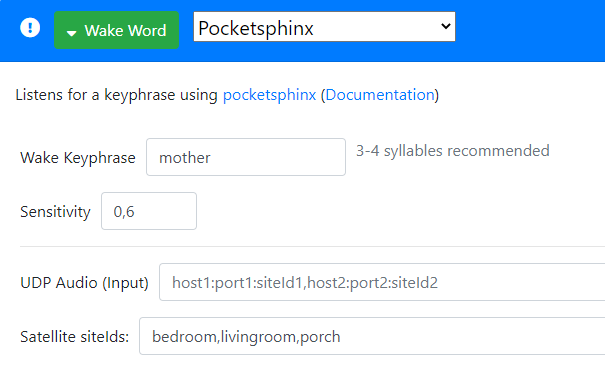
I just used Pocketsphinx like this and the wotword is recognised really well :slight_smile:

image

Sure, change the settings under Intent Handling using events:

Create sentences with intents, for example this:

[Lights]
turn (on | off){action} the (bedroom | livingroom | porch){name}

When you call Rhasspy and say “turn on the bedroom”, Rhassy will send an event to home assistant.
Create an automation:

- id: '1581372525473'
  alias: EventLights
  trigger:
  - event_data: {}
    event_type: rhasspy_Lights
    platform: event
  condition: []
  action:
  - data_template:
      entity_id: light.{{ trigger.event.data.name }}
    service_template: light.turn_{{ trigger.event.data.action }}
  - service: mqtt.publish
    data:
      topic: hermes/dialogueManager/endSession
      payload_template: '{"sessionId": "{{trigger.event.data._intent.sessionId}}","siteId": "{{trigger.event.data._intent.siteId}}","text": "Ok, {{ trigger.event.data.name }} {{ trigger.event.data.action }}"}'
  mode: single

This will react on Rhasspy to turn on the light.bedroom and push a TTS message with “Ok, bedroom on” to Rhasspy. Which in turn will play it on the device where the wakeword was triggered from.

thanks a lot. I was playing around with at the time 2 satellites. but each time i use one sattelite the other won’t work anymore. i have to unplug the cable from the m5 echo min and restart. I read a lot in the forum here and saw that i must set the sideID on base and satellites the same? can you confirm this? what’s your setup? are u using the m3 echo mini? I have really pain to get it running good wth more than 1 sattelite. i now will change all dise id to default /base and satellites and see if this helps. If you have any hint … I would apprecite. or maybe i join better the discord channel?

Yes, this is solved in the NEXT release.

No, different if you have more than 1 satellite.

I have a Matrix Voice and a M5 Atom Echo. But using 1 now because I am running on 2.5.10

Yes, that is because that does not work yet :slight_smile:

I am not on discord channel :stuck_out_tongue:

I am just testing the lasted 2.5.11 and I cannot get the second satellite working. I odn
t see any difference at the moment in the wakeword recognition. But I will keep testing. Sure I am doing things wrong :frowning:

As I am really new and love this project I will post my config here … maybe u see what i am doing wrong?

{
    "dialogue": {
        "satellite_site_ids": "porch,livingroom",
        "system": "rhasspy"
    },
    "handle": {
        "satellite_site_ids": "porch,livingroom",
        "system": "hass"
    },
    "home_assistant": {
        "access_token": "eyJ0eXAiOiJKV1QiLCJhbGciOidIUzh1NiJ9.eyJpc3MiOiJmM2EyMGZlNTY1NjU0NTVlODgzNDA4ZWRiZjRmYTNkMCIsImlhdCI6MTYzMTcwNfdDU5MiwiZXhwIjoxOTQ3MDY0NTkyfQ.SwilZ5905PsgDQW_xiiysl-lKrDqkr7Y-I3wJMoSu74",
        "url": "http://192.168.1.41:8123"
    },
    "intent": {
        "satellite_site_ids": "porch,livingroom",
        "system": "fsticuffs"
    },
    "microphone": {
        "pyaudio": {
            "siteId": "porch,livingroom"
        },
        "system": "pyaudio"
    },
    "mqtt": {
        "enabled": "true",
        "host": "192.168.1.41",
        "password": "hass",
        "username": "hass"
    },
    "speech_to_text": {
        "satellite_site_ids": "porch,livingroom",
        "system": "kaldi"
    },
    "text_to_speech": {
        "satellite_site_ids": "porch,livingroom",
        "system": "espeak"
    },
    "wake": {
        "porcupine": {
            "keyword_path": "bumblebee_linux.ppn"
        },
        "satellite_site_ids": "porch,livingroom",
        "system": "porcupine"
    }

Are you sure you are running 2.5.11?