Rebranded the Matrix Voice to esp32-rhasspy-satellite

Hi all!

I have rewritten the entire code of the matrix voice streamer.
Since is supports multiple devices now, I have rebranded the repo as well.

The code now uses a statemachine and it is easy to add devices.
Each device kan implement the needed methods to make it work as a satellite.

Supported:
M5 Atom Echo:

AI tinker AudioKit:

Matrix Voice:

The repo can be found here:

8 Likes

Impressive rewrite! I have been following this development for a while now, and I have updated your repo information in awesome-rhasspy too.

I’ll try it soon on my M5Stack Atom Echo.

1 Like

Thanks for that :slight_smile:

I’d really like local hotword again, so waiting for porcupine

Hi,
This looks exciting to me,cause i am not a great Programmer.
Is it now possible to easy combine any esp32 development Board like this… and a i2s Mic Array Board like this?

Yes.

The software will run on every esp32, it is up to you to create a new device with implements the readAudio() at a bare minimum.
This is the method that records audio.
Since the device you mention also has leds, you can further implement updateColors() and updateBrighness()

You can find the current possible methods here:

Ok, I have uploaded the firmware to my M5Stack Atom Echo, and it’s really easy to use! For now I’m using the button to start a session instead of using a wake word. Granted, the audio quality isn’t good, but this works nice as a low-end satellite for testing Rhasspy Hermes apps.

One thing I noticed is that sometimes after pushing the button the device immediately stops recording and thinks it captures an intent for a short word, ā€œyesā€. Is this a known issue?

@romkabouter Wow that sounds great!
Do you have any experiences what hardware has the best results in sound quality?
Is Matrix Voice worth the money or is the AI tinker AudioKit as good as Matrix Voice?
Any suggestions what hardware I should start with?
Thank you!

Thanks, indeed the sound is not great but I think that is more the issue of the M5. Sound with the factory software as a BT sink was also not great. It is a pretty small device and speaker so that is to be expected.

I have noticed that as well, I have not put effort in that yet. The hardware button just publishes a message to startSession, which in turn triggers the HotwordDetected state. Maybe a silence is detected straight after that by Rhasspy. Need to take a look at that.

You can set the wakeword to local, then it should NOT send audio when Idle but only when you press the button and the HotwordDetected state is triggered.

Well, the Matrix Voice can only play 44100 sample rate.
Receiving audio on that rate does not work well and you will hear hissing sounds very often.
I therefore recommend not higher than 22050 samplerate, the software does resampling to play it on the Matrix Voice. It does not do a very good job at that however.

The Matrix Voice is a nice device, but that lack of support for audio playing makes me say that it might be better to have a AudioKit or an M5 Atom Echo. Both of them are much cheaper. I do not own an AudioKit but it has the same I2S support as the M5 Atom Echo.

If you have no need to play audio then I think the Matrix Voice might be better. Although much bigger, is has shiny leds :smiley:
The M5 Atom Echo on the other side is much more a finished device, coming in a nice little case an all.
The AudioKit does not have a case, neither has the Matrix Voice.

Basically it boils down to, as always, ā€œit dependsā€.
If you want great sound quality, you can build a device yourself with a good speaker powered by an esp32 running this software. I will accept pull requests for new devices :slight_smile:

Still good @romkabouter as https://uk.banggood.com/ESP32-Aduio-Kit-WiFi-bluetooth-Module-ESP32-Serial-to-WiFi-Audio-Development-Board-with-ESP32-A1S-p-1449256.html is £10 and has a AC101 codec which should be pretty good quality audio.

The audiokit has bugged me for a while as for me the esp32 and audio is great but the rest of the dev board is redundant.

I can not find a simple small dev kit anywhere so I will let you know how soldering those go and to be honest I could just solder the audio inputs and 3.3 direct but those adapter boards are so cheap thought I would give it a go.

I got x2 with 2xa1s for £10 so will let you know how they go on after the slow boat from china

I also have a what is hopefully a killer KWS but so you don’t get trapped by the obsolesce of a system its from KW they will broadcast until they get a mqtt message to stop and that is it, no rhasppy specifics as a simple app server side will have to act as a bridge/relay.
I haven’t found vad apart from the ADF and haven’t checked how well that works so if not a server can still run vad on the incoming chunks.

@romkabouter Thank you for your fast reply. With audio quality a meant the quality of recorded audio that is send to rhasspy. So how is the speech recognition performance with rhasspy? Is the quality good enough to cover one room? What do you think is the best one?
Thank you!

Nice, I’d like to check it when your done :slight_smile:

I think that is fine, I had no problems with Rhasspy with it. I was in a room about 30m2, but your miles may vary. It is also dependant on your surroundings.

Small update: I have got the cores switched. Default core for tasks is 1.
The audio task should therefore not run on 1 but on 0 for better performance.
I was getting fallout off the messages.

Please check release 7.1

@romkabouter I now noticed the same behaviour when using my laptop as a satellite, but just once. So I don’t think it’s an issue in your code: it’s just that it’s triggered much more frequently with the Atom Echo’s lower-quality microphone and/or speaker.

ok great, thank you for the feedback :slight_smile:

The wifi code runs on core 0 and think it consumes a lot of the cores capability depending on action.
Should be OK but apparently you need to be careful as its quite easy to set off a core 0 panic.

The task priority is set to 3, so the wifi task should be able to handle it.
Setting the audiostream task to core 1 gave to much pressure on core 1 (since that is the default core for arduino code if I am not mistaken)

In any case, with the streamtask pinned to 1 there audioflow was flaky.
With the task running on core 0, it works well.

Yeah arduino code runs on Core 1 as Core 0 is running freertos & networking stack

PS I got the 2x Ai Thinker A1S modules for £4 each with a AC101 audio codec onboard the make the new raspberry Pico look a poor choice.
The breakout board where for standard esp32 so may just solder direct to the back with with my MS eyes and hands it might be optimism will just have to be patient.

Yeah, the pico does not cut it I guess. Good luck soldering!

Not for Audio or Wifi/Bt but pico has USB which the ESP32 doesn’t but ESP32 is also 240Mhz.

I have a A1S AudioDevKit to test on as not sure if I might get some small boards built or solder direct.

@romkabouter
Thank you so much for the rewrite. I have successfully compiled the code and flashed it on my M5 Echo. I can trigger recording via the button and Rhasspy successfully recognizes and handles the intent :slight_smile:
Somehow I cannot make the remote hotword detection work (I understood that local hotwork detection was removed) but remote should work, right?

In the Rhasspy log I have:
1611951144: New client connected from 192.168.x.x as satellite_kitchenAudio (c1, k15, u’pip’).,
1611951144: New client connected from 192.168.x.x as satellite_kitchen (c1, k15, u’pip’).

I made sure the the M5 is set to remote hotword via the webinterface

Rhasspy itself:
AudioRecording: Hermes MQTT
WakeWord: Porcupine - Satellite id ā€œsatellite_kitchenā€ is listed (I have also tried to add satellite_kitchenAudio as well)

I have a second satellite set up using the Android App which works fine (Hotword via UDP Audio).

Do you have any idea why it does not work with the M5 Echo?

/edit
After reboot hotword detection does not work at all for my setup anymore, hmm

Ok, does recognition etc still work?
Because then the AudioSettings are correct for the M5.
Only satellite_kitchen is needed by the way.

I believe satellite_kitchen should be on all settings as well

yes, with button everything works fine with the M5 (leds, speech to text, recognition,…) . I have disabled Audio Recording, now Hotword works again for Android satellite, but for M5 only button works. Both satellites are listed in all active Rhasspy server settings (all but audio recording). Hmm, I will experiment a little bit… maybe sth related with UPD streaming from other satellite :slight_smile:

for hotword detection only hotword would be needed, right? Audio Recording on Server is not needed?

Well, the software publishes audio to Hermes MQTT, so Audio Recording on your server should be set to Hermes MQTT.
Can you post some screenshots from your settings?

I think it has to do with the UDP settings somehow.

okay, that’s what I thought.
Here is my profile.json
{ "command": { "webrtcvad": { "before_sec": "0.5", "max_sec": "7", "min_sec": "1", "silence_sec": "0.5" } }, "dialogue": { "satellite_site_ids": "satellite_cell,satellite_kitchen", "system": "rhasspy" }, "handle": { "satellite_site_ids": "satellite_cell,satellite_kitchen", }, "intent": { "satellite_site_ids": "satellite_cell,satellite_kitchen", "system": "fsticuffs" }, "microphone": { "system": "hermes" }, "mqtt": { "site_id": "Central" }, "sounds": { "command": { "play_arguments": "", "play_program": "pulse_tts.sh" }, "recorded": "", "system": "command" }, "speech_to_text": { "satellite_site_ids": "satellite_cell,satellite_kitchen", "system": "kaldi" }, "text_to_speech": { "nanotts": { "language": "en-US" }, "satellite_site_ids": "satellite_cell,satellite_kitchen", "system": "nanotts", "wavenet": { "sample_rate": "44100" } }, "wake": { "porcupine": { "keyword_path": "computer_linux.ppn", "sensitivity": "1.0", "udp_audio": "172.17.0.2:20000:satellite_cell" }, "satellite_site_ids": "satellite_cell,satellite_kitchen", "system": "porcupine" } }

satellite_cell works as intended and M5 (satellite_kitchen) only via button

/edit
Hmm, maybe it works afterall but only very bad (maybe due to noise or sth). I just managed to trigger via the hotword on M5 once.

Did you try with version 7.1 are earlier?
I suggest using 22050 as google wavenet by the way. Higher than that will probably cause static sound (hissing) on the M5

Also on wakeword I see udp_audio set, might also be an issue. I do not know, never tried.

yes, version 7.1. I just managed to use the wakeword on the M5. It seems to work but quite bad. I had to put the M5 in a box to kind of isolate it and then after a few tries it picked up the wakeword. Only wakeword is that bad, the comand itself is picked up without any problems (when using the button).
Anyways, in general everything seems to work. I will try to find out whats interfering.
Thanks for your help and your great work on the code, I really appreciate it.

Maybe try some different wakeword and/or systems.
Since the commands are picked up ok that might be the issue.

The device does nothing more than stream audio.

Hi,

i have some questions for the ip addresses in the settings.ini

[General]
hostname=192.168.0.140 (is this is the ip which the m5echo should get ???)
deployhost=192.168.0.54 (is this the ip from the rhasspy server?)

hostname: the IP of the device you want to use for OTA.
So, in case of the m5echo, use that IP if you want OTA. The ip is not forced, it might get a different ip on your network. Change it to the ip the device gets.

deployhost: only used for matrix voice. In that case, it is the IP of the Raspberry Pi the Matrix Voice is attached to.

i never used plattform.io before so i dont understand how to build and upload the whole project to the m5echo.

i installed plattform.io and open your project. when i then click on build i get this error message.

Executing task in folder PlatformIO: C:\Users\sebastian.platformio\penv\Scripts\pio.exe run --target upload <

Processing esp32dev (platform: espressif32; board: esp32dev; framework: arduino)

Verbose mode can be enabled via -v, --verbose option

warning: Ignoring attempt to set reserved variable `$TARGETS’
File ā€œC:\Users\sebastian\Downloads\ESP32-Rhasspy-Satellite-master\PlatformIO\load_settings.pyā€, line 36, in
CONFIGURATION: https://docs.platformio.org/page/boards/espressif32/esp32dev.html
PLATFORM: Espressif 32 (3.0.0) > Espressif ESP32 Dev Module
HARDWARE: ESP32 240MHz, 320KB RAM, 4MB Flash
DEBUG: Current (esp-prog) External (esp-prog, iot-bus-jtag, jlink, minimodule, olimex-arm-usb-ocd, olimex-arm-usb-ocd-h, olimex-arm-usb-tiny-h, olimex-jtag-tiny, tumpa)
PACKAGES:

  • framework-arduinoespressif32 3.10004.210126 (1.0.4)
  • tool-esptoolpy 1.30000.201119 (3.0.0)
  • tool-mkspiffs 2.230.0 (2.30)
  • toolchain-xtensa32 2.50200.80 (5.2.0)
    LDF: Library Dependency Finder -> http://bit.ly/configure-pio-ldf
    LDF Modes: Finder ~ chain, Compatibility ~ soft
    Library Manager: Installing git+https://github.com/matrix-io/matrixio_hal_esp32.git
    FileNotFoundError: [WinError 2] Das System kann die angegebene Datei nicht finden:
    File ā€œC:\Users\sebastian.platformio\penv\lib\site-packages\platformio\builder\main.pyā€, line 177:
    env.SConscript("$BUILD_SCRIPT")
    File ā€œC:\Users\sebastian.platformio\packages\tool-scons\scons-local-4.1.0\SCons\Script\SConscript.pyā€, line 591:
    return _SConscript(self.fs, *files, **subst_kw)
    File ā€œC:\Users\sebastian.platformio\packages\tool-scons\scons-local-4.1.0\SCons\Script\SConscript.pyā€, line 280:
    exec(compile(scriptdata, scriptname, ā€˜exec’), call_stack[-1].globals)
    File ā€œC:\Users\sebastian.platformio\platforms\espressif32\builder\main.pyā€, line 225:
    target_elf = env.BuildProgram()
    File ā€œC:\Users\sebastian.platformio\packages\tool-scons\scons-local-4.1.0\SCons\Util.pyā€, line 658:
    return self.method(*nargs, **kwargs)
    File ā€œC:\Users\sebastian.platformio\penv\lib\site-packages\platformio\builder\tools\platformio.pyā€, line 62:
    env.ProcessProjectDeps()
    File ā€œC:\Users\sebastian.platformio\packages\tool-scons\scons-local-4.1.0\SCons\Util.pyā€, line 658:
    return self.method(*nargs, **kwargs)
    File ā€œC:\Users\sebastian.platformio\penv\lib\site-packages\platformio\builder\tools\platformio.pyā€, line 140:
    project_lib_builder = env.ConfigureProjectLibBuilder()
    File ā€œC:\Users\sebastian.platformio\packages\tool-scons\scons-local-4.1.0\SCons\Util.pyā€, line 658:
    return self.method(*nargs, **kwargs)
    File ā€œC:\Users\sebastian.platformio\penv\lib\site-packages\platformio\builder\tools\piolib.pyā€, line 1062:
    project.install_dependencies()
    File ā€œC:\Users\sebastian.platformio\penv\lib\site-packages\platformio\builder\tools\piolib.pyā€, line 898:
    lm.install(spec)
    File ā€œc:\users\sebastian.platformio\penv\lib\site-packages\platformio\package\manager_install.pyā€, line 49:
    spec, silent=silent, skip_dependencies=skip_dependencies, force=force
    File ā€œc:\users\sebastian.platformio\penv\lib\site-packages\platformio\package\manager\library.pyā€, line 86:
    force=force,
    File ā€œc:\users\sebastian.platformio\penv\lib\site-packages\platformio\package\manager_install.pyā€, line 97:
    pkg = self.install_from_url(spec.url, spec, silent=silent)
    File ā€œc:\users\sebastian.platformio\penv\lib\site-packages\platformio\package\manager_install.pyā€, line 141:
    vcs = VCSClientFactory.new(tmp_dir, url)
    File ā€œc:\users\sebastian.platformio\penv\lib\site-packages\platformio\package\vcsclient.pyā€, line 55:
    src_dir, remote_url, tag, silent
    File ā€œc:\users\sebastian.platformio\penv\lib\site-packages\platformio\package\vcsclient.pyā€, line 137:
    self.configure()
    File ā€œc:\users\sebastian.platformio\penv\lib\site-packages\platformio\package\vcsclient.pyā€, line 146:
    result = proc.exec_command([cls.command, ā€œā€“exec-pathā€])
    File ā€œc:\users\sebastian.platformio\penv\lib\site-packages\platformio\proc.pyā€, line 117:
    p = subprocess.Popen(*args, **kwargs)
    File ā€œC:\Users\sebastian.platformio\python3\lib\subprocess.pyā€, line 800:
    restore_signals, start_new_session)
    File ā€œC:\Users\sebastian.platformio\python3\lib\subprocess.pyā€, line 1207:
    startupinfo)
    ================================================================================================== [FAILED] Took 1.51 seconds ==================================================================================================
    The terminal process ā€œC:\Users\sebastian.platformio\penv\Scripts\pio.exe ā€˜run’, ā€˜ā€“target’, ā€˜uploadā€™ā€ terminated with exit code: 1.

Sorry, I do not use windows. Looks like a configuration error to me

Looks like it can not find git.

The solution is to reinstall Platform.io extension.
Something under Windows is weird with path to git.

Described in this forum
https://community.platformio.org/t/git-library-download/17000/#post_10

1 Like

I now build and upload your code to a m5echo. plattform.io shows several errors or warnings while uploading but at the end it says ā€œsuccessā€.
Is there an easy way for testing m5echo that it is working correctly?

I can access the webserver on the m5.
I have an external mqtt server, configured in the m5 and rhasspy server.
I have wakeword detection working with the android app.
I get no response from the m5.
When it is connected to my WiFi, the LED is blue.
When i push the button, nothing changes.
The rhasspy log shows nothing when pushing the m5 Button or speaking hot word.

what is the usual way using the m5? wake word in m5 settings is on remote. when it is connected to WiFi what should be the usual behavior? should i see something in the rhasspy log when pushing the button? do i have to speak something to get a log entry? can i look somewhere at the external mqtt server for some action? is there an topic to subscribe to get some information? at the moment i dont know where to start debugging…

Yes, check the broker on the hermes/audioServer/<siteID>/audioFrame topic.
Where siteID is what you called it.

If you can acces the webserver, the flashing worked :slight_smile:
Also, if you have it connected to the pc, open up the terminal and press the reset button.
Several messages should be printed there, like which state is being entered.

1 Like

That is the usual way, local hotword is not working.
What are your settings in Rhasspy?

Start by checking the terminal and check the hermes/audioServer/<siteID>/audioFrame topic.
That way, you can verify that audio stream is working or not.

Oh, you fast in responding :wink:
5 minutes ago i got it working. The problem was the wifi connection over my repeater downstairs. I dont know why i can arrive the website on the m5 but the udp stream was not working. When it connects over the access point in my Living room everything works fantastic, it is realy great, very fast response.

When i use the same siteId for the rhasspy app and the m5, i can use the app for looking at the intent recognition. This is great for testing.

This is my profile in rhasspy, maybe it helps someone…

{
ā€œdialogueā€: {
ā€œsatellite_site_idsā€: ā€œdefaultā€,
ā€œsystemā€: ā€œrhasspyā€
},
ā€œintentā€: {
ā€œsatellite_site_idsā€: ā€œdefaultā€,
ā€œsystemā€: ā€œfsticuffsā€
},
ā€œmicrophoneā€: {
ā€œsystemā€: ā€œhermesā€
},
ā€œmqttā€: {
ā€œenabledā€: ā€œtrueā€,
ā€œhostā€: ā€œ192.168.0.30ā€,
ā€œpasswordā€: ā€œyour passwordā€,
ā€œusernameā€: ā€œyour usernameā€
},
ā€œsoundsā€: {
ā€œsystemā€: ā€œhermesā€
},
ā€œspeech_to_textā€: {
ā€œsatellite_site_idsā€: ā€œdefaultā€,
ā€œsystemā€: ā€œpocketsphinxā€
},
ā€œtext_to_speechā€: {
ā€œsatellite_site_idsā€: ā€œdefaultā€,
ā€œsystemā€: ā€œespeakā€
},
ā€œwakeā€: {
ā€œpreciseā€: {
ā€œsensitivityā€: ā€œ0.9ā€,
ā€œudp_audioā€: ā€œ172.17.0.4:20000:defaultā€
},
ā€œsatellite_site_idsā€: ā€œdefaultā€,
ā€œsystemā€: ā€œpreciseā€
}
}

Ok great.

If you want Rhasspy to act as a server and the M5 as the one and only satellite, you can set the siteid of Rhasspy and the M5 the same

If you need more satellites, Satellite SiteID’;s should be a comma separated list of siteID’s in all Rhasspy server fields.
Rhasspy siteID should be called different, for which I suggest ā€œserverā€ or something like that.

1 Like

I just got my audio kit and I managed to install this and get it working. I do have a few questions thought:

  1. What does each button do? I did not manage to find an explanation for that yet
  2. Is there a way to disable led D1, D2 and D3, or reduce the brightness? I use the device in the same room I sleep and it is waaay to bright
  3. I there a (at least somewhat) easy way to record audio with this to train my hotword model on? Right now it is a bit hit and miss. I know this has not much to do with this project for ESP32 but I thought others might have ran into this issue before.

I do not own an Audio Kit and did not create that device.
The best thing you can do is create an issue on github and tag de developer :slight_smile:

With regards to point 3, that is indeed beyond the scope of this project there might be other projects which record audio with the Audio Kit.

Hi all,

I am new to this forum but extremely enthusiastic about this project. I have three Matrixvoice devices and used Snips in the past. As Snips is no longer available to the public, I wanted to test Rhasspy. I cloned romkabouter’s repo and were able to setup Rhasspy (as docker container) and uploaded the project to two of the (Matrixvoice) satellites (aim is to use them without a raspberry). I have two questions:

  1. I want to use little speakers and print a case for every satellite. Is it possible to output audio from the satellites by using the speaker output? I have seen there is a variable in ā€œESP32-Rhasspy-Satellite/tree/master/PlatformIO/src/device.hā€ file and I published the setting via MQTT to the satellite: {ā€œamp_outputā€:ā€œ0ā€}. Unfortunaltely, I only hear strange noise when hotword is detected (either by amp or jack). What could I do to have a nice sound output?

  2. Did anyone use Matrixvoice satellites with speakers and has a case (3D) printed?

Thanks in advance. All the best,
Flo

1: Yes, there is a setting for speaker/headphone. Use speaker. You can set it in the webUI as well. What is the samplerate of your audio?
2: I do not :wink:

Hi @romkabouter,

  1. I have found this setting and I hear an output. Unfortunately it is ā€œonlyā€ noise. Where do I find the samplerate? I do not output any own messages, just the ā€œhotword detectionā€ is recognized. I have Rhasspy as docker container and Matrix Voice satellites (without raspberries). What do I have to choose as ā€œText to speechā€? Is there any other setting to be made?

  2. I’ll build an own case and share it with you.

Regards,
Flo

You can find the files under ā€œSoundsā€, but the project should resample to the format the Matrix Voice supports.
You can set any text to speech, but Audio Playing should be HermesMQTT

Also, each satId (different per device) should be set on all the ā€œSatellite siteIdsā€ boxes.
Server should be a different siteID (base/server/whatever)
But when you hear the hotword detection you probably already have set that correctly

Yes, please share your case!

Hi,
after setting up my M5 I get this Errors:

Blockquote
Guru Meditation Error: Core 0 panic’ed (LoadProhibited). Exception was unhandled.
Core 0 register dump:
PC : 0x400efaa1 PS : 0x00060f30 A0 : 0x800d2338 A1 : 0x3ffeb340
A2 : 0x00000000 A3 : 0x3ffeb3b0 A4 : 0x00000200 A5 : 0x3ffeb37c
A6 : 0x00000064 A7 : 0x00000000 A8 : 0x00000001 A9 : 0x0000000b
A10 : 0x3ffb4940 A11 : 0x3ffeb35f A12 : 0x00000000 A13 : 0x00000008
A14 : 0x00060f23 A15 : 0x00000000 SAR : 0x00000000 EXCCAUSE: 0x0000001c
EXCVADDR: 0x00000014 LBEG : 0x00000000 LEND : 0x00000000 LCOUNT : 0x00000000
ELF file SHA256: 0000000000000000
Backtrace: 0x400efaa1:0x3ffeb340 0x400d2335:0x3ffeb370 0x400d3658:0x3ffeb3a0 0x40089f82:0x3ffeb820
#0 0x400efaa1:0x3ffeb340 in i2s_read at /home/runner/work/esp32-arduino-lib-builder/esp32-arduino-lib-builder/esp-idf/components/driver/i2s.c:1352
#1 0x400d2335:0x3ffeb370 in M5AtomEcho::readAudio(unsigned char*, unsigned int) at src/StateMachine.hpp:19
#2 0x400d3658:0x3ffeb3a0 in I2Stask(void*) at src/StateMachine.hpp:19
#3 0x40089f82:0x3ffeb820 in vPortTaskWrapper at /home/runner/work/esp32-arduino-lib-builder/esp32-arduino-lib-builder/esp-idf/components/freertos/port.c:355 (discriminator 1)
Rebooting…

Any Ideas?

That is a strange error, are you using the latest release?

Yes its the last Version: 7.4

Because the ESP32 runs wireless networking on Core0 it usually wise to have little code running there as if networking + custom code is too much you garner the above errors.

Would seem like you have too much on core0 at a certain point.

What software are you using because in the code there is:

M5AtomEcho::readAudio(uint8_t *data, size_t size) {

Is see esp32-arduino-lib-builder, what is that?

I don’t think this is the issue. The asyncMQTT is running on core1 so only the stream task is extra on core0. It has a priority of 3, this should not cause this issue.

Is very much the error you get as said.

The core dump error is a general core dump, is absolutely says nothing about the cause.
Actually, the LoadProhibited is a message saying a memory address error

You can get those kinds of errors when you assign a small stack size to a task for instance, or just a wrong/null pointer

Also, this same code is running fine for a large amount of time on my M5 and I would probably have bumped across it when running the I2STask on core 0.
And the previous versions were all running on core0 without any issues.

So yes, in theory too much work on one core can cause an issue but I do not think this is the issue in this case.

Really simple question, how do you access the M5 web server?

Navigate to the IP in the browser

hi everyone, so I can use one these ESP32-Aduio-Kit WiFi+ bluetooth Module ESP32 Serial to WiFi Audio Development Board with ESP32-A1S Sale - Banggood UK as satellite while all operations are made by a separate raspberry? and could it be a pi 3 b+? thank you

If you set the device_type to 2 (AUDIOKIT), then most likely yes

What is ā€œitā€ referring to in this case?

I mean if a pi3 b+ is powerful enough. I also have a pi zero but maybe Is too slow. Thank you

Powerful enough for Rhasspy or for some other software? It will do fine for Rhasspy

Dear all,

I was very excited because my m5Atom Echos arrived today in my mailbox. I was searching this topic here but I cannot figure out how to use this M5 as satellite and which settings in Rhasspy (server – Hassio-Addon) I have to chose. Can someone make a short write-up here? I already flashed sucessfully the m5 and webinterface of M5 is working properly. But now I am stuck.

Thanks a lot fellows. That would be awesome :slight_smile:

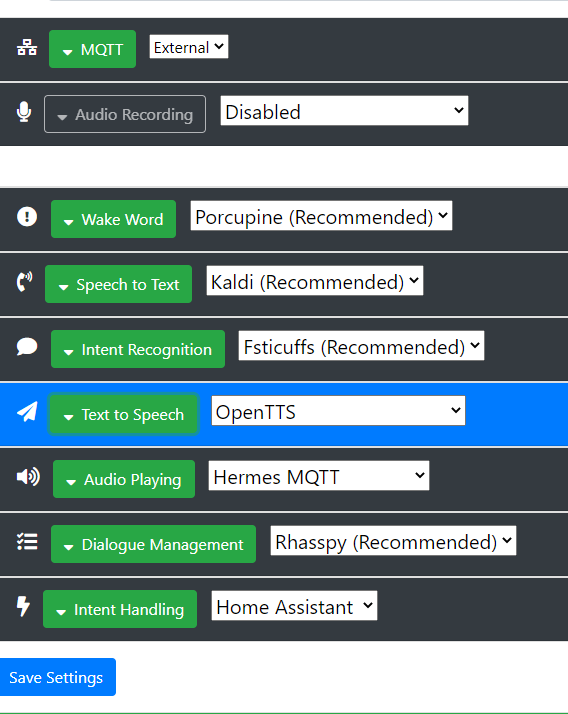
Rename siteID in your addon to something like server or base

Set MQTT to external and connect it to your broker ( I suggest using the MQTT addon)

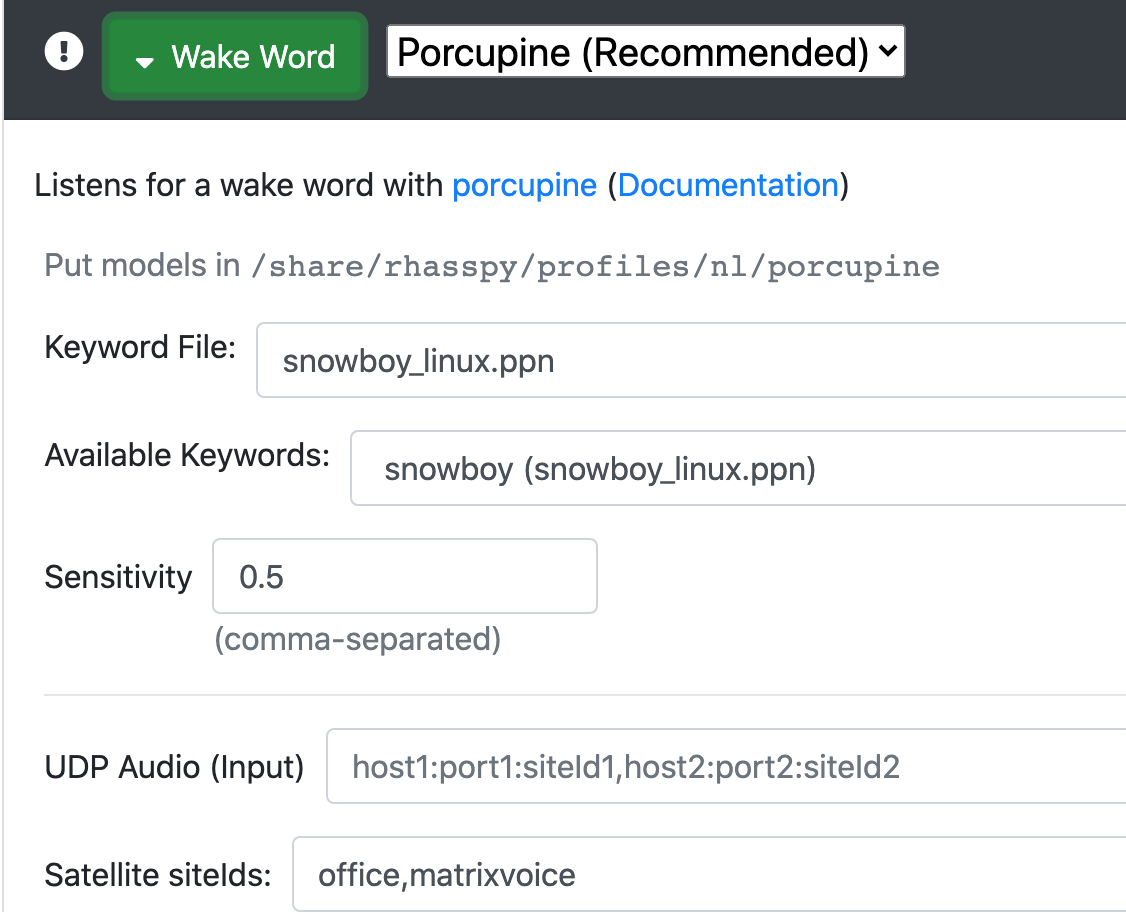
On every setting, fill in the Satellite siteIds: field with the siteId you have set in the M5 echo
Set Intent Handling to Home Assistant if you are using that, and Dialogue Manager to Rhasspy
Set Audio Playing to Hermes
You can leave Audio Recording to disabled, because Rhasspy will pickup the MQTT audio streams you have filled in the Satallites Ids field autmatically.

Example for Satellite IDs field:

AWESOME! this is the smallest IoT device in my house and the MOST efficient :slight_smile: Thanks soooooooooooooooooooooooooo mich… WAF 100%!!! :slight_smile: I will place them all in the house as they are small and with usbc i can attach them to outlets with usb exit.

If I could maybe as for some feature requests and if they are out of scope or not.##But as this little tiniy device has plenty of technic on board I was thinking to use it also as room detection (bluetooth tracking). Would that be an option / possible?

Another BIG question. Is it possible to send tts to the mini devices? I hang a bit and forgot how to make this :stuck_out_tongue:

bzw here is my config:

and as described above. i added all dieIDs to each config. Just …wow!

THANKS SO MUCH FOR THIS awesome stuff. And honestly i have the feeling it is more reliable than my rpi setup with a seeed MIC :slight_smile:

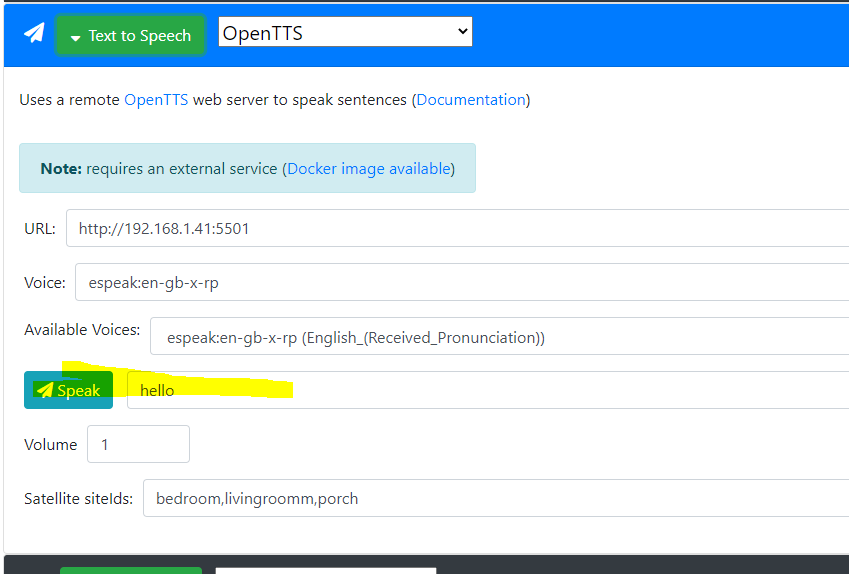
However i don
t know if I already read this but TTS doesnƄt work isnƄt it?

When I try sending a text via

I don
t hear any sound but i hear the beep and beep and also when I ask for the time I have sound … Just the speak thing in this config wonƄt give me anything :frowning:

Yes, if you send TTS to Rhasspy with the correct siteId, it will play on the device.
You can send tts via MQTT like in the docs:
https://rhasspy.readthedocs.io/en/latest/reference/#text-to-speech

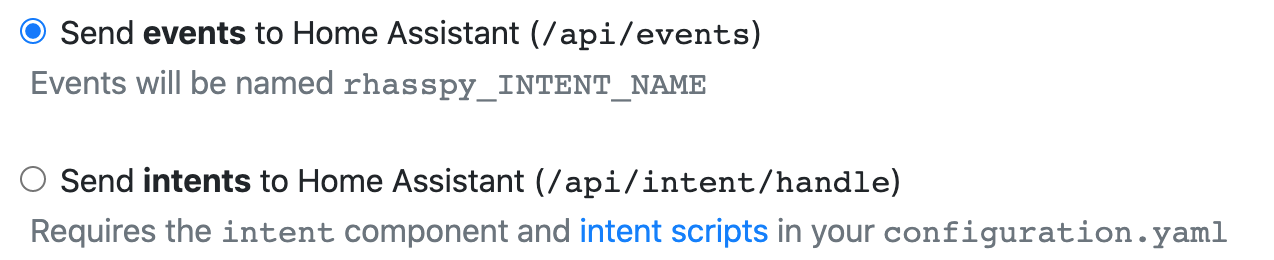
If you use Home Assistant as Intent Handler, I suggest setting Rhasspy to send events and not intents.
You events can then be use in automations, also sending TTS like so:

- id: '1581372525473'
  alias: EventLampen
  trigger:
  - event_data: {}
    event_type: rhasspy_Lights
    platform: event
  condition: []
  action:
  - data_template:
      entity_id: light.{{ trigger.event.data.location }}
    service_template: light.turn_{{ trigger.event.data.action }}
  - service: mqtt.publish
    data:
      topic: hermes/dialogueManager/endSession
      payload_template: '{"sessionId": "{{trigger.event.data._intent.sessionId}}","siteId": "{{trigger.event.data._intent.siteId}}","text": "Ok, {{ trigger.event.data.location }} {{ trigger.event.data.action }}"}'
  mode: single

If you enter text via the webUI, the siteId will be your server, not the device.

Maybe, but I am not plannig on it.

Hello thanks alot for your answer. Would it be possible to post only one single example to get started … the rest should be finethen :slight_smile:

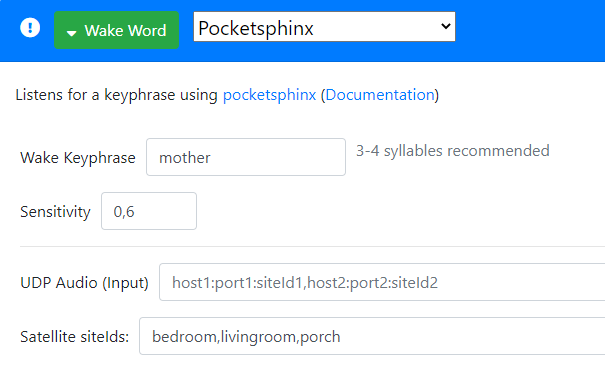
I just used Pocketsphinx like this and the wotword is recognised really well :slight_smile:

image

Sure, change the settings under Intent Handling using events:

Create sentences with intents, for example this:

[Lights]
turn (on | off){action} the (bedroom | livingroom | porch){name}

When you call Rhasspy and say ā€œturn on the bedroomā€, Rhassy will send an event to home assistant.
Create an automation:

- id: '1581372525473'
  alias: EventLights
  trigger:
  - event_data: {}
    event_type: rhasspy_Lights
    platform: event
  condition: []
  action:
  - data_template:
      entity_id: light.{{ trigger.event.data.name }}
    service_template: light.turn_{{ trigger.event.data.action }}
  - service: mqtt.publish
    data:
      topic: hermes/dialogueManager/endSession
      payload_template: '{"sessionId": "{{trigger.event.data._intent.sessionId}}","siteId": "{{trigger.event.data._intent.siteId}}","text": "Ok, {{ trigger.event.data.name }} {{ trigger.event.data.action }}"}'
  mode: single

This will react on Rhasspy to turn on the light.bedroom and push a TTS message with ā€œOk, bedroom onā€ to Rhasspy. Which in turn will play it on the device where the wakeword was triggered from.

thanks a lot. I was playing around with at the time 2 satellites. but each time i use one sattelite the other won’t work anymore. i have to unplug the cable from the m5 echo min and restart. I read a lot in the forum here and saw that i must set the sideID on base and satellites the same? can you confirm this? what’s your setup? are u using the m3 echo mini? I have really pain to get it running good wth more than 1 sattelite. i now will change all dise id to default /base and satellites and see if this helps. If you have any hint … I would apprecite. or maybe i join better the discord channel?

Yes, this is solved in the NEXT release.

No, different if you have more than 1 satellite.

I have a Matrix Voice and a M5 Atom Echo. But using 1 now because I am running on 2.5.10

Yes, that is because that does not work yet :slight_smile:

I am not on discord channel :stuck_out_tongue:

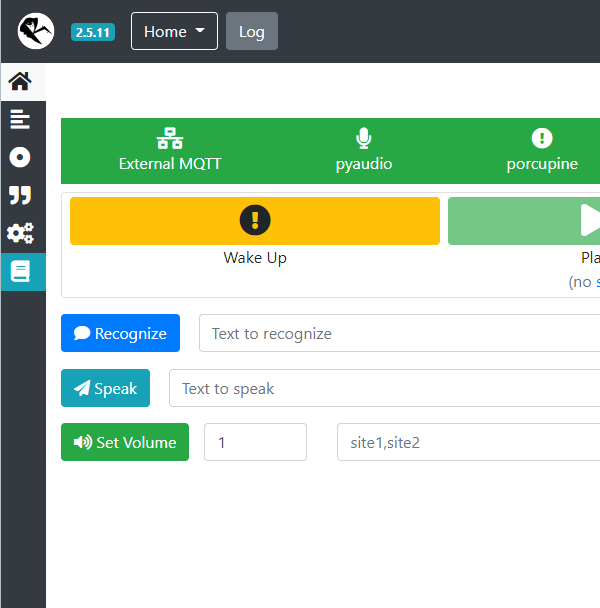
I am just testing the lasted 2.5.11 and I cannot get the second satellite working. I odn
t see any difference at the moment in the wakeword recognition. But I will keep testing. Sure I am doing things wrong :frowning:

As I am really new and love this project I will post my config here … maybe u see what i am doing wrong?

{
    "dialogue": {
        "satellite_site_ids": "porch,livingroom",
        "system": "rhasspy"
    },
    "handle": {
        "satellite_site_ids": "porch,livingroom",
        "system": "hass"
    },
    "home_assistant": {
        "access_token": "eyJ0eXAiOiJKV1QiLCJhbGciOidIUzh1NiJ9.eyJpc3MiOiJmM2EyMGZlNTY1NjU0NTVlODgzNDA4ZWRiZjRmYTNkMCIsImlhdCI6MTYzMTcwNfdDU5MiwiZXhwIjoxOTQ3MDY0NTkyfQ.SwilZ5905PsgDQW_xiiysl-lKrDqkr7Y-I3wJMoSu74",
        "url": "http://192.168.1.41:8123"
    },
    "intent": {
        "satellite_site_ids": "porch,livingroom",
        "system": "fsticuffs"
    },
    "microphone": {
        "pyaudio": {
            "siteId": "porch,livingroom"
        },
        "system": "pyaudio"
    },
    "mqtt": {
        "enabled": "true",
        "host": "192.168.1.41",
        "password": "hass",
        "username": "hass"
    },
    "speech_to_text": {
        "satellite_site_ids": "porch,livingroom",
        "system": "kaldi"
    },
    "text_to_speech": {
        "satellite_site_ids": "porch,livingroom",
        "system": "espeak"
    },
    "wake": {
        "porcupine": {
            "keyword_path": "bumblebee_linux.ppn"
        },
        "satellite_site_ids": "porch,livingroom",
        "system": "porcupine"
    }

Are you sure you are running 2.5.11?

Yes .)

and no wirries. The token of Home-Assistant is modiefied :stuck_out_tongue:

Hmm, that is strange indeed. Because that was already confirmed working.
So 1 device works ok? I assume you have two different Id’s, correct?

Profile json looks fine

Hi. As soon as I plug in the second m3 echop mini with another side ID it lags like hell or stops working completely. As this project is soo complex Is there anything I can debug? My devices are even on a seperate wifi and network dedicated for them. It it not about the connecttion… that for sure as i have Unifi AP placed all around my house.

There is something to observe as LED show different colors for different MQTT message if i am not wrong. Sometimes it stays red… sometimes it even tunr off.

I just tested. When I change to talk to another satellite it works BUT it takes me maybe 4 times to say the wakeword. Is there an issue or can (how) train this? Sorry for this awful questiopns but i try to understand and help with the project as much as I can. I confirm it works with two satellites. I will first test out with two before adding the third :slight_smile:

Do you have an ā€œultimateā€ rhasspy config? Maybe we can make a database with settings for different devices? I would start with M2 Echo Mini If you are ok with that?

I thought this was about an M5 Atom Echo, am I mistaken?

By default, red is not connected to wifi. blue is idle and green is hotword detected

That’s cool. What hardware is the server?

Are those M3 and M2 both esp32 devices? I do not know them.
I do not have an ultimate config, that kind of configuration is almost always too complicated.
Not sure what you mean by settings for different devices.

sorry it is a M5 Atrom Mini, I have green light when idle red light random and almost never blue on one of the M5. My server is a Intel NUC. Normally enough power. it is not a new one but with 8 GR RAM and all dockers and stuff run really good. Sometimes I have to tell the wakework 5 6 7 8 times before it reacts. Is there a way I can debug and see where the issue comes from ? Well when your config is too complaicated I maybe do not wanna se it :stuck_out_tongue: but it would be interesting anyway.

just a note … i switched back to Hassio addon and it seem text to speech is broken? I get the beeps for the wakeword but no text spoken.I set it to NanoTTS

You can attach the M5 to your pc and there will be stuff printed to the Serial output.
Personally I do not have a M5 Atom Mini, but a M5 Atrom Echo.
So I can not tell you what is wrong, but since it is a different device a can imagine incompatiblity

When you do what? Entering text in the webUI will not work for satellites.

@romkabouter again…awesome work on the satellite. Some questions:
I followed this part

  1. In the settings.ini file there is a hostname, what do I put there?
  2. My Wifi password has a $ in it. Am I screwed in getting this to work… :frowning:

1: whatever you want, the device should then be reachable via that hostname. I do not really know if that works, I always use the ip adress
2: I think uploading via the matrix method should work (connected to a pi), but I am not sure. You could try and change the password, flash it, change wifi password back and try OTA.
Or just change the wifi password?

Thx for the help.

I get this error: KeyError: ā€˜network_type’: Could this be that darn password with the $

 File "C:\Users\xxxxxx\.platformio\penv\Lib\site-packages\platformio\builder\main.py", line 178:
    env.SConscript(item, exports="env")
  File "C:\Users\xxxxxx\.platformio\packages\tool-scons\scons-local-4.2.0\SCons\Script\SConscript.py", line 597:
    return _SConscript(self.fs, *files, **subst_kw)
  File "C:\Users\xxxxxx\.platformio\packages\tool-scons\scons-local-4.2.0\SCons\Script\SConscript.py", line 285:
    exec(compile(scriptdata, scriptname, 'exec'), call_stack[-1].globals)
  File "E:\xxxxxx\GitHub\RHASSPY\ESP32-Rhasspy-Satellite\PlatformIO\load_settings.py", line 32:
    ("NETWORK_TYPE", config[sectionGeneral]["network_type"])
  File "C:\Users\xxxxxx\AppData\Local\Programs\Python\Python310\lib\configparser.py", line 1258:
    raise KeyError(key)

I have Python 3.10 newly installed on windows 10and then Platformio latest via script and then the app on VSCode v1.61.2. Matrix ESP32 hat on Raspberry with latest OS. Shell setup in system environmental and python vars there to.

No, I do not think so. Do you have the latest code?

Yes I do.
Here is my settings file(redacted for safety)

[General]
hostname=188.0.0.58
deployhost=188.0.0.25
siteId=satellite
;supported: M5ATOMECHO=0, MATRIXVOICE=1, AUDIOKIT=2
device_type=1

[Wifi]
ssid='xxxx'
password='xxx$xxx'

;uncomment next 4 lines and fill with your own values if you want to use a static ip address
;ip=192.168.xxx.xxx
;gateway=192.168.xxx.xxx
;subnet=255.255.255.0
;dns1=192.168.xxx.xxx
;optional: second dns server
;dns2=192.168.xxx.xxx 

[OTA]
;supported: upload, ota, matrix
;-upload: device should be attached to computer via usb
;-ota: will use espota
;-matrix: matrix voice should be attached to a raspberry pi with matrix software.
;         deployhost should be set to ip of the pi
method=matrix
password=OTApassword
port=3232

[MQTT]
ip=188.0.0.46:8123
port=1883
username='xxxx'
password='xxxxx'

This is missingL

network_type=0

Check the example here:

1 Like

Aah right. Hmm not sure why it was not there.

I now get this error uploading to the ESP32:
ā€˜sh’ is not recognized as an internal or external command, operable program or batch file.

I did a verbose and at the end saw this:

<lambda>(["upload"], [".pio\build\esp32dev\firmware.bin"])
AVAILABLE: custom, esp-prog, espota, esptool, iot-bus-jtag, jlink, minimodule, olimex-arm-usb-ocd, olimex-arm-usb-ocd-h, olimex-arm-usb-tiny-h, olimex-jtag-tiny, tumpa
CURRENT: upload_protocol = custom
sh deploy.sh 144.0.0.25

Also what do you mean here?

  • After first flash you can use ā€˜ota’ as method under the OTA section in the settings.ini

Thx a lot for you help.

You are probably on windows? sh is a linux/unix shell. I do not know how to run that on windows.

The code supports OTA (Over The Air) updates, but you first have to flash it once via another way :slight_smile:

Might this help:
How to run .sh or Shell Script file in Windows 11/10 (thewindowsclub.com)

I do not know, I do not have windows. Just try I guess, or maybe create a VM or something?

I changed load_settings.py line from

UPLOADCMD="sh deploy.sh " + config[sectionGeneral]["deployhost"]

to

UPLOADCMD="bash deploy.sh " + config[sectionGeneral]["deployhost"]

but I now get this error and I can not see what the problem is within the deploy.sh code

deploy.sh: line 3: $'\r': command not found
deploy.sh: line 4: syntax error near unexpected token `$'{\r''
deploy.sh: line 4: `showhelp () {'

I’ll try and see if I can wrap up a windows machine somewhere

1 Like

seems like I need to ask the same question, but with other circumstances. Today I received my m5atom and flashed it successfully. Wakeword is working, receiving speech, transforming it to an intent is working, but my m5 doesn’t answer.

I have Rhasspy installed as a docker container on a pi4, using mosquitto as my external MQTT broker in another docker container on the same pi4, trying to make automation with node-red (not sure if I will count on node-red in the future). As I am new with Rhasspy and this is my first trial, I am even not sure if my settings are right.

Base station settings:

{
    "dialogue": {
        "satellite_site_ids": "rhasspy-mobile-chris,atom1",
        "system": "rhasspy"
    },
    "handle": {
        "remote": {
            "url": "http://192.168.XXX.XXX:8081/intent"
        },
        "satellite_site_ids": "rhasspy-mobile-chris,atom1",
        "system": "remote"
    },
    "intent": {
        "satellite_site_ids": "rhasspy-mobile-chris,atom1",
        "system": "fsticuffs"
    },
    "mqtt": {
        "enabled": true,
        "host": "192.168.XXX.XXX",
        "password": "...",
        "site_id": "pi4base",
        "username": "..."
    },
    "speech_to_text": {
        "satellite_site_ids": "rhasspy-mobile-chris,atom1",
        "system": "kaldi"
    },
    "text_to_speech": {
        "satellite_site_ids": "rhasspy-mobile-chris,atom1",
        "system": "nanotts"
    },
    "wake": {
        "porcupine": {
            "keyword_path": "jarvis_raspberry-pi.ppn",
            "udp_audio": "172.21.0.2:20000"
        },
        "satellite_site_ids": "rhasspy-mobile-chris,atom1",
        "system": "porcupine"
    }
}

172.21.0.2 is the docker container ID.

Base station log if I ask ā€œJarvisā€ something:

[DEBUG:2021-11-08 22:20:01,979] rhasspyserver_hermes: Sent 477 char(s) to websocket
[DEBUG:2021-11-08 22:20:01,975] rhasspyserver_hermes: Sent 477 char(s) to websocket
[DEBUG:2021-11-08 22:20:01,970] rhasspyserver_hermes: Sent 477 char(s) to websocket

That’s it…

In Node-Red this is the message I get from MQTT in:

{
  "topic": "hermes/intent/GetDate",
  "payload": {
    "input": "Welches Datum haben wir",
    "intent": { "intentName": "GetDate", "confidenceScore": 1 },
    "siteId": "atom1",
    "id": null,
    "slots": [],
    "sessionId": "atom1-jarvis_raspberry-pi-90dc7f88-d154-454a-9afc-551a29286664",
    "customData": "jarvis_raspberry-pi",
    "asrTokens": [
      [
        {
          "value": "Welches",
          "confidence": 1,
          "rangeStart": 0,
          "rangeEnd": 7,
          "time": null
        },
        {
          "value": "Datum",
          "confidence": 1,
          "rangeStart": 8,
          "rangeEnd": 13,
          "time": null
        },
        {
          "value": "haben",
          "confidence": 1,
          "rangeStart": 14,
          "rangeEnd": 19,
          "time": null
        },
        {
          "value": "wir",
          "confidence": 1,
          "rangeStart": 20,
          "rangeEnd": 23,
          "time": null
        }
      ]
    ],
    "asrConfidence": 1,
    "rawInput": "welches datum haben wir",
    "wakewordId": "jarvis_raspberry-pi",
    "lang": null
  },
  "qos": 0,
  "retain": false,
  "_msgid": "7ca31bd7.a8ed74"
}

And this is the output I hand over to MQTT out:

{
  "topic": "hermes/intent/GetDate",
  "payload": {
    "input": "Welches Datum haben wir",
    "intent": { "intentName": "GetDate", "confidenceScore": 1 },
    "siteId": "atom1",
    "id": null,
    "slots": [],
    "sessionId": "atom1-jarvis_raspberry-pi-90dc7f88-d154-454a-9afc-551a29286664",
    "customData": "jarvis_raspberry-pi",
    "asrTokens": [
      [
        {
          "value": "Welches",
          "confidence": 1,
          "rangeStart": 0,
          "rangeEnd": 7,
          "time": null
        },
        {
          "value": "Datum",
          "confidence": 1,
          "rangeStart": 8,
          "rangeEnd": 13,
          "time": null
        },
        {
          "value": "haben",
          "confidence": 1,
          "rangeStart": 14,
          "rangeEnd": 19,
          "time": null
        },
        {
          "value": "wir",
          "confidence": 1,
          "rangeStart": 20,
          "rangeEnd": 23,
          "time": null
        }
      ]
    ],
    "asrConfidence": 1,
    "rawInput": "welches datum haben wir",
    "wakewordId": "jarvis_raspberry-pi",
    "lang": null,
    "text": "Heute ist Montag der 8. November 2021"
  },
  "qos": 0,
  "retain": false,
  "_msgid": "7ca31bd7.a8ed74"
}

And this is the JSON of my node-red flow:

[
    {
        "id": "de4ca1a1.9c245",
        "type": "tab",
        "label": "Rhasspy_MQTT",
        "disabled": false,
        "info": ""
    },
    {
        "id": "d3a54a61.5f5bd",
        "type": "mqtt in",
        "z": "de4ca1a1.9c245",
        "name": "mosquitto",
        "topic": "hermes/intent/#",
        "qos": "2",
        "datatype": "json",
        "broker": "8494e798.106348",
        "nl": false,
        "rap": true,
        "rh": 0,
        "x": 220,
        "y": 140,
        "wires": [
            [
                "3b203211.bde36e",
                "6e70ab0.d19a954",
                "2c47428c.4b82e6"
            ]
        ]
    },
    {
        "id": "d11f5476.b548b8",
        "type": "mqtt out",
        "z": "de4ca1a1.9c245",
        "name": "mosquitto",
        "topic": "hermes/dialogueManager/endSession,hermes/tts/say",
        "qos": "",
        "retain": "",
        "respTopic": "",
        "contentType": "",
        "userProps": "",
        "correl": "",
        "expiry": "",
        "broker": "8494e798.106348",
        "x": 1320,
        "y": 160,
        "wires": []
    },
    {
        "id": "b82bc0c9.cae788",
        "type": "debug",
        "z": "de4ca1a1.9c245",
        "name": "",
        "active": true,
        "tosidebar": true,
        "console": false,
        "tostatus": false,
        "complete": "true",
        "targetType": "full",
        "statusVal": "",
        "statusType": "auto",
        "x": 1140,
        "y": 400,
        "wires": []
    },
    {
        "id": "6e70ab0.d19a954",
        "type": "switch",
        "z": "de4ca1a1.9c245",
        "name": "Intenterkennung",
        "property": "payload.intent.intentName",
        "propertyType": "msg",
        "rules": [
            {
                "t": "eq",
                "v": "GetTime",
                "vt": "str"
            },
            {
                "t": "eq",
                "v": "GetDate",
                "vt": "str"
            },
            {
                "t": "else"
            }
        ],
        "checkall": "true",
        "repair": true,
        "outputs": 3,
        "x": 430,
        "y": 240,
        "wires": [
            [
                "97ac5e01.dbf1e"
            ],
            [
                "524df9cb.70e5"
            ],
            [
                "e9e436e0.3c4d7"
            ]
        ]
    },
    {
        "id": "97ac5e01.dbf1e",
        "type": "function",
        "z": "de4ca1a1.9c245",
        "name": "Zeitausgabe",
        "func": "var timeString = new Date().toLocaleTimeString([],\n{\nhour: \"2-digit\", \nminute: \"2-digit\",\nhour12: false\n})\n\nreturn {\npayload: \"Es ist \" + timeString\n}",
        "outputs": 1,
        "noerr": 0,
        "initialize": "",
        "finalize": "",
        "libs": [],
        "x": 620,
        "y": 200,
        "wires": [
            [
                "d11f5476.b548b8",
                "b82bc0c9.cae788"
            ]
        ]
    },
    {
        "id": "e9e436e0.3c4d7",
        "type": "template",
        "z": "de4ca1a1.9c245",
        "name": "Unrecognized",
        "field": "payload",
        "fieldType": "msg",
        "format": "handlebars",
        "syntax": "plain",
        "template": "{\n  \"data\": {\n    \"intent\": {\n      \"name\": \"unrecognized\",\n      \"confidence\": 0\n    }\n  },\n  \"speech\": {\n    \"text\": \"Kommando nicht erkannt.\"\n  }\n}",
        "output": "json",
        "x": 630,
        "y": 300,
        "wires": [
            [
                "d11f5476.b548b8",
                "b82bc0c9.cae788"
            ]
        ]
    },
    {
        "id": "524df9cb.70e5",
        "type": "function",
        "z": "de4ca1a1.9c245",
        "name": "Datumsausgabe",
        "func": "var sessionId=flow.get('sessionId')\nvar siteId=flow.get('siteId')\nvar datum = new Date();\nvar tag = datum.getDay();\nvar wotag = wochentag(tag);\n//log(wotag);\nvar now = new Date();\nvar dd = now.getDate();\nvar mm = now.getMonth()+1;\nvar monat =\"\";\nif  (mm == 1)  { monat = \"Januar\";}   \nelse if (mm == 2)  { monat = \"Februar\";} \nelse if (mm == 3)  { monat = \"MƤrz\";} \nelse if (mm == 4)  { monat = \"April\";} \nelse if (mm == 5)  { monat = \"Mai\";} \nelse if (mm == 6)  { monat = \"Juni\";} \nelse if (mm == 7)  { monat = \"Juli\";} \nelse if (mm == 8)  { monat = \"August\";} \nelse if (mm == 9)  { monat = \"September\";} \nelse if (mm == 10) { monat = \"Oktober\";} \nelse if (mm == 11) { monat = \"November\";} \nelse if (mm == 12) { monat = \"Dezember\";} \nvar yyyy = now.getFullYear();\nmsg.payload.text = 'Heute ist ' + wotag + ' der ' + dd + '. '  + monat + ' ' + yyyy;\n//msg.siteId = 'atom1';\nmsg.payload.sessionId = sessionId;\nmsg.payload.siteId = siteId;\nreturn msg;\n\nfunction wochentag(i){\n\n    var tage = ['Sonntag', 'Montag', 'Dienstag', 'Mittwoch', 'Donnerstag', 'Freitag', 'Samstag', 'Sonntag'];\n\n    var tag = (typeof(i) == 'object') ? i.getDay() : i ;\n\n    return tage[tag];\n\n}",
        "outputs": 1,
        "noerr": 0,
        "initialize": "",
        "finalize": "",
        "libs": [],
        "x": 640,
        "y": 240,
        "wires": [
            [
                "d11f5476.b548b8",
                "b82bc0c9.cae788"
            ]
        ]
    },
    {
        "id": "3b203211.bde36e",
        "type": "debug",
        "z": "de4ca1a1.9c245",
        "name": "",
        "active": true,
        "tosidebar": true,
        "console": false,
        "tostatus": false,
        "complete": "true",
        "targetType": "full",
        "statusVal": "",
        "statusType": "auto",
        "x": 410,
        "y": 100,
        "wires": []
    },
    {
        "id": "2c47428c.4b82e6",
        "type": "function",
        "z": "de4ca1a1.9c245",
        "name": "Flow Variables",
        "func": "flow.set('siteId',msg.payload.siteId)\nflow.set('sessionId',msg.payload.sessionId)",
        "outputs": 1,
        "noerr": 0,
        "initialize": "",
        "finalize": "",
        "libs": [],
        "x": 440,
        "y": 400,
        "wires": [
            []
        ]
    },
    {
        "id": "8494e798.106348",
        "type": "mqtt-broker",
        "name": "mosquitto",
        "broker": "192.168.XXX.XXX",
        "port": "1883",
        "clientid": "iobroker_node-red",
        "usetls": false,
        "protocolVersion": "5",
        "keepalive": "60",
        "cleansession": true,
        "birthTopic": "",
        "birthQos": "0",
        "birthPayload": "",
        "birthMsg": {},
        "closeTopic": "",
        "closeQos": "0",
        "closePayload": "",
        "closeMsg": {},
        "willTopic": "",
        "willQos": "0",
        "willPayload": "",
        "willMsg": {},
        "sessionExpiry": ""
    }
]

Can someone help me to get the last pieces together?

I do not see a settings for sounds (Audio Playing), it should be Hermes MQTT.
This might be the issue, but I will have to import your Node-Red flow to see other issues.
One thing I notice is that you post to two topics. hermes/tts/say is not needed.

1 Like

I have imported your flow, there are several things not correct or missing.

  1. Your MQTT output only needs hermes/dialogueManager/endSession
  2. I will use the Zeitausgabe function node as example. This output only a payload, but this is incorrect. The correct payload to Rhasspy should be
    {"sessionId": """ + flow.get('sessionId') + """, "text" : "Es ist " + timeString}
    The sessionId is needed because that is how Rhasspy knows which satellite triggered the wakeword. Maybe I get the escaping incorrect in the sessionId, but if I look at your example the payload to your outputnode should become: {"sessionId":"atom1-jarvis_raspberry-pi-90dc7f88-d154-454a-9afc-551a29286664", "text":"Heute ist Montag der 8. November 2021"}
    Nothing more is needed and all the rest you send back might cause issues in processing.
1 Like

Hi all, I am new to Rhasspy, but managed to get it work on a raspberry Pi. Now I want to add M5 Atom Echo as satellite, but i am stuck. First, in the settings, we have hostname and deployhost, what are these variables ? is the hostname the name of the Atom echo i am flashing, so i can name it ā€œAtomEcho-1ā€ for example _ and is the deployhost the io of the rhasspy base?
Is this correct ?

I also wanted to flash the Atom Echo with platformio in my Visual studio code, but get an error
Configuring flash size…

A fatal error occurred: Timed out waiting for packet header
*** [upload] Error 2
=================================================================== [FAILED] Took 8.08 seconds ===================================================================
The terminal process ā€œC:\Users\micro.platformio\penv\Scripts\platformio.exe ā€˜run’, ā€˜ā€“target’, ā€˜uploadā€™ā€ terminated with exit code: 1.
Do i need to do something specuial to put the Atom Echo in flash mode ?
Thanks for any help

Dunno that was @romkabouter arena https://github.com/Romkabouter/ESP32-Rhasspy-Satellite

deployhost is only used for the Matrix Voice and is the Raspberry Pi the MV has to be connected to for the first flash. In your case: not used.

hostname is indeed the hostname of you device.

No. Did you attach the M5 to your pc? Since the message says timeout.
What instructions did you follow?

This is what I have done ( it is also the first time I use Platform.io, I am used to use arduino for my ESP32 projects
I imported the folder ESP32-Rhasspy-Satellite-master in mz platform io.
I then created a settings.ini file. I then enter the command line, and go the the folder platformio. I then run pio run --target upload
and here I already get the first problem as it seems that all arduino examples for the esp32 board are installed, but now,…
as I redo the complete process to write this answer, it works. Maybe because I added a Gitclient ?

Thanks for your support, now I have to figure out how this works. as I understand by looking at the webinterface it does not recognize a hotword locally.
I will try to figure out what to do next, and will come back once I get stuck next time

Nope it never had a hotword the LX6 based esp32s don’t really have the oomf and I really don’t like the idea of always on network mics but hey.
The m5atom shows with economies of sale where espressif can land price wise but for KWS I wouldn’t even consider a esp32 as even an always on mic satellite is a tight fit.

esp32-s3 is the newer lx7 architecture and has been tweaked and improved in just about every area giving approx > x10 performance with some instructions.
So comparing the 2 is a bit like the old Pi zero and new where the old zero just doesn’t make the grade and the zero2 hits a sweet spot where its capable but to be honest that m5atom is an odd fit for the role as is also a non kws based satelite, but hey.

Thanks for your information, what type of satellite you would recommand? A pi with a respeaker? Are more than 1 sattelites supported?

That is the strange thing as really I can not as what are the essential early processing algs of KWS are missing from the entire project.
Use the atom-m5 as it aint great but being honest nothing really is that is on offer, satellite or not.

Now that Rhasspy is winding down to maintenance only I am trying to create a conversation on this before its likely many of the players scatter.
I have bit my lip and stayed relatively quiet on this subject for over a year but being honest use anything you wish as the KWS are relatively poor but as a project Rhasspy completely ignores the AudioDSP requirements that modern VoiceAI have used for a long while.

A cheap usb and uni directional electret is prob a good start or maybe the 2mic hat and speex aec but whatever make it cheap as the end solution will not be great so minimise what you spend.

Correct, there was a version with local hotword (using WakeNet). But esp lib kept being worked on and the wakenet would not complie with newer version.
I am currently working on other projects, so no real progress on the local KWS matter.

Yes, that can be achieved indeed :slight_smile:

(First post on the forum, obligatory huge thanks to synesthesiam for rhasspy! Could not believe it when I found out last week about its existence and open-sourceness.)

Thanks a lot-lot romkabouter for esp32-rhasspy-satellite! I ordered a couple of M5Stack Echo’s over the weekend. I got it ā€œmore or lessā€ working, and it’s amazing!

What is ā€œlessā€ working is probably an issue of configuration. The repository does not provide instructions for how to configure rhasspy, and the rhasspy documentation does not have instructions for how to set up ā€œdumbā€ satellites such as these. So, my solution was to just enter all the satellite siteIDs on all the services.

This solution works (surprisingly automagically), but there is one issue which I can’t seem to get rid of: kaldi is running all the time. The poor Raspberry’s CPU is at or above 60 degrees all the time (this is with 3 Echo satellites).

Is this a configuration error on my side? Rhasspy config below, but it would be already much appreciated if someone can confirm that they have a working setup where kaldi is not using CPU all the time.

{
    "command": {
        "webrtcvad": {
            "max_sec": "10"
        }
    },
    "dialogue": {
        "satellite_site_ids": "satellite1,satellite2,satellite3,satellite4,satellite5",
        "system": "rhasspy"
    },
    "handle": {
        "satellite_site_ids": "satellite1,satellite2,satellite3,satellite4,satellite5",
        "system": "hass"
    },
    "home_assistant": {
        "access_token": "quite_secret",
        "url": "http://raspy:8123"
    },
    "intent": {
        "satellite_site_ids": "satellite1,satellite2,satellite3,satellite4,satellite5",
        "system": "fsticuffs"
    },
    "microphone": {
        "pyaudio": {
            "device": "15"
        }
    },
    "sounds": {
        "system": "hermes"
    },
    "speech_to_text": {
        "kaldi": {
            "cancel_word": "nevermind",
            "max_frequent_words": "47",
            "max_unknown_words": "4",
            "min_confidence": "0.5"
        },
        "satellite_site_ids": "satellite1,satellite2,satellite3,satellite4,satellite5",
        "system": "kaldi"
    },
    "text_to_speech": {
        "larynx": {
            "default_voice": "scottish_english_male",
            "vocoder": "vctk_small"
        },
        "nanotts": {
            "language": "en-GB"
        },
        "satellite_site_ids": "satellite1,satellite2,satellite3,satellite4,satellite5",
        "system": "nanotts"
    },
    "wake": {
        "porcupine": {
            "keyword_path": "jarvis_raspberry-pi.ppn"
        },
        "satellite_site_ids": "satellite1,satellite2,satellite3,satellite4,satellite5",
        "system": "porcupine"
    }
}

That is actually the correct method :slight_smile:

Kaldi is a proces ran by Rhasspy, so it will run.
But the Pi must proces an audioStream from 5 sat’s That is a lot of data, so most likely this is the cause of the 60 degrees. Check what happens if you only use 1 sat.

That is actually the correct method :slight_smile:

Good to hear :grin:

Kaldi is a proces ran by Rhasspy, so it will run.
But the Pi must proces an audioStream from 5 sat’s That is a lot of data, so most likely this is the cause of the 60 degrees. Check what happens if you only use 1 sat

The CPU usage and temperature is indeed somewhat linearly related to the amount of satellites online. However, I would have expected Kaldi to only process audio after Porcupine detects a wake-word. I did see something in the documentation about needing to use UDP to ā€œdepriveā€ Kaldi of audio until a wake word is detected, but AFAIU that’s within a rhasspy setup, and doesn’t apply to streaming satellites.

I feel like it should be possible somehow to keep Kaldi dormant until Porcupine kicks in. The MQTT structure seems flexible enough at least. I might have to spend some weekend time on this… :slight_smile:

Processing is something different than running. I am not sure about the internal working of this however.

I know this is an older post, but can you tell me how to do this? I’m using a M5 Atom Echo and at the moment it publishes audio chunks to hermes/audioServer/satellite/audioFrame all the time.
Could I also run the wakeWord detection locally, on device? Or does it have too little computing power for that?

That option was removed because it did not work very well. And the M5 does not have enough power indeed.

Does anyone know if ESP32-Rhasspy-Satellite work with any of the reSpeaker arrays? I have two of them lying around, one original and one v2.