Is anyone successfully using one of the below microphone/speaker combo units with Rhasspy running on a Pi 4? Looking for some guidance before I spend the money on one of these units.
I’d prefer a combo unit to save space but my fallback plan is to use a ReSpeaker USB Mic Array in conjunction with a speaker attached to the AUX port.
I searched the forums a bit and it seems like the experience with these combo units varies. If anyone is successfully using one of them, I’d love to know.
I can’t speak for the two units you mention, but I have good results with a ReSpeaker 4 microphone Pi hat on the RPi 4. For audio output, I use a small 40mm speaker with a PAM8302 amplifier board which I mounted in a 3D printed case.
The input to the amplifier is the output from the 3.5mm jack with two 10K resistors mixing the left and right channels into a mono channel. This gives perfectly clear voice responses to my voice commands.
The benefit of the hat is that you can use the LEDs for visual feedback.
You dont even need the resistors necessarily. You can downmix the stereo to mono on one channel in the asound config in software and than just connect the pam amp to that channel of the 3.5 mm output. Something like:
I would really discourage buying the pseye if you don’t already own one. It not that great and the drivers for linux are kind of a hack.
You dont actually use the array of microphones but just one mono channel.
All the array magic like beam forming was proprietary and happening on the playstation.
So for getting just a single usb mic basically without leds or speakers its not that great of a deal.
Id rather get one of the usb conference mics as they at least dont have that webcam look.
Im curious on that 410 and the 510… when you plug those in via usb, will they show up as just mic and speaker? or will you have to press the button to get the mic to activate since they are designed for speaker phone?
I used an old USB cable, as it has four conductors and a nice noise killing ferrite ring on it. Cut the ends off and wired one pair of conductors to audio ground and my mono signal and then soldered the other pair to +5V and ground on the GPIO header to power the PAM8302. (I needed some extensions to raise the GPIO header up so that I could add the ReSpeaker hat without fouling the metal of my passive cooler case for the Pi and that left plenty of room to solder two wires to the GPIO pins.)
Hi,
I am using a Raspi 3B+ with a ReSpeaker 4MicArray, speaker (with amplifier) attached to the AUX port - it works withoun any problems. Speech recognition including wakeword is very sensitive and precise.
Would be my recommendation.
Thanks for all,
I would like to have a “ALL-IN_ONE” solution, like the versions with ReSpeaker2 and a small speaker. But for that, I need an amp. I was thinking about PAM8302 before, but had the Problem with powering.
USB Power is an option. But would increase the case because of the plug.
Thanks to JGKK. I didn’t think about the grove interfaces. I hope 3.3V is enough for the amp.
Hi I have just got a Jabra 410 and the mic worked “out of the box” but I am struggling with the USB audio. I have changed the alsa default to 1, I have disabled the analogue output. Tested the speaker by playing white noise. but the Rhasspy refuses to play audio via USB. It is new install on a pi4 with Buster and the standard Docker install of Rhasspy. I am clearly missing the critical point. The log shows:
[ERROR:337169] APlayAudioPlayer: on_receive when I try the Wakeword button to get a tone…
Any suggestions welcome???
Thanks
Thanks for the response:
play -l
**** List of PLAYBACK Hardware Devices ****
card 1: USB [Jabra SPEAK 410 USB], device 0: USB Audio [USB Audio]
Subdevices: 1/1
Subdevice #0: subdevice #0
speaker-test 1.1.8
Playback device is default
Stream parameters are 48000Hz, S16_LE, 1 channels
Using 16 octaves of pink noise
Channels count (1) not available for playbacks: Invalid argument
Setting of hwparams failed: Invalid argument
looks like a problem somewhere? where do I look?
Thanks again
create /etc/asound.conf with following:
defaults.pcm.card 1
defaults.ctl.card 1
Replace “1” with number of your card determined above.
that gave me white noise and
Playback device is default
Stream parameters are 48000Hz, S16_LE, 1 channels
Using 16 octaves of pink noise
Rate set to 48000Hz (requested 48000Hz)
Buffer size range from 2048 to 16384
Period size range from 1024 to 1024
Using max buffer size 16384
Periods = 4
was set period_size = 1024
was set buffer_size = 16384
0 - Front Left
BUT pressing WAKE to generate a tone gave me a log:
[ERROR:589950] APlayAudioPlayer: on_receive
Traceback (most recent call last):
File “/usr/share/rhasspy/rhasspy/actor.py”, line 175, in on_receive
self._state_method(message, sender)
File “/usr/share/rhasspy/rhasspy/audio_player.py”, line 67, in in_started
self.play_file(message.wav_path)
File “/usr/share/rhasspy/rhasspy/audio_player.py”, line 90, in play_file
subprocess.run(aplay_cmd, check=True)
File “/usr/lib/python3.7/subprocess.py”, line 512, in run
output=stdout, stderr=stderr)
subprocess.CalledProcessError: Command ‘[‘aplay’, ‘-q’, ‘/usr/share/rhasspy/etc/wav/beep_error.wav’]’ returned non-zero exit status 1.
[INFO:589932] quart.serving: 192.168.1.114:51654 POST /api/listen-for-command 1.1 200 139 14834859
[DEBUG:589896] APlayAudioPlayer: [‘aplay’, ‘-q’, ‘/usr/share/rhasspy/etc/wav/beep_error.wav’]
Did you include /dev/snd in your docker run command?
Could you run docker exec -it rhasspy bash (as long as your rhasspy container is called rhasspy, otherwise substitute rhasspy with your corresponding container name) and then run aplay -l? What’s the output of the command?
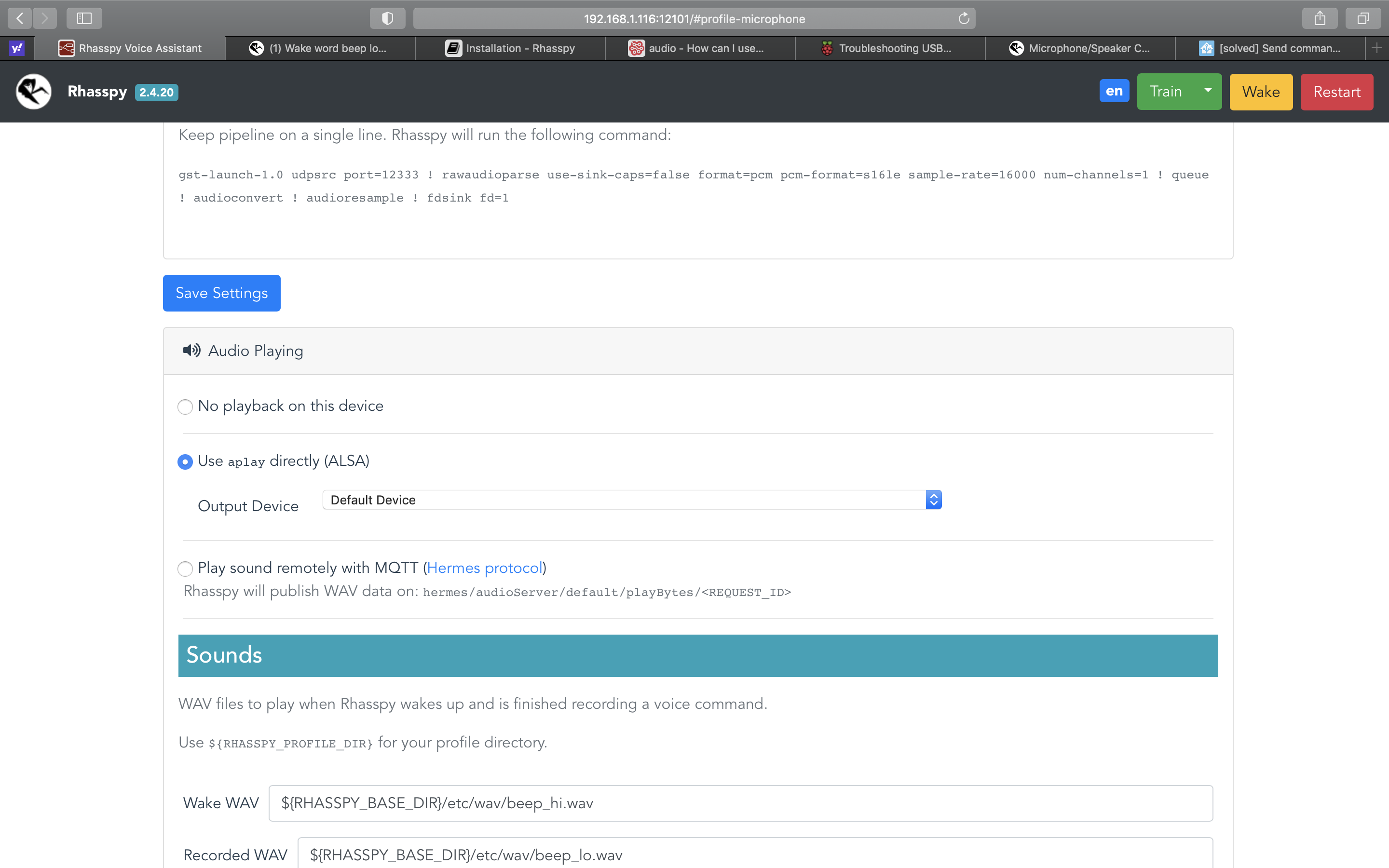
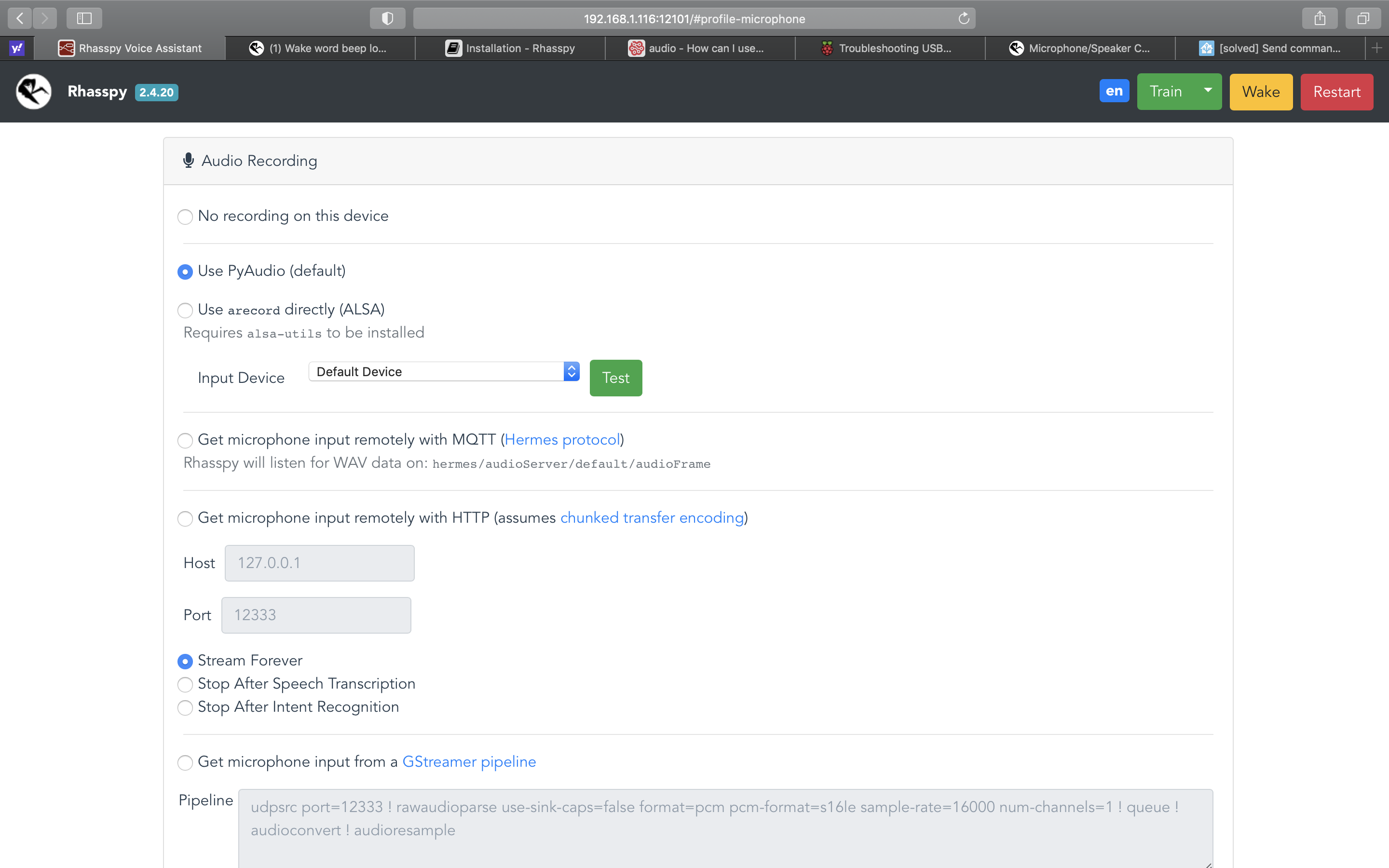
Weird that there is no container. Is rhasspy running? On the host sound is working now you said. Isn’t it? Could you please post some screenshots of your audio record and audio playing section of the rhasspy settings page.
rhasspy is running, quite happy to record “what time is it”, just no sound out of the USB, it did play via headphone jack until I disabled analogue and changed default device…
Which devices are there available in the audio playing section? Did you try playing around with different devices in this list? Are you using a 2.4 version of rhasspy on purpose? Otherwise I would recommend an update to version 2.5.10 (latest stable release). Maybe the update will solve the issue as well.
Hi thanks for your time, its weird, all the s/w was fresh loaded yesterday. I think I will try a fresh rebuild. The audio list won’t let me select anything other than default… who knows what I might have twiddled along the way. so a fresh start is called for. Thanks again… I will report if it works, or not…
For the sake of the algorithm: Anker PowerConf S330 does not work. Speaker is fine. Microphone array doesn’t pick up any sound in Linux. No idea what it’s problem is, but I’m sending it back.