Help with Rhasspy+Home Assistant using intent

Hi,

I just started to use rhasspy and have some question. I successfully added external broker and token to my HA instance.

Now I’m struggling managing intent to turn on/off open/close “things” in HA.

This is my sentences.ini

[HassTurnOn]
accendi (lampadario | striscia led| lampada scrivania | lampada simonasalvo | lampada fiore | piantana | razzo | jack lamp) {name} {stato}

[HassTurnOff]
spegni (lampadario | striscia led| lampada scrivania | lampada simonasalvo | lampada fiore | piantana | razzo | jack lamp) {name} {stato}

(using friendly name, not entity_id)

On “intent handling” Send intents to Home Assistant (/api/intent/handle) is flagged.

On HA I added this to my config:

intent:
intent_script:

and reboot.

If I try to handle this is the error in the log:

Logger: aiohttp.server
Source: helpers/intent.py:76
First occurred: 13:12:28 (1 occurrences)
Last logged: 13:12:28

Error handling request
Traceback (most recent call last):
File “/usr/src/homeassistant/homeassistant/helpers/intent.py”, line 72, in async_handle
result = await handler.async_handle(intent)
File “/usr/src/homeassistant/homeassistant/helpers/intent.py”, line 203, in async_handle
slots = self.async_validate_slots(intent_obj.slots)
File “/usr/src/homeassistant/homeassistant/helpers/intent.py”, line 155, in async_validate_slots
return self._slot_schema(slots) # type: ignore
File “/usr/local/lib/python3.8/site-packages/voluptuous/schema_builder.py”, line 272, in call
return self._compiled([], data)
File “/usr/local/lib/python3.8/site-packages/voluptuous/schema_builder.py”, line 594, in validate_dict
return base_validate(path, iteritems(data), out)
File “/usr/local/lib/python3.8/site-packages/voluptuous/schema_builder.py”, line 432, in validate_mapping
raise er.MultipleInvalid(errors)
voluptuous.error.MultipleInvalid: required key not provided @ data[‘name’]

The above exception was the direct cause of the following exception:

Traceback (most recent call last):
File “/usr/local/lib/python3.8/site-packages/aiohttp/web_protocol.py”, line 422, in _handle_request
resp = await self._request_handler(request)
File “/usr/local/lib/python3.8/site-packages/aiohttp/web_app.py”, line 499, in _handle
resp = await handler(request)
File “/usr/local/lib/python3.8/site-packages/aiohttp/web_middlewares.py”, line 119, in impl
return await handler(request)
File “/usr/src/homeassistant/homeassistant/components/http/security_filter.py”, line 60, in security_filter_middleware
return await handler(request)
File “/usr/src/homeassistant/homeassistant/components/http/forwarded.py”, line 76, in forwarded_middleware
return await handler(request)
File “/usr/src/homeassistant/homeassistant/components/http/request_context.py”, line 24, in request_context_middleware
return await handler(request)
File “/usr/src/homeassistant/homeassistant/components/http/ban.py”, line 78, in ban_middleware
return await handler(request)
File “/usr/src/homeassistant/homeassistant/components/http/auth.py”, line 144, in auth_middleware
return await handler(request)
File “/usr/src/homeassistant/homeassistant/components/http/view.py”, line 135, in handle
result = await result
File “/usr/src/homeassistant/homeassistant/components/http/data_validator.py”, line 63, in wrapper
result = await method(view, request, *args, **kwargs)
File “/usr/src/homeassistant/homeassistant/components/intent/init.py”, line 68, in post
intent_result = await intent.async_handle(
File “/usr/src/homeassistant/homeassistant/helpers/intent.py”, line 76, in async_handle
raise InvalidSlotInfo(f"Received invalid slot info for {intent_type}") from err
homeassistant.helpers.intent.InvalidSlotInfo: Received invalid slot info for HassTurnOn

Any hint?

Thank you in advance!

You have an invalid slot.
The slot {name} is correct, but {stato} is probably not.

1 Like

oh yes thank you!

For others that may ask how it looks like here it is:


[HassTurnOn]

room_name = (soggiorno | cucina | camera da letto | camera di adele | bagno principale | bagno secondario | corridoio | studio) {room}
light_name = (lampadario | striscia led| lampada scrivania | lampada simonasalvo | lampada fiore | piantana | razzo | jack lamp) {name}
light_cmd = (accendi ) {command}

<light_cmd> [il] [la] <light_name> [in] [ <room_name> ]

[HassTurnOff]
room_name = (soggiorno | cucina | camera da letto | camera di adele | bagno principale | bagno secondario | corridoio | studio) {room}
light_name = (lampadario | striscia led| lampada scrivania | lampada simonasalvo | lampada fiore | piantana | razzo | jack lamp) {name}
light_cmd = (spegni) {command}

<light_cmd> [il] [la] <light_name> [in] [ <room_name> ]

Now another question:

I do have several lampadario (ceiling lamp), one in every room. So If I write:

accendi (turn on) lampadario in studio (roomroom_name) nothing happens and no error in HA logs. Does intent is able to manage also area_id besides entity_id?

Thank you in advance!

No, so you cannot use this with build-in intents this way.
If you want this, you need to create your own intent_script with entity_id’s as templates.

Ok. There’s any example out there or a coobook?

I think that my question are made thousands of times

No cookbook, but this may help
Create a new slot named commands with:

accendi:on
spegni:off

Create a new slot named lights with:

lampadario
striscia led
lampada scrivania
lampada simonasalvo
lampada fiore
piantana
razzo
jack lamp

Create a new slot rooms:

soggiorno
cucina
camera da letto
camera di adele
bagno principale
bagno secondario
corridoio
studio

Your sentences:

[Lights]
($commands){command} [il] [la] ($lights){light} [in] [ ($rooms){room} ]

Put something like this in you configuration yaml (I do not know the entity id’s of your lights

intent:
intent_script:
  Lights:
    action:
      - service_template: light.turn_{{ command }}
        data_template:
          entity_id: 'light.{{ light }}_{{ room }}'
      - service: mqtt.publish
        data:
          payload_template: '{"sessionId": "{{_intent.sessionId}}",
        "text": "Ok, {{ light }} {{ command }}"}'
          topic: hermes/dialogueManager/endSession
1 Like

light.turn_{{ command }} will become light.turn_on or light.turn_on
light.{{ light }}{{ room }} will become light.lampadario soggiorno, this might be tricky because I do not know your entitiy-id’s

The intent_script will also close the Rhasspy session with the mqtt.publish call

Ok clear.

Maybe I can use this:

    action:
      - service_template: light.turn_{{ command }}
        data_template:
          entity_id: 'light.{{ light }}'
          area_id: '{{ room }}'

according to this .

Another question (sorry!) ok for creating manual slots but I was wondering if those can be “automatically” created based on HA entities. Looking here it tells about slot_programs/hass/entities but it is no clear on how to create it.

Maybe pasting this file in /slot_programs/hass/entities ? It is enough? (EDIT: it doesn’t!. Even if the file is executable)

Possitbly yes, but then you must call it with “target”

Yes, that is where slot_programs are for :slight_smile:
That file should not go in slot_programs/hass/entities but in slot_programs/hass. The file itself is called entities, without extension

Here is some extra info (I have helped the user with the problem):

It might be a bit too much info, but this is important:

Also note that the script outputs the friendly names and the sentences will be trained on the friendly names.

It depend on this if you can use it in your intent_script or not

Uhm there’s something wrong.

Here’s a recap of all the steps:

  1. Downloaded entities in rhasspy/it/slot_programs/hass

  1. Changed proprierties to allow execution (see screenshot above).

  2. Reboot Rhasspy

  3. Added custom commands to sentences.ini

[HassTurnOn]
lights = $hass/entities,light
switches = $hass/entities,switch
entities = <lights> | <switches>
turn on [the] (<entities>){name}

[HassTurnOff]
turn off [the] (<HassTurnOn.entities>){name}

[HassOpenCover]
covers = $hass/entities,cover
open [the] (<covers>){name}

[HassCloseCover]
close [the] (<HassOpenCover.covers>){name}

[HassToggle]
entities = <HassTurnOn.entities> | <HassOpenCover.covers>
toggle [the] (<entities>){name}

[HassLightSet]
set [the] (<HassTurnOn.lights>){name} [color] to ($hass/colors){color}
set [the] (<HassTurnOn.lights>){name} brightness to (0..100){brightness}
set [the] (<HassTurnOn.lights>){name} to (0..100){brightness} percent brightness

Saved and retrain.

Here’s a error:
CalledProcessError: Command '['/profiles/it/slot_programs/hass/entities', 'switch']' returned non-zero exit status 127.

Full log:

[ERROR:2021-07-09 15:27:10,209] rhasspyserver_hermes: Command ‘[’/profiles/it/slot_programs/hass/entities’, ‘switch’]’ returned non-zero exit status 127.
Traceback (most recent call last):
File “/usr/lib/rhasspy/.venv/lib/python3.7/site-packages/quart/app.py”, line 1821, in full_dispatch_request
result = await self.dispatch_request(request_context)
File “/usr/lib/rhasspy/.venv/lib/python3.7/site-packages/quart/app.py”, line 1869, in dispatch_request
return await handler(**request_.view_args)
File “/usr/lib/rhasspy/rhasspy-server-hermes/rhasspyserver_hermes/main.py”, line 1313, in api_train
result = await core.train()
File “/usr/lib/rhasspy/rhasspy-server-hermes/rhasspyserver_hermes/init.py”, line 365, in train
word_transform=word_transform,
File “/usr/lib/rhasspy/rhasspy-server-hermes/rhasspyserver_hermes/train.py”, line 87, in sentences_to_graph
slot_visitor=word_visitor,
File “/usr/lib/rhasspy/rhasspy-nlu/rhasspynlu/slots.py”, line 87, in get_slot_replacements
slot_command, universal_newlines=True
File “/usr/lib/python3.7/subprocess.py”, line 395, in check_output
**kwargs).stdout
File “/usr/lib/python3.7/subprocess.py”, line 487, in run
output=stdout, stderr=stderr)
subprocess.CalledProcessError: Command ‘[’/profiles/it/slot_programs/hass/entities’, ‘switch’]’ returned non-zero exit status 127.
[DEBUG:2021-07-09 15:27:10,196] rhasspynlu.slots: Running program for slot hass/entities,switch: [’/profiles/it/slot_programs/hass/entities’, ‘switch’]
[DEBUG:2021-07-09 15:27:10,194] rhasspynlu.ini_jsgf: Loaded ini file
[DEBUG:2021-07-09 15:27:10,193] rhasspyserver_hermes: Generating intent graph
[DEBUG:2021-07-09 15:27:10,193] rhasspyserver_hermes: Loading sentences from [PosixPath(’/profiles/it/sentences.ini’)]
[INFO:2021-07-09 15:27:10,192] rhasspyserver_hermes: Starting training
[DEBUG:2021-07-09 15:27:08,679] rhasspyserver_hermes: Writing /profiles/it/sentences.ini

Do you have switches? It might be that the error occurs when you do not have them
Try only lights first

I did before posting (and I do have switches)

Sentences.ini

[HassTurnOn]
lights = $hass/entities,light
entities = <lights>
turn on [the] (<entities>){name}

[HassTurnOff]
turn off [the] (<HassTurnOn.entities>){name}

Error:
CalledProcessError: Command '['/profiles/it/slot_programs/hass/entities', 'light']' returned non-zero exit status 127.

Exit 127 is a command not found:
https://www.gnu.org/software/bash/manual/html_node/Exit-Status.html
Maybe the file cannot be found

Maybe better to first focus on your problem with the area then.
Like I said, maybe the friendly names or not usable for you anyway?

But the file is there with the proprierties shown in the screenshot.

Also @nightingale seems to have same issue?

I tried it then to add the following to the sentences, but it did not work as it complained about not existing slots (e.g) $hass/entities,light and $hass/entities,switch

Regarding the area_id how can I test it if I am not able to connect Rhasspy to HA? Adding manually all the entities in slots?

For my curiosity: can Rhasspy use something like aliases in google assistant? For example calling a light

  1. Striscia LED
  2. LED
  3. Striscia

Start small, add a couple of them first to get things going.

OK I will add “manually” some light and see if the intent_works. I will come back with a feedback.

Are you using Home Assistant OS and Addon or something different?
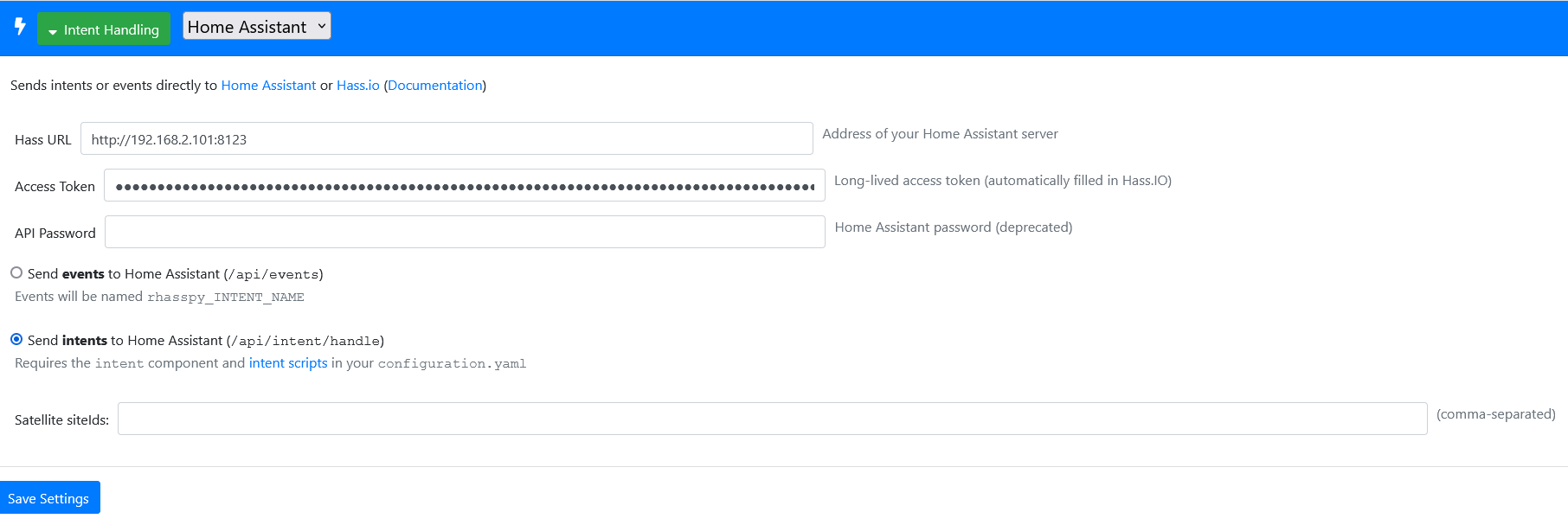
Also, can you post a screen shot of the URL and token? Maybe there is an issue with that and the script needs it.

Home assistant OS in a VM. Rhasspy is another docker (not the addon).

Below is how the settings appears:

Looks ok, you say Rhasspy is in a docker.
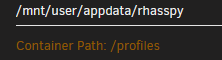
Are you sure the path on your host: /mnt/user/appdata/rhasspy/it/slot_programs/hass is in the docker mapped to /profiles/it/slot_programs/hass?

It looks like you are missing the profiles folder, it might be:
/mnt/user/appdata/rhasspy/profiles/it/slot_programs/hass

I mapped the whole /profiles

immagine

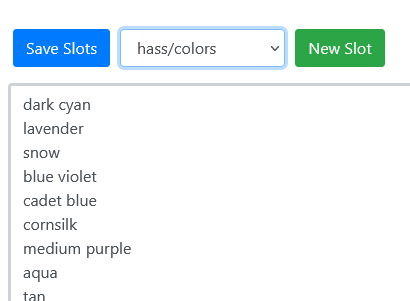
infact if I for example rebuild the docker with en profile another folder is created. And when I manually added

colors in /mnt/user/appdata/rhasspy/it/slots/hass I found the file without issues

immagine

EDIT:

I tested the intent and this “works” (if I switch accendi to on).

on la piantana in soggiorno

ChangeLightState:

    action:

      - service_template: >- #light.turn_{{ command }}
        target:
          area_id: "{{ room }}"
          entity_id:
            - "light.{{ light }}"

I tried to change the service template with this:

  - service_template: >-
      {% if {{ command }} = "accendi" %}
        light.turn_on
      {% else %}
        light.turn_off
      {% endif %}

But it is wrong.

So the connection with HA “exist” and the area_id works too. I still need to understand (with your help) why the script is not loaded. And the figure out how to write the template to manage command correctly. I found here a topic from a guy yesterday but it is made as an automation so the logic is different:

trigger:
    platform: event
    event_type: rhasspy_ChangeLightState
  action:
    service_template: >
      {% if trigger.event.data["command"] == "accendi" %}
        light.turn_on
      {% else %}
        light.turn_off
      {% endif %}
    data_template:
      entity_id: "light.{{ trigger.event.data['name'] }}

That is a bit strange indeed. 127 really is a file not found issue, but your mapping seems ok.
Is there a particular reason you do not use the Addon? It might help, even though the mapping seems ok there might be some issue we do not see. I use this exact file in the addon and that works without issues.

Try == instead of =

Just to have full power coming from my host while just the cpu destinated to the VM.

In the meantime I found out how to use it. I rewrite it here for noobs like me :slight_smile:

sentences.ini

[ChangeLightState]
room_name = (soggiorno | cucina | camera da letto | camera di adele | bagno principale | bagno secondario | corridoio | studio) {room}
light_name = (lampadario | striscia led| lampada scrivania | lampada simonasalvo | lampada fiore | piantana | razzo | jack lamp) {light}
light_cmd = (accendi| spegni){command}

<light_cmd> [il] [la] <light_name> [in] [ <room_name> ]

intent_script:

ChangeLightState:
    action:
      - service_template: >-
          {% if command == "accendi" %}
            light.turn_on
          {% else %}
            light.turn_off
          {% endif %}
        target:
          area_id: "{{ room }}"
          entity_id:
            - "light.{{ light }}"

Now I go test the addon to see how it changes. In the meantime another question. Rhasspy allow to use aliases? Basically call a light with different names.

EDIT: it works with lights with one word (es: piantana). Lights with composite word are not managed correctly (es: jack lamp is managed as light.jack lamp, without the "_" so the intent script doesn’t work)

Nice that you have found a way :slight_smile:

yes but it is still partial.

Can you help me understand how to manage light with complex name?

yeah ok,

What are the entity_id’s of your lights in Home Assistant?

For example

light.jack_lamp
light.lampada_fiore
light.lampada_scrivania

Have as friendly name:

Jack Lamp
Lampada Fiore
Lampada Scrivania

while other lights like

light.bagno_principale
light.bagno_secondario

But also
light.soggiorno
light.corridoio

Are ceiling lamps so friendly name is always

Lampadario (that’s why it’s important for me managing rooms)

With templates, you van apply a lot of code.
If you have a space in a lightname, you can replace it with an underscore

entity_id: light.{{ light | replace(" ","_") }}

I do not know if the friendly names are converted to lower case, but you can do that as well:

entity_id: light.{{ light.lower() | replace(" ","_") }}

1 Like

WOW! Templates are so powerful!

Now I can manage also those lights like:

light.jack_lamp
light.lampada_fiore
light.lampada_scrivania

for

light.bagno_principale
light.bagno_secondario
light.soggiorno
light.corridoio

still does not works. I cannot rename all those entities as light.lampadario so I think I need to use condition as well here.

Based on your example I made this.

it works! :slight_smile:

ChangeLightState:
    action:
      - service_template: >-
          {% if command == "accendi" %}
            light.turn_on
          {% else %}
            light.turn_off
          {% endif %}
        target:
          area_id: "{{ room }}"
          entity_id: >-
            {% if light == "lampadario" %}
              light.{{ room.lower() | replace(" ","_") }}
            {% else %}
              light.{{ light.lower() | replace(" ","_") }}
            {% endif %}

As promised the update for the script.

I added the rhasspy addon in HA VM and basically copy-paste profile folder into share in order to have same enviroment.

I then added entities in the slot_programs/hass/ folder but it doesn’t works neither.

When I first add it the error was

PermissionError: [Errno 13] Permission denied: '/share/rhasspy/profiles/it/slot_programs/hass/entities'

So I changed permissions to 0777 and the error changed to

CalledProcessError: Command '['/share/rhasspy/profiles/it/slot_programs/hass/entities', 'light']' returned non-zero exit status 127.

So maybe I made the same error again or there’s something that does no work anymore (I think the first)

Why not call them light.lampadario_corrido and such?

Good point LOL

In the meantime as written before I tried also with addon failing as well. At this point I think is clear it’s something I’m missing.

I think the addon fullfill the requirements ( curl and jq)
I added entities in this path /share/rhasspy/profiles/it/slot_programs/hass
I make it executable (rwxr–r–) : 0744

I restarted the addon and then added this to sentences.ini


[HassOpenCover]
covers = $hass/entities,cover
open [the] (<covers>){name}

[HassCloseCover]
close [the] (<HassOpenCover.covers>){name}

Same error when saving:

CalledProcessError: Command '['/share/rhasspy/profiles/it/slot_programs/hass/entities', 'cover']' returned non-zero exit status 127.

That is strange indeed, because I actually use that script as well

I do not know how good you are with a command line, but this line should output the states:
(replace token and url)

curl -X GET \
     -H "Authorization: Bearer ${token}" \
     -H 'Content-Type: application/json' \
     "${url}/api/states"

Yes it is. I also recreated it from scratch (the whole addon) but everything works now exept the script. Can I somehow manually trigger it?

See comment above.

You can create a temporary token if needed, unless you have written down your Rhasspy one

Just to be sure I should leave {} in url and token?

{192.168.2.101:8123}
{mysupersecretoken}

No, it should be this:


curl -X GET -H "Authorization: Bearer eyJ0eXAiandtherestofthetoke" -H 'Content-Type: application/json' "http://192.168.2.101:8123/api/states"

Also with http:// :slight_smile:
That should printout all states for all entities.

1 Like

OK when I use it in the docker console I see as response a wall of infinite text with A LOT of things (shopping list, sonarr tv shows and all my stuff).

But the again if I readd

[HassOpenCover]
covers = $hass/entities,cover
open [the] (<covers>){name}

[HassCloseCover]
close [the] (<HassOpenCover.covers>){name}

I see the same error… :frowning:

good start :slight_smile:
You token and url works
I do not know on what machine you are, but you can add the token and url in the script itself and run it from the command line.
You need to have jq installed.

It seems installed by default:

# apt-get install jq
Reading package lists... Done
Building dependency tree       
Reading state information... Done
jq is already the newest version (1.5+dfsg-2+b1).
E: Archives directory /var/cache/apt/amd64/archives/partial is missing. - Acquire (2: No such file or directory)

To run the script via command line I tried with

bash entitiesredo (I changed the name)

The values I changed:

# Read Rhasspy profile JSON
profile="${RHASSPY_PROFILE_DIR}/profile.json"

# Example: http://localhost:8123
url="http://192.168.2.101:8123/api/states"

# Long-lived access token
token="eyJ0eXAiOiJKxxxxxxxxxxxxxx"

No error

So I readded


[HassTurnOn]
lights = $hass/entities,light
switches = $hass/entities,switch
entities = <lights> <switches>

turn on [the] (<entities>){name}

[HassTurnOff]
turn off [the] (<HassTurnOn.entities>){name}

Same error.

what is the output in this case?

No output :roll_eyes:

I thought it was normal…

This:

curl -X GET -H “Authorization: Bearer token” -H ‘Content-Type: application/json’ “http://192.168.2.101:8123/api/states” | jq --raw-output ‘.[] as $e | “($e.entity_id) ($e.attributes.friendly_name)”’ | while read -r entity_id friendly_name; do echo “${entity_id} ${friendly_name}” ; done

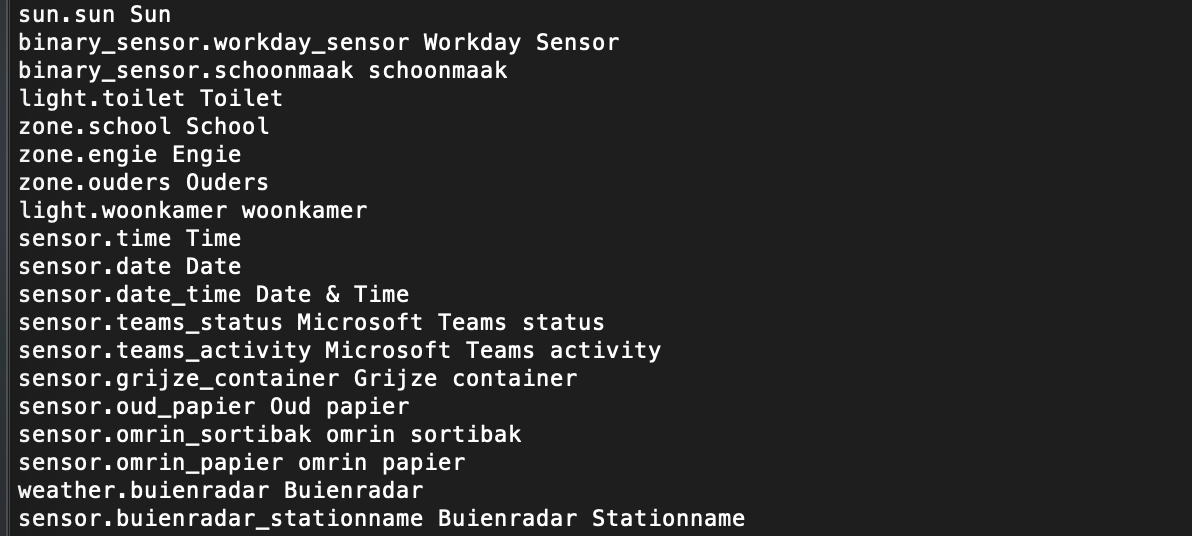
should output something like this:

entity-id Friendly name

I’m total noob you know but I cannot use this script. There’s some error maybe.

Here’s the output

sh: 9: Syntax error: word unexpected (expecting ")")
# sh: 9: Syntax error: ")" unexpected

It should all be on one line, do you have that?
Is it kinda hard te debug like this :smiley:

I understand it’s hard. …so thanks again for your support

Here it is full:

# curl -X GET -H “Authorization: Bearer eyJ0eXAiOiJKV1QiLCJhbGciOiJIUzI1NiJ9.xxxxxxxxxxxxxxx” -H ‘Content-Type: application/json’ “http://192.168.2.101:8123/api/states” | jq --raw-output ‘.[] as $e | “($e.entity_id) ($e.attributes.friendly_name)”’ | while read -r entity_id friendly_name; do echo “${entity_id} ${friendly_name}” ; done
sh: 14: Syntax error: word unexpected (expecting ")")
# sh: 14: Syntax error: ")" unexpected

curl -X GET -H "Authorization: Bearer token" -H 'Content-Type: application/json' "http://192.168.2.101:8123/api/states" | jq --raw-output '.[] as $e | "\($e.entity_id) \($e.attributes.friendly_name)"' | while read -r entity_id friendly_name; do echo "${entity_id} ${friendly_name}" ; done

I formatted incorrectly, losing the \ - es before the (
Try the command above

This worked but gave me a lot of entities like also automation script device_tracker and so on

Yes, that is correct as well. Very strange that the script gave no output because that long list is exactly what you should get

Then I do not really know where to go next :\

1 Like

Me neither. Maybe it’s something regarding my config. dunno.

I will stay “manual” and add things on the fly right now. I’m starting to add covers as well.

This is working ( I put here for all italians that maybe will have same need)

[ChangeCoverState]
cover_cmd = (alza | abbassa | imposta){covercommand}

<cover_cmd> [la] (tapparella| serranda) [in] [($custom/rooms){room}] [al] [a] [(0..100){percentage}] [percento]
1 Like