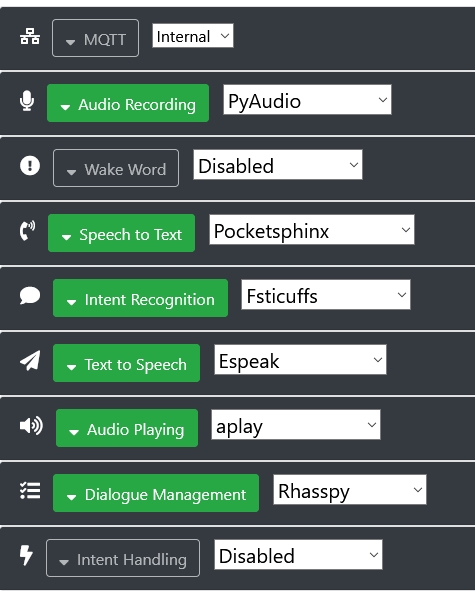
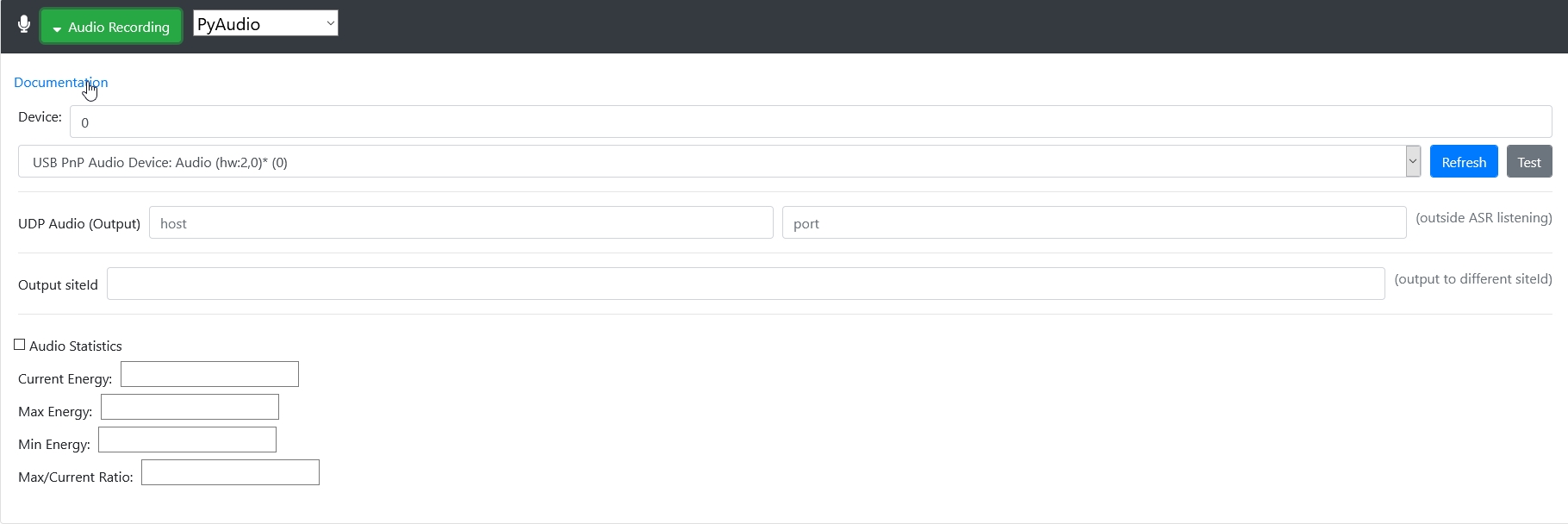
if I click “test”, absolutly no line have (working) …
Not sure of what I’m saying.
ALSA lib pulse.c:242:(pulse_connect) PulseAudio: Unable to connect: Connection refused
It could be a permission problem to audio access for the user (pi ?) that is running rhasspy. Make sure the user running rhasspy is member of the “audio” group ?
You told before you can record and playback your voice without rhasspy. Which user and command line with ?
I don’t remember the comand line, just the fact that without “sudo” it didn’t work
I remember also that I have a lot of trouble everytime I wanted to add a file or something else because I don’t have the right to do that… so I needed everytime to add a file with “sudo”
Is my answer good enough?
Somebody is here? 
seriously I need help please!
My suggestion is to go back to the beginning, remove your existing Rhasspy installation and follow the installation and configuration instructions carefully, step by step. If you try things from the command line to verify that it’s working (or not), keep a written record of your commands and their outcome. Then, if you do encounter a problem, come back here straight away for help and you’ll be able to get better support from the community if you say exactly what you have done, and the exact problem you are experiencing.
Hope this helps.
I already follow exactly the tutorial…
so what’s going on with rhasspy? Rhasspy can’t have the right to use the mic? how give him the right?
Which of the various methods are you using, for example Docker, venv, etc? And is yours a single instance of Rhasspy, or a master-satellite setup?
Which version of Rhasspy are you using?
You need to tell the community much more about your situation so that people are able to help.
everything is on the first post. i also publish the log. i said that i use it on docker, the last version
OK, I see that now. Sorry, I hadn’t read right back to the beginning of the thread.
It looks to me, as a novice myself with Rhasspy, as though there is a problem with your sound system setup. Sorry, I’m out of my depth at this point, but hopefully someone will be able to step in.
I hope because it’s really frustrating…
ten days and nobody can help me to use Rhasspy? is it work for somebody?
Hey there! It is not that easy to help you as there is so many layers in your setup (OS, docker, Rhasspy, PyAudio, etc).
Sound management on Linux is quite complex (ALSA, Jack, PulseAudio) and its abstraction in a docker container adds another level of complexity to the mix.
I’d start by opening a bash CLI session inside the running Rhasspy container using docker exec -it rhasspy bash and look directly inside the running container.
Look for ALSA sound cards with aplay -l and arecord -l (maybe post the result here so we can see what your container has).
Try to record from the appropriate sound card using arecord -D<cardname> -r 16000 -c 1 -f S16_LE test.wav (again post the result if not working).
If all of these work then Rhasspy should work too. Maybe try to use arecord instead of PyAudio.
Hope this helps.
I don’t remember exactly what I do, but I followed a tutorial to test sound on debian. At first nothing worked… finally I use something like you said and I succeed to record and playback the sound! but on rhasspy nothing change :s is it possible that it’s a permission problem?
Did you have a better idea to install all that? I just follow the tutorial and it said that docker on raspi was the easiest solution 
Did you manage to record and playback from INSIDE Rhasspy’s running docker container?
yes i tried with the tutorial i mentionned at first post. to test Rhasspy… i clic on wake up but nothing was recorded… i also publish the log
I think you are not reading what I’ve written correctly. You need to get INSIDE Rhasspy docker container not in your debian host.
Execute docker exec -it rhasspy bash to start a bash session INSIDE the container then post the result of these commands:
uname -aaplay -larecord -larecord -r 16000 -c 1 -f S16_LE test.wav
Without these info we won’t be able to help your further…
Sorry I didn’t understand !
That’s what I’ve done :
docker exec -it rhasspy bash
root@8bef09cca542:/# uname -a
Linux 8bef09cca542 5.4.51-v7l+ #1333 SMP Mon Aug 10 16:51:40 BST 2020 armv7l armv7l armv7l GNU/Linux
root@8bef09cca542:/# aplay -l
**** List of PLAYBACK Hardware Devices ****
card 0: b1 [bcm2835 HDMI 1], device 0: bcm2835 HDMI 1 [bcm2835 HDMI 1]
Subdevices: 4/4
Subdevice #0: subdevice #0
Subdevice #1: subdevice #1
Subdevice #2: subdevice #2
Subdevice #3: subdevice #3
card 1: Headphones [bcm2835 Headphones], device 0: bcm2835 Headphones [bcm2835 Headphones]
Subdevices: 4/4
Subdevice #0: subdevice #0
Subdevice #1: subdevice #1
Subdevice #2: subdevice #2
Subdevice #3: subdevice #3
card 3: Device_1 [USB2.0 Device], device 0: USB Audio [USB Audio]
Subdevices: 1/1
Subdevice #0: subdevice #0
root@8bef09cca542:/# arecord -l
**** List of CAPTURE Hardware Devices ****
card 2: Device [USB PnP Audio Device], device 0: USB Audio [USB Audio]
Subdevices: 1/1
Subdevice #0: subdevice #0
root@8bef09cca542:/# arecord -r 16000 -c 1 -f S16_LE test.wav
arecord: main:828: audio open error: No such file or directory