Hello, I hope you guys are feeling good. I am looking for some beginner advices on getting started with my home automation setup. I am interested in voice communicating with my house. I bought a raspberry pi 4 couples months ago and am trying to push my knowledge in different context and I need some help to get a good core setup for home automation specifically. I do not mind to have openhab or home assistant but I would like to be able to use my Respeaker and have also Rhasspy. I have been able to setup Openhabian and Rhasspy but I didn’t find much information on how to make both instance communicate together. I believe Rhasspy was more developed with Home assistant integration. I tried to install HA os and Rhasspy and it worked, although I can not use my Respeaker because I did not find how to install the drivers… I followed by trying to install raspberry os and HA with docker but ended without add on tab… Lastly, I follow some deprecated tutorial on installing supervised
on raspberry os or Debian 10 buster but never ended with the intended result.
Is there a way to achieve my goal and if yes, can you please give me the direction to follow. Thank you very much, hope you guys have a great one.
Rhasspy is working great with Home Assistant
For Home Assisant, here is a comparison table:
On a raspberry Pi you must either:
Install Home Assistant OS, you then have addons but cannot install drivers for the Respeaker
Install Docker and Home Assistant Container. No addons, but you can install Rhasppy as a container as well and be able to install drivers for the Respeaker
Thank you very much for your answer. I will try to install Docker HA and docker Rhasspy.
Will they communicate well and easy together just like a regular setup? Will I need to do some twisting to get it to work? Thank you and stay safe.
Thank you for the quick answer. Everything is working fine thank you, this was the solution. I have added my HA localhost ip address and port and also added a access token. My last question is where can I find information on how to program everything? Example: I have the porcupine wake word working with Respeaker and I ask “what is the time” and Rhasspy give a gettime intent. Can I return answers like : It is x o clock? Basically, it checks the time zone of HA and return the time? How will I program everything. There is probably documentation on that but a simple example would help me understand the general functioning. It looks like a very powerful setup. Privacy oriented and open source, you guys rock. Thanks
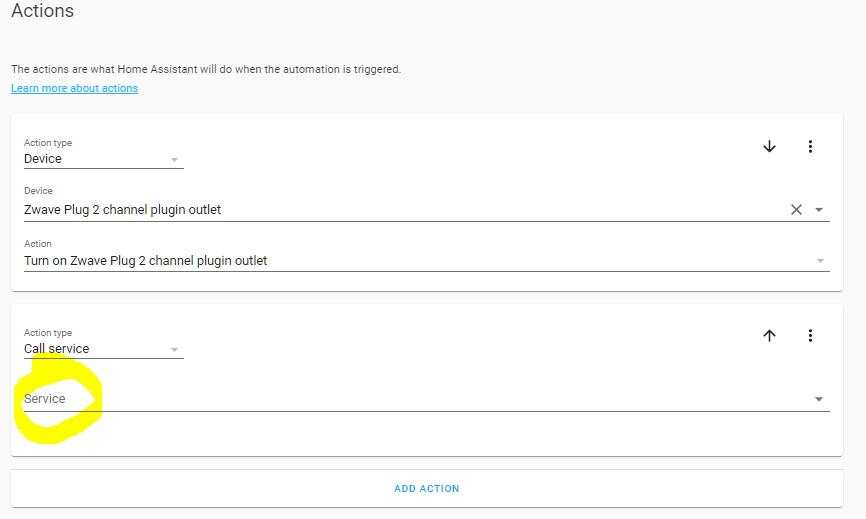
Perfect thank you. I will be looking in the documentation and your history to find more example. In automation in HA, I do not see where to call the service current time. Also to send the answer thru the speaker, you have to create an other event to send back a message to Rhasspy. Is that it?
The easiest method is to use MQTT
and write a script that will react according to the Intents
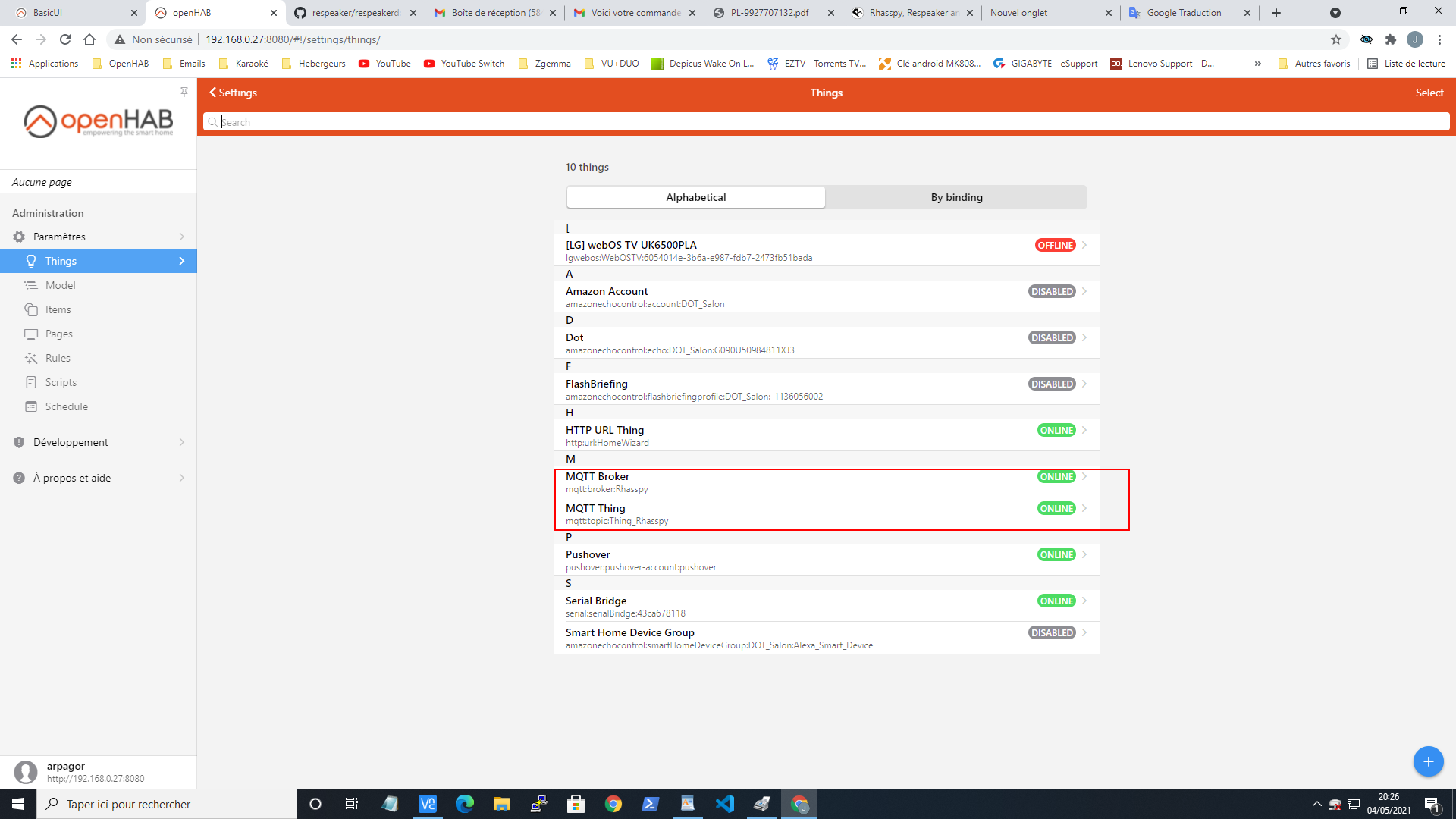
1 - create a broker with the IP of Rhasspy
2 - create a Bridge with the brocker
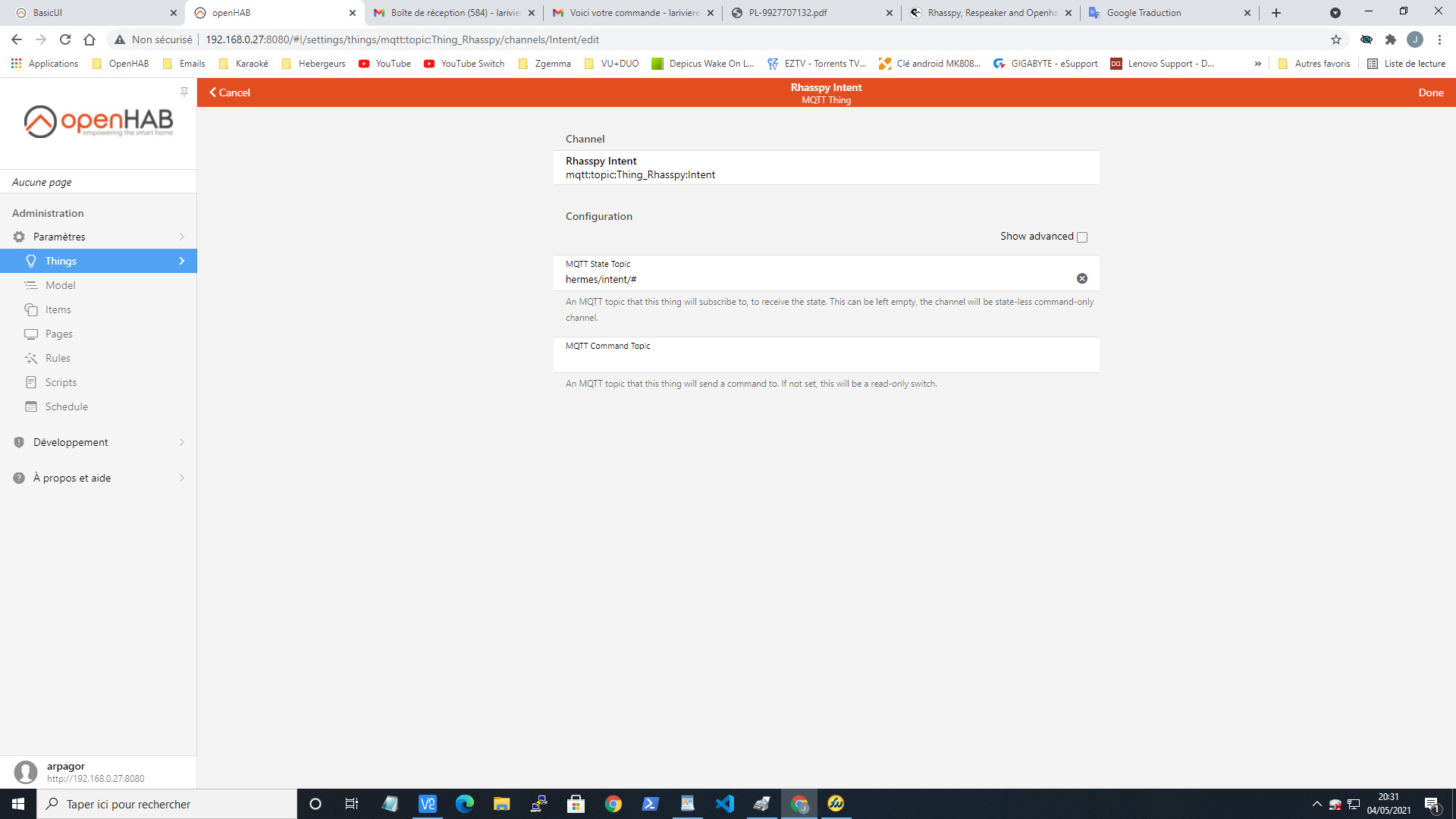
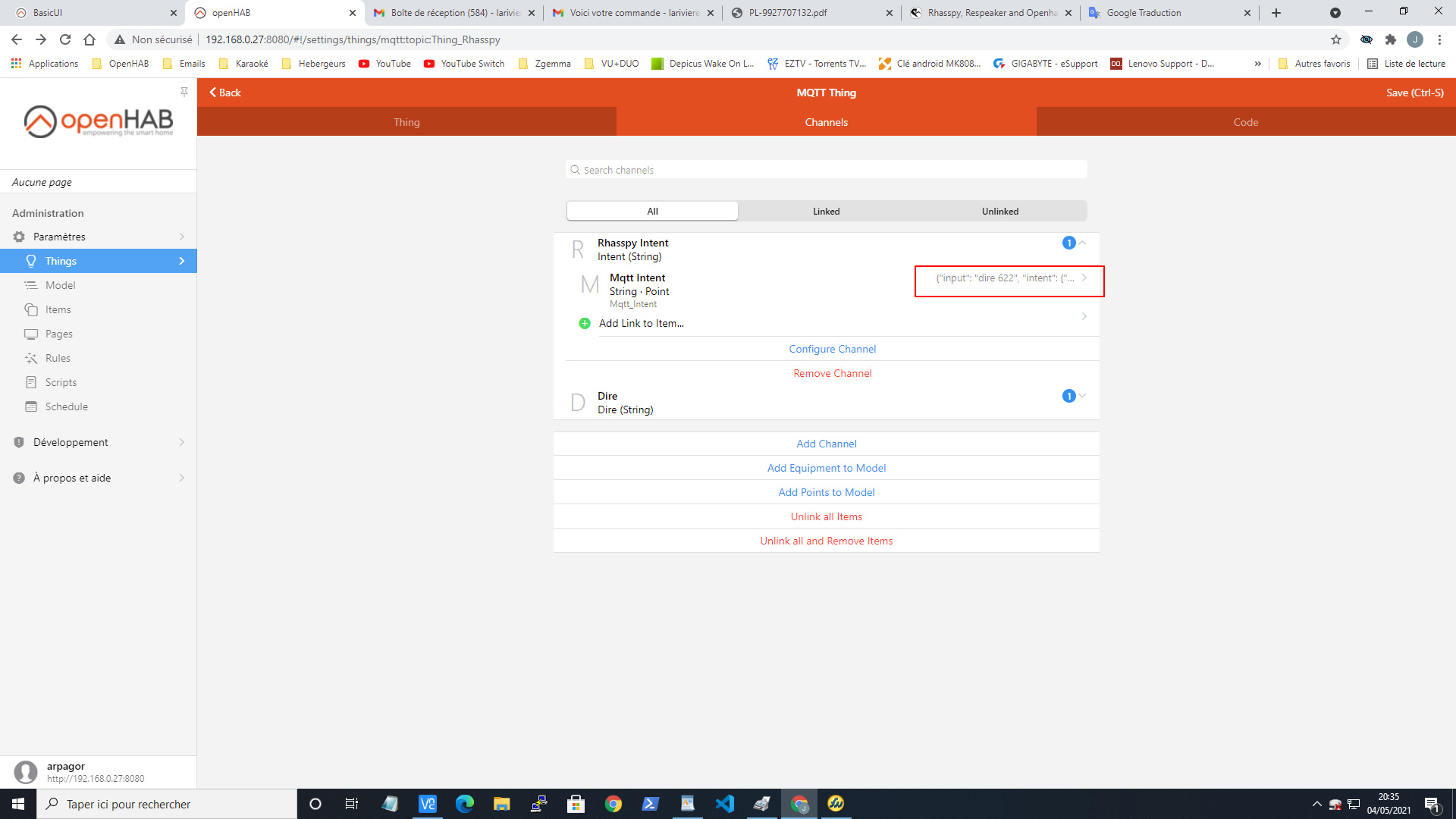
3 - create one or more channels
4 - create a link item string which will receive the topic
Thank you very much. I was able to setup my Z-wave stick and have a smart plug and I lamp.
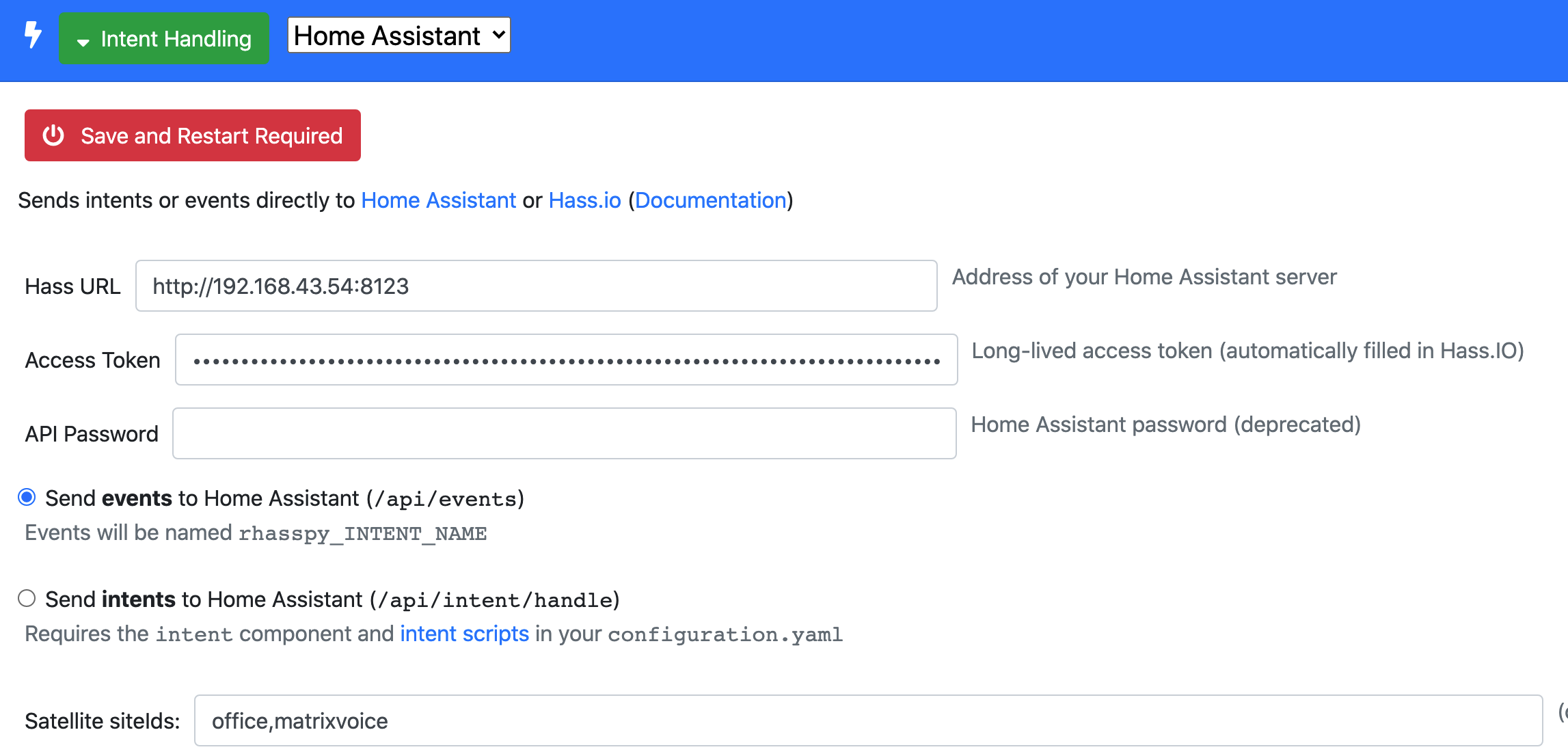
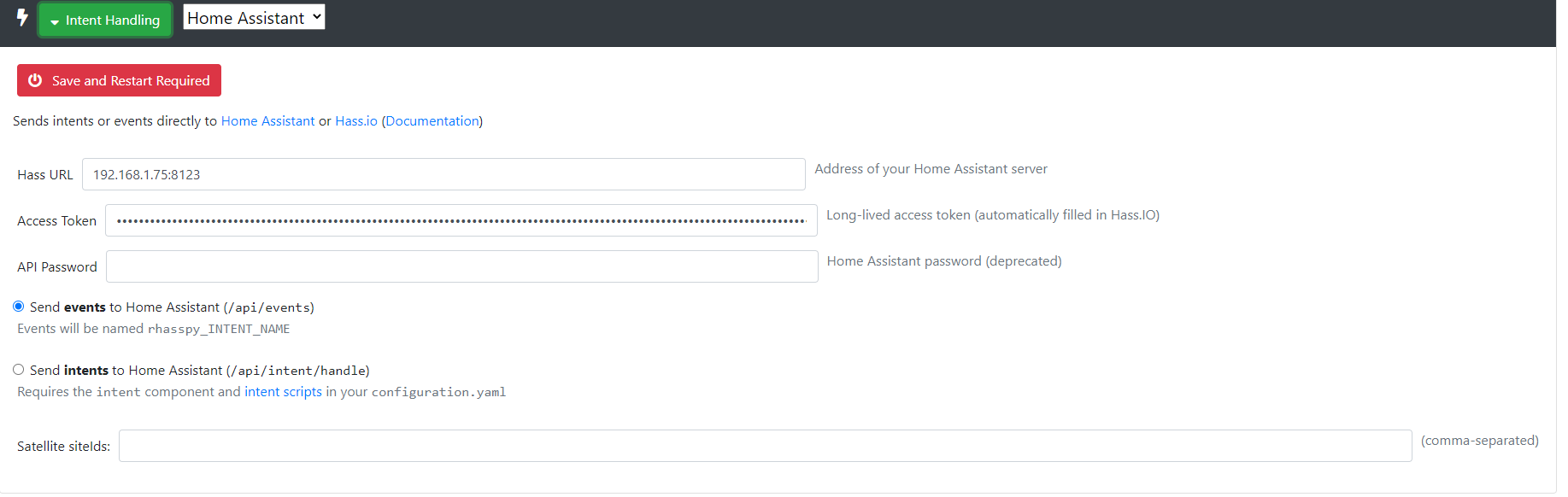
I created an intent “BedroomLamp” in the sentences. I am able to see it on Node red. I have selected Send events to Home Assistant (/api/events) in intent handling with my localhost ip and port to HA. I have also created a Long-Lived Access Tokens and added it in the rhasspy config too. I then created an automation in HA that triggers on rhasspy_BedroomLamp to turn it on. The automation itself is working but I am not able to get the voice command to turn on the lamp even though I see the intent on Node red. Any idea?
If you press “START LISTENING”, Home Assistant starts listening. Then try to turn on the lamp and the event should be listed below.
If it is, something might be wrong with the automation, if it is not something is wrong in Rhasspy or in the connection
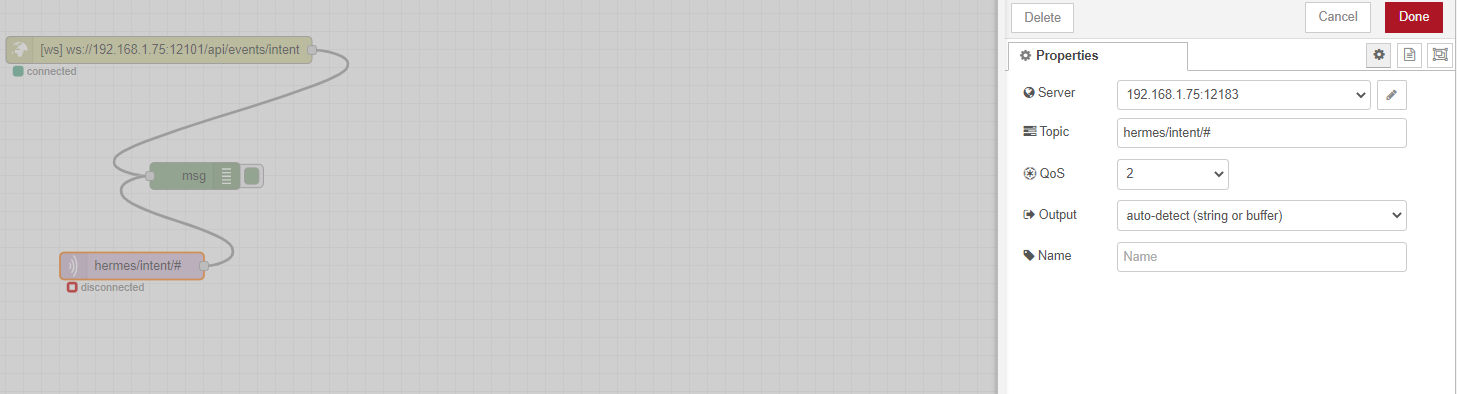
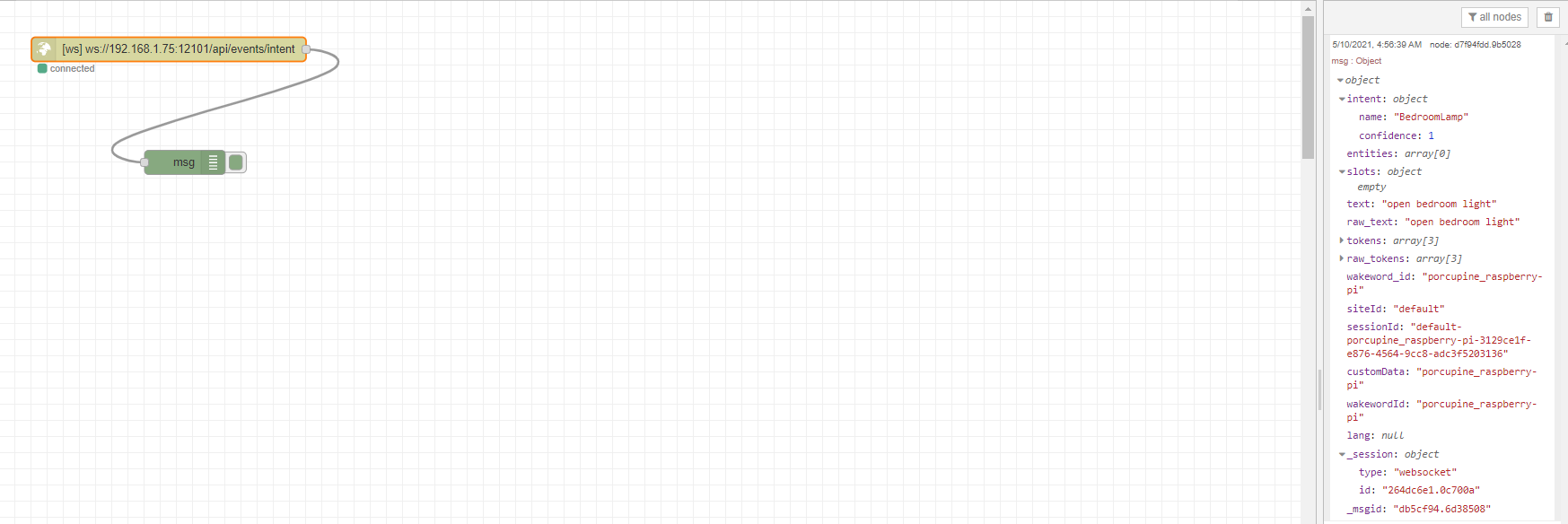
Also, create a MQTT in in Node Red with topic hermes/intent/# and let the node flow to a debug output.
Check what’s logged.
The make things easier, you can enter a text in Rhasspy, check “handle” and press “Recognize”"
Perfect, I did exactly as you mentioned in the first screenshot. When I fire the event from HA, the lamp opens. It is when I use rhasspy and respeaker that I can not get it to work it seems. I do not know exactly how to create MQTT debug message. Should I import special json from hamburger button like we do to catch intent from rhasspy tutorial?
Connect it to the broker your Rhasspy is connected to.
You said fire the event from HA, do you mean from Rhasspy or HA? My second screenshot is Rhasspy, you should try that to check if events are send from Rhasspy
Oh sorry. I though you meant to fire the event directly from the developer tab in HA. This made the lamp open. Although, when I listen to rhasspy_BedroomLamp and use Rhasspy to try to launch that even, it doesn’t work. You say to connect it to a MQTT broker, which instance/port my MQTT broker exactly? I do not know much about all of these tools. Most are things I’ve never used. Sorry x)
I think the issue is the connection between Rhasspy and HA or the fact that HA doesn’t receive the event trigger from Rhasspy.
You used Node Red right? That is wat you have said earlier
That is why I thought you knew how to use it.
Let’s take it a step back. How did you setup MQTT in Rhasspy?
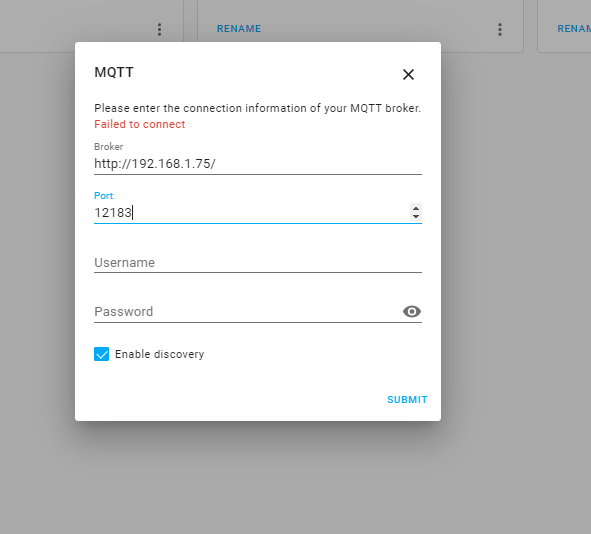
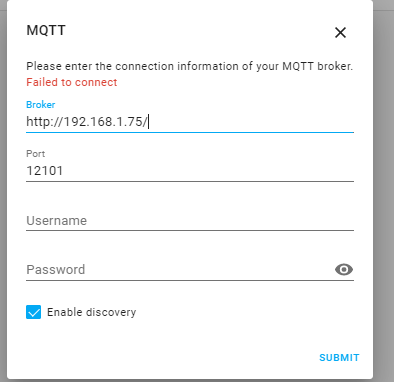
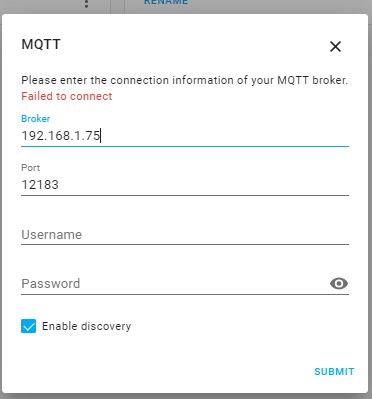
If internal, you must use the ip of Rhasspy and the internal port (12183 per default)
If external, you the ipaddress and port of that broker.
If you have the addons tab in Home Assistant, I suggest installing the MQTT addon and use that as broker
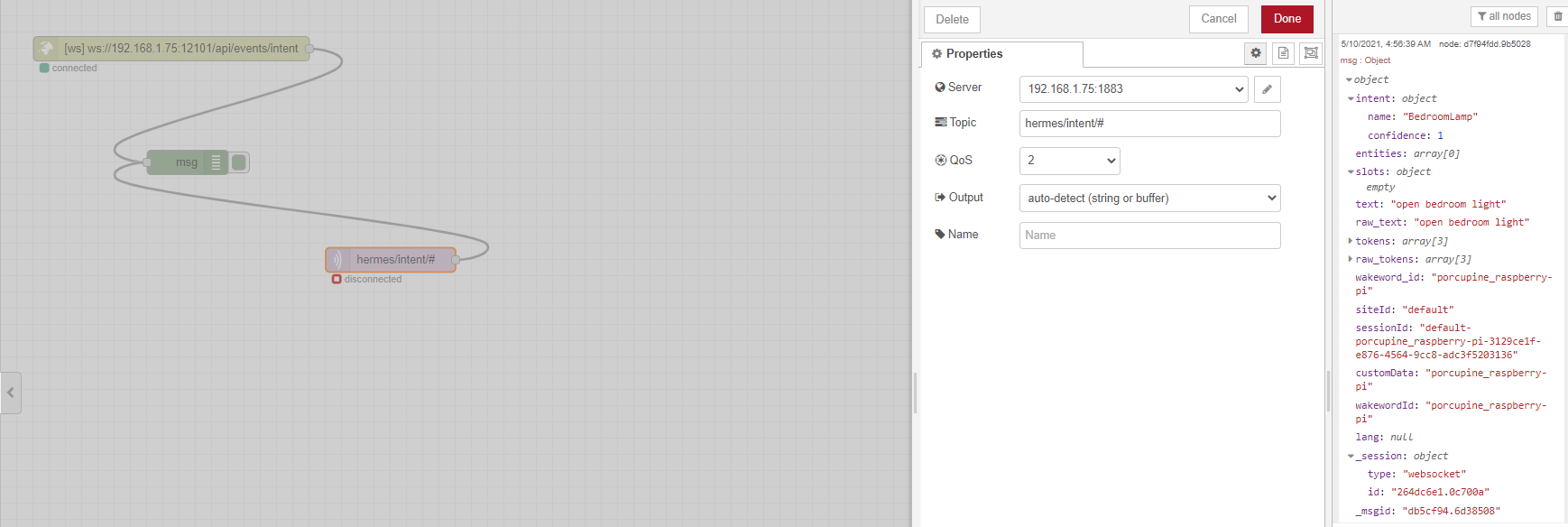
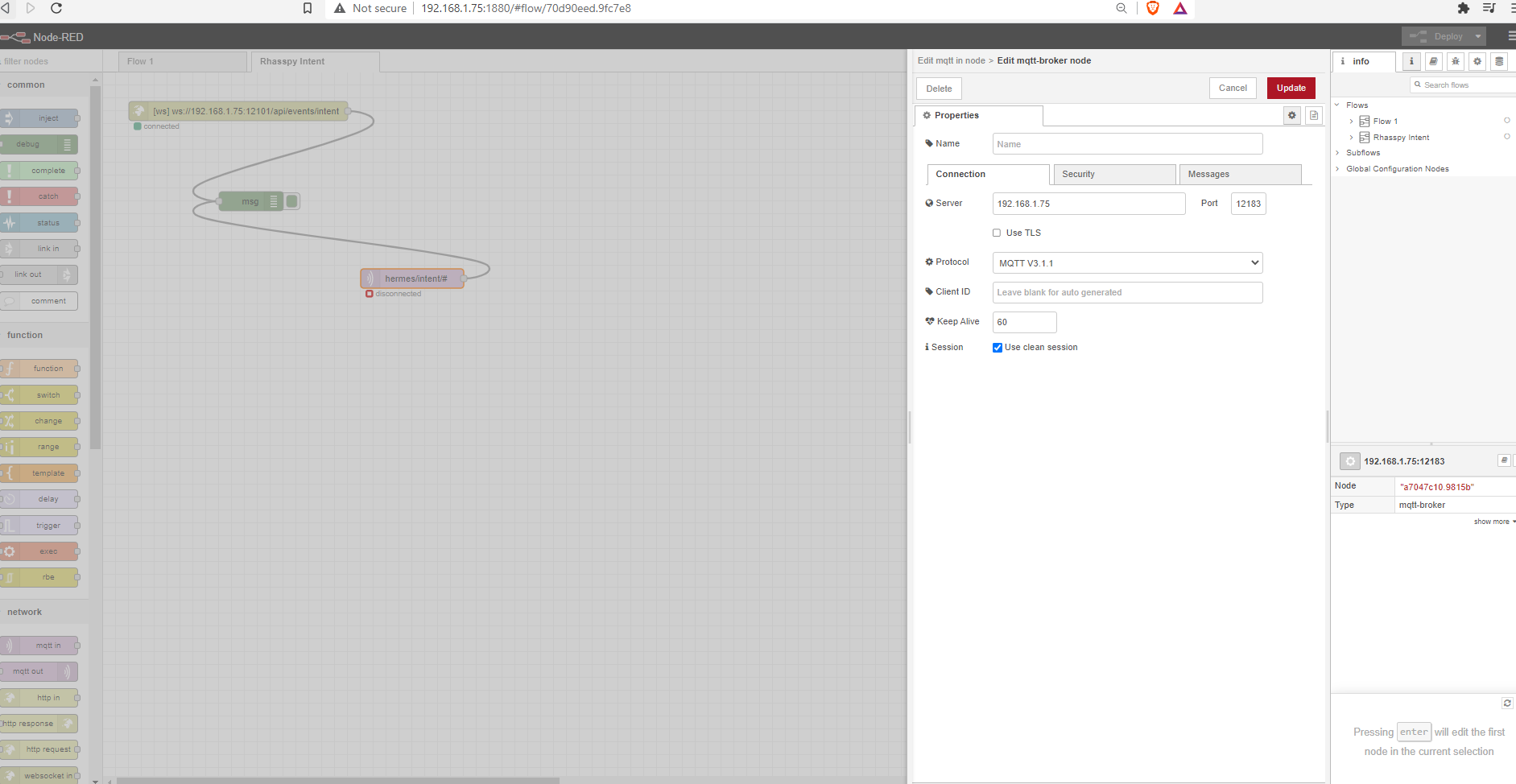
Ok perfect. Yes MQTT is setup internal in Rhasspy. Should it looks like this? It says disconnected so it has probably an issue. my setup is a raspberry pi with everything docker installed. No add-on tab in HA.
Yes, I see it is disconnected indeed
I am not sure about the port, please try 1883 as well
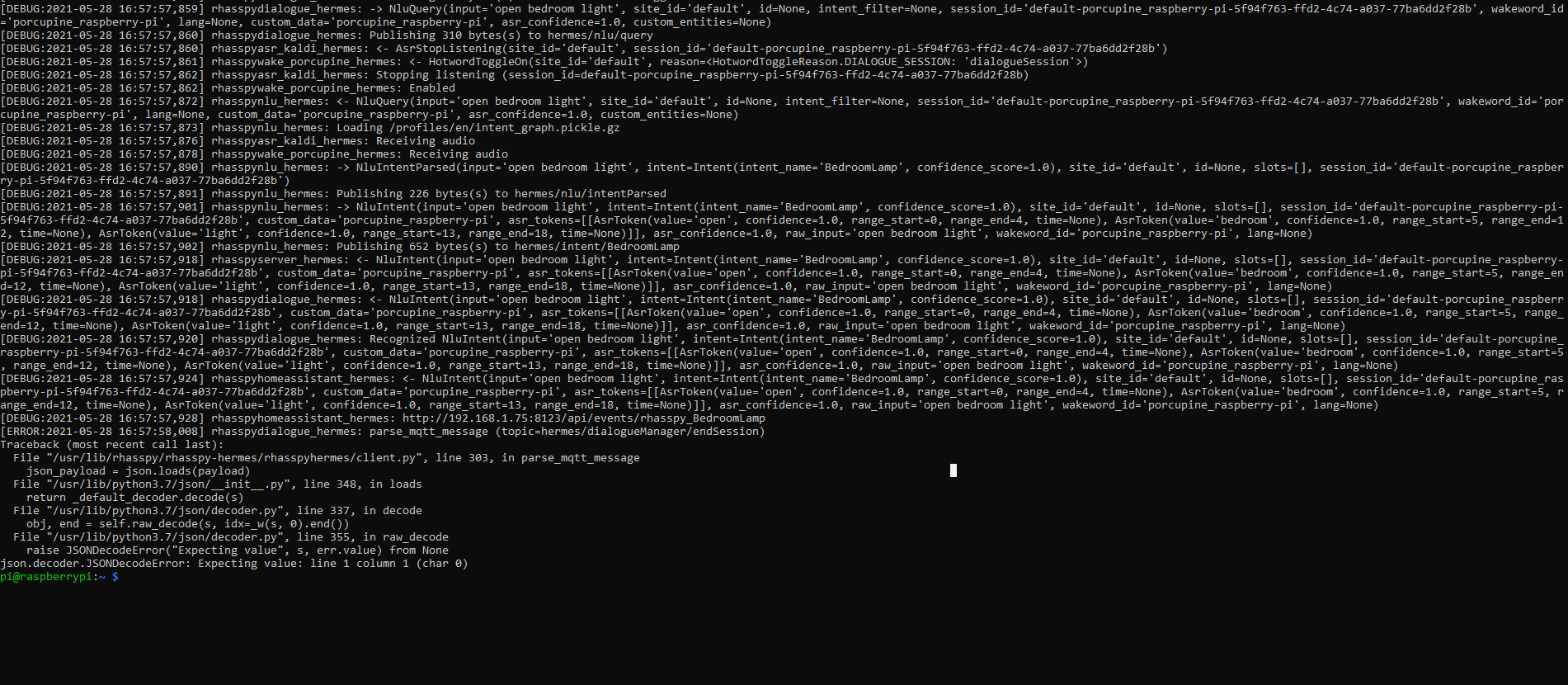
Can post a screen shot what is coming out of the debug from the websocket? The text you pasted earlier was a bit hard to read. I can compare that with my out and that should be the same
Thank you for the technical help. Much appreciated. Rhasspy seems like a very great and powerful tool for home automation. I hope we can find a solution together. Have great one
Since your ws is connected to /api/events, I think it should send events.
When I switched to intents, no response was visible on the ws endpoint (it also says so in the settings)
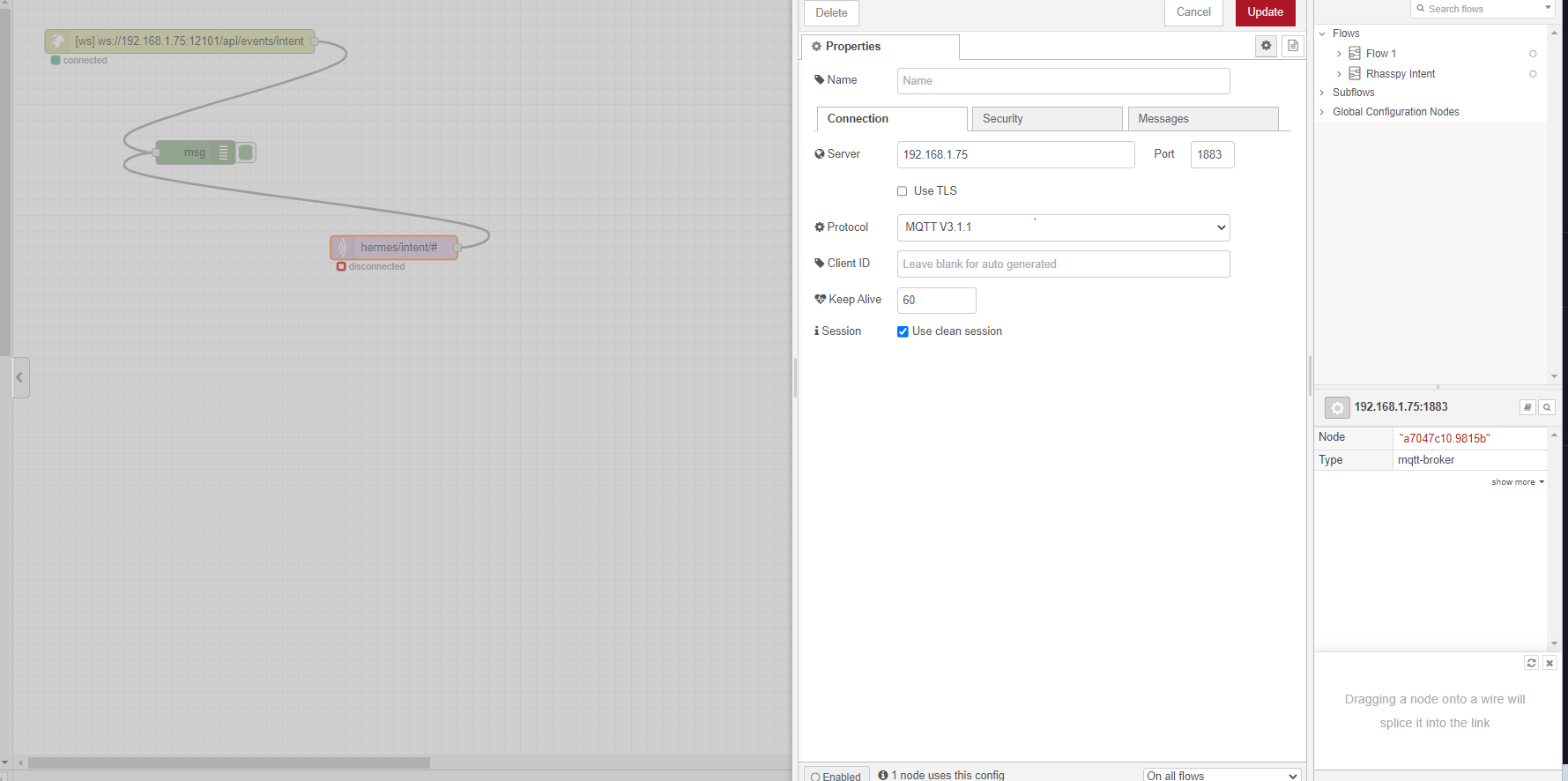
What is on the connection tab of the serversettings for the MQTT node?
In your picture, the Server is just a name. Might be depending on the nodered version.
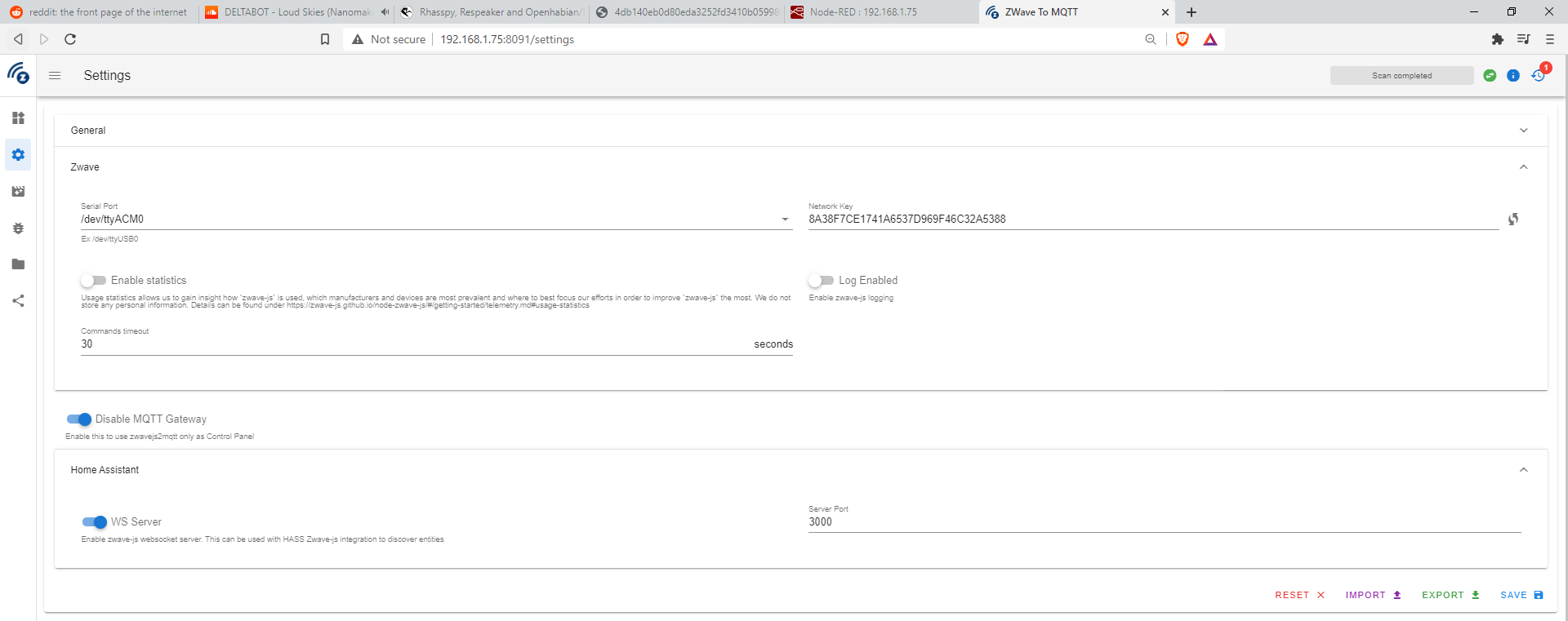
I had to install a zwave to mqtt socket to be able to use my Zwave usb key. It might be the reason the connection isn’t working. I am not sure so I will just give you the detail so you have more information.
Where is the logs file? Do you mean on a specific instance (Rhasspy, node red) or logs from the raspberry? I do not know exactly what mosquitto is. I haven’t downloaded any MQTT I believe. Is it done automatically with rhasspy ?
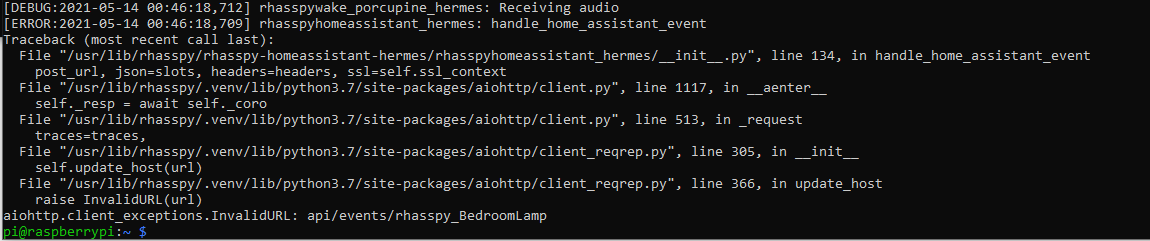
I scrollt back a little and I see in your home assistant url no http:// in front of the ip address.
Together with the invalid url message, this might be the problem.
Your URL should be http://192.168.1.75:8123, if that is the IP address of you Home Assistant instance.
The issue was that the http:// was missing in my Rhasspy, HA config like you mentionned. Thank you very much. I will be able to explore and start configuring my setup. I’m very hyped. Hope you have a great day and thank you for putting time with me. Since I have you, I will go ahead and ask a last easy question. I was interested by Rhasspy and HA because of the decentralized and privacy preserving ideology. I just want to use my home automation setup without worrying about data leaks or being listened too. Is it possible and a better practice to use my setup completely offline? I don’t want to overkill but want the best privacy preserving and decentralized setup possible. Thank you again
Ok perfect thanks, if it is connected to internet, is there any operating security risks?
Also, let say I want to add a TTS answer after my open bedroom light command, how would I proceed?
I have used the tutorial with node red to setup the TTS tab. It is working. I would like to add specific TTS command to specific intent. Can you please give me the small step to do this? Thank you again sir.
Whenever you make a command, Rhasspy sends events in with the name rhasspy_<Intentname>
So if you have a [Lights] intent in your sentences, an event is fired with the name rhasspy_Lights.
Create an automation which is fired an that event. See my example here:
Basically, now that I am able to send events and trigger an automation with the wake word. I would like to receive a vocal answer when the automation as been executed. How would I proceed exactly? Example : Wake word Turn on bedroom light - Bedroomlight intent send rhasspy_Bedroomlight event in HA. At this point, I’d like to receive an answer from the speakers. “Bedroom light has been opened” How can I proceed exactly? Thanks
You do not have to use Bedroomlight as intent by the way. You can use Lights.
The service_template knows by the slot location what light you want and by the slot action if it needs to be on or off
So you need sentences with slots and create those slots.
Check here for examples
No, it should be there. Is MQTT setup in your HA? (I assume yes)
You can always edit the automation in yaml (either via the three dots or open up automations.yaml)
No. I haven’t setup MQTT in HA I believe. This probably means I should go in integration and add MQTT. Also, I have the docker raspberri pi setup.
I did go there but can’t seem to connect to it. take a look:
I tried different ports, with or without the last url character. I might have missed a step somewhere. It is a very extensive setup and I am not a professional. Just trying to learn the DIY. Thanks for the help. I appreciate the time you put in helping people.
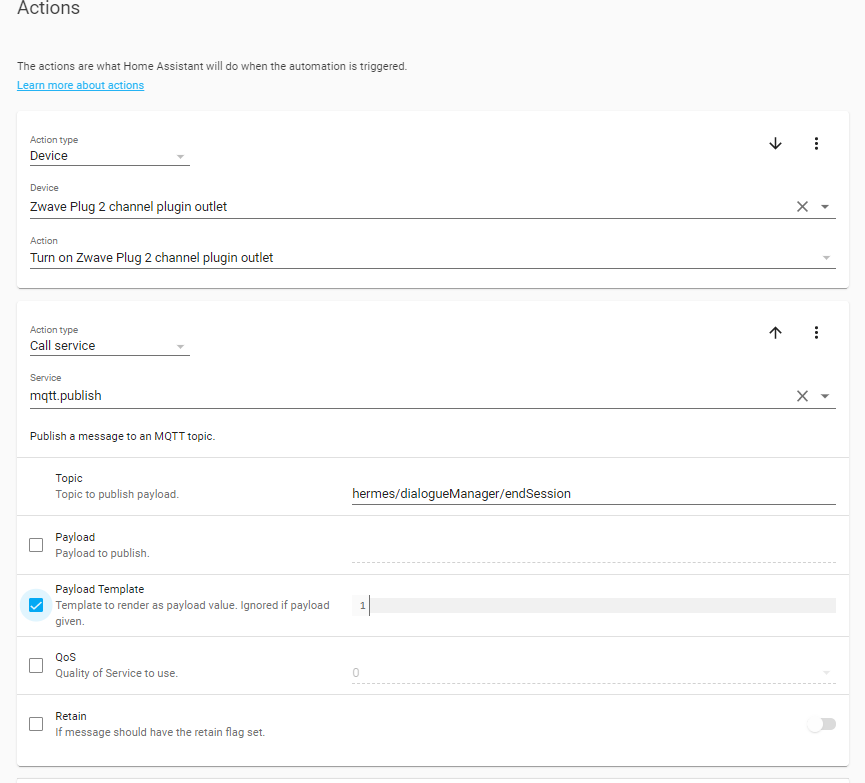
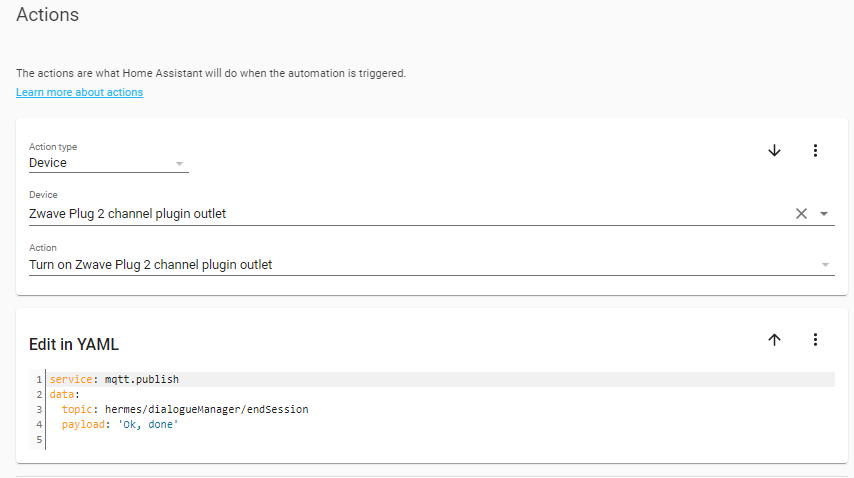
Yes. Everything was open and functional but couldn’t connect to the internal rhasspy MQTT. I did like you suggested and it works. I see the MQTT publish. I am not sure what to add or how to configure to receive an answer even with your provided example. Should I copy the entire payload_template line just like yours ?
Perfect, aftter you published MQTT in hermes/dialogueManager/endSession, Rhasspy will automatically output the text thru the configured speaker. Is that right? Thanks
Also, my example assumes you have location and action as slots, with location being the entity_id and the action being on or off.
I do not know your slots and sentences, so be ware of this.
I see in your screenshot you have 1 specific device, but with my example it is more generic.
Ok thank you. Can you please just show me an example to make my specific example working?
I just want to have an answer to this specific command. “Ok done”. After that, I will probably be able to find a better framework which will allow me to open, close and chose different locations in one big automation instance. If I can get this one to work, I think I will be able to expand on that.






 Hope you have a great day and thank you for putting time with me. Since I have you, I will go ahead and ask a last easy question. I was interested by Rhasspy and HA because of the decentralized and privacy preserving ideology. I just want to use my home automation setup without worrying about data leaks or being listened too. Is it possible and a better practice to use my setup completely offline? I don’t want to overkill but want the best privacy preserving and decentralized setup possible. Thank you again