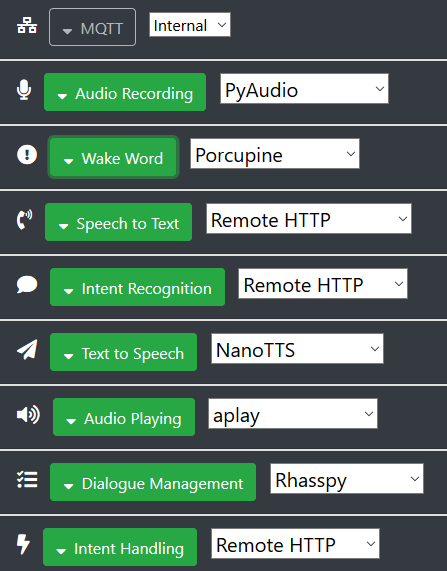
I’m currently setting up a master+satellite rhasspy configuration. The master runs in a proxmox VM with docker container.
For the satellite, I have setup a new PI zero W + Jabra 410 and I have installed rhasspy-satellite.
Even after removing ~/.config/rhasspy directory and starting bin/rhasspy-satellite --profile fr I notice a high CPU usage of the rhasspyserver_hermes (around 50% in average) despite it’s doing nothing (nothing configured at this stage).
Did you notice the same behaviour? Any clue on the way to trace what is being done?
I’m running 2.5.0pre and I notice the high CPU usage with both docker container and rhasspy-satellite venv setups.
I’m wondering if there is any way to trace what’s happening in the server to explain this high load.
I also experience ramdom responsiveness of snowboy wakeword and I’m wordering if this could be related. Maybe I have to use personal wake words to improve the speed. I’ll see that later.
Otherwise (and it’s worth writing it), I’m quite happy with the environment (as a former snips user), the configuration flexibility and the ASR results with kaldi
My Pi Zeros tend to be the same way - about 60-70% CPU usage with only record/play and and snowboy configured. It’s only a single core CPU, so I can understand some more usage (at least compared to my Pi 3B+, which is really responsive and uses only ~5% CPU). But I was surprised at how much CPU it utilized just sitting idle as well.
I experience the same issue with my pi zero satellite (tried docker and venv). I don’t have this kind of problems with my pi 3A+ satellite.
I also suspect snowboy to be the origin of the problem. Depending on the wakeword I use, the behavior is different. If I use jarvis.umdl, I have something like 10s latency to get the bip allowing me to say my command. With snowboy or my custom wakeword, it is quick and usable.
Nevertheless, after some time, snowboy doesn’t answer anymore and I need to restart rhasppy.
I am not sure why this is a surprise the difference between a zero and 3 is approx x10? Think that is on a single core.
Not sure why its high with supposedly nothing running but always presumed enough of its level that never even bothered on the zero.
Maybe try just a RTP audio satelite?
Even MagicMirror which is just a webserver really doesn’t run all that well on a zero.
Going deeper in the investigation with my limited skills…
The high CPU load clearly comes from the web server itself. If I comment out the following (in rhasspyserver_hermes/main.py)
app.run(
host=_ARGS.host,
port=_ARGS.port,
certfile=_ARGS.certfile,
keyfile=_ARGS.keyfile,
loop=_LOOP,
)
Then the load becomes almost neglictible (keep in mind that I have no service running so far)… Obviously, I can no more configure the satellite but as soon as the config is good, I don’t need to have it running all the time
Any clue why the webserver is taking so much even if there is no client connected?
I have used Snowboy on a Pi Zero with my own code before and had very low resource usage. Additionally, Rhasspy still uses a ton of CPU on the Zero even with different wakeword engines.
I can confirm that commenting the same lines on one of my Pi Zeros has reduced CPU usage significantly. My Snowboy wakeword and audio record/play still works great and all seems more responsive as a result.
With the webserver not running (as explained above), I now have my CPU fully eaten by snowboy… Following the advice of @3issa, I move to snowboy wakeword instead of jarvis… and it makes a BIG difference Faster and more responsive while I have random responsiveness with jarvis.umdl. Thanks for the good tip
Now I’ll move to using custom wake word in order to try optimizing further…
By the way I don’t observe relevant performance difference between docker and venv, only some difference in Pyaudio config for my Jabra 410. Therefore, I’ll start using only the docker container as I find it easier to manage for auto-start when the Pi zero starts up.
Interesting. I am using a custom wakeword with snowboy (.pmdl) instead of one of their universal models and I have low CPU usage (~10% when the Rhasspy webserver is disabled). Maybe that makes a difference?
There certainly is a difference between pmdl and umdl wakeword. Jarvis.umdl size is 3.5MB, my personnal wakeword size is about 10kB. Jarvis has multiple embedded hotwords that makes it heavier.
Thanks to @tuxedo78 for his useful workaround, that makes a big difference. With 2 personnal wakewords my rpi zero now runs with about 25 % CPU load.
@synesthesiam is it possible to have a way to enable/disable the webserver through commandline for future versions? That would really help for Pi-zero… And by leaving more CPU cycles to wakeword (especially for snowboy), I really think that it should improve wakeword detection performance.
+1 for this for 2.5, if possible @synesthesiam. Even an environment variable or command line argument or something that could be included in my docker-compose.yaml to disable the webserver would be amazing. Once I have everything on my Pi Zero satellite configured (using external MQTT), there’s no need for me to be running the web server.
I’ll add an option to rhasspy-voltron to disable the web server. Let’s see if that helps. I’ve also noticed supervisord sometimes leaves behind running Rhasspy processes. Do you see anything after exiting with ps -ef | grep rhasspy?
All my sites (Pi0, Pi3B+ and VM/master) run in Docker and I have never observed processes still running after stop.
Regarding this option, please could you elaborate the exact impacts of disabling the web server? Is it pure configuration stuff (need to change profile.json manually which is quite OK) or does it impact binding with external programs like Jeedom?
Yes this is definitely coming from the webserver because even with an install from scratch (deleted .config/rhasspy directory), the load is high (25% on Pi-zero without anything is really unexpected) despite there is no running service.
If you have any clue how to dig into the Quart webserver server, I can give it a try…
Can confirm that there are no supervisord “left-behind” processes for me either. On my Pi Zero, the CPU usage is coming from a python process, not a rhasspy-* process. So when I comment out the app.run() lines in rhasspyserver_hermes/__main__.py and restart the container, the CPU usage is much more manageable. I don’t use Jeedom and have a purely external MQTT setup, so it has made my satellites much more responsive.
I confirm that the load comes fro mthe web server. Again, the issue is observed even on a “debugging” PI with no “applicative” service running (everything disabled) : only mqtt and webserver.
I gave a try to cProfile. Here are the ouputs after sorting on tottime
I applied the Quickstart/Hello-world guide from Quart website… and this is eating 30% of my CPU. Like my “empty” Rhasspy webserver…
So there is clearly an issue coming from Quart itelf (and not even the way it’s used by Rhasspy). If you are in touch with the Quart dev team, can you report them this issue?
I also use Jeedom and have no problem except for TTS. I think that @KiboOst 's plugin Jeerhasspy uses HTTP API for the TTS command.
So, I use MQTT in Jeedom for TTS and everything works like a charm.
I have also tried to do TTS with squeezelite and LMS plugin as I use my rhasspy satellite as a squeezebox but that isn’t so elegant…
From the answer and Quart’s documentation I understand that it’s not recommended (for performance reasons because it’s permanently montoring files for reload) to use app.run() which appears to be used by Rhasspy.
Just my 2 cents but maybe there is area for improvement here?
When running Quart hello world I have significantly (divided by 2) my CPU load when upgrading Hypercorn 0.9.5 to 0.10.2 (see my comment in Quart github issue above)
I have built Rhasspy from venv with hypercorn 0.10.2 and I get reduced load
And when checking in Docker container I see that it’s built with Hypercorn 0.9.5. I tried to pip install --upgrade hypercorn in the Docker container but then it fails when Rhasspy starts up. Is it possible to rebuild Docker images with Hypercorn 0.10.2 instead?
Thanks to Quart’s developer, there could be an even better solution by adding the following argument
use_reloader=False
to app.run. I did the modification in my Docker container and the load of my Rhasspy servers completly disappeared. I will report later if I observe any impact on Rhasspy behaviour…
There is already good improvement on this with the last Docker images using Hypercorn 0.10.1. And a dedicated Github issue is opened to follow-up. Therefore I close this topic…