I’ll try it out as well with the example and see what works.
You are using docker right?
1 Like
Yes, I am using Docker. The problem is that I think I have everything as you tell me. Because I changed the profile.json manually exactly as you told me, and I also tried when the web configurations make the change (there are no errors in this step, because it is programmed by you in Docker).
Above the python file I put what you told me so that it recognizes that it must be run with Python3 (#!/usr/bin/env python3), it has all the permissions (I made sure of that, all the folders before reaching the final path have 777 permissions), and I also made sure of which path is the correct one because it has the same format as the WAV of the wakeword (this works and is in the same path of the profile_dir… ${RHASSPY_PROFILE_DIR}/).
I am using the Home Assistant addon, so it will be a bit different for me 
Can you make screenshot of your Rhasspy settings? That might help
I have changed a coupe of lines in handle.py, my intent is “Locations” and I have added some line to print the chosen reply:
elif intent == "Locations":
    replies = ['Hi!', 'Hello!', 'Hey there!', 'Greetings.']
    reply = random.choice(replies)
    print(reply)
    speech(reply)
This is the output.

The file handle.py is set to ${RHASSPY_PROFILE_DIR}/handle.py
This is where the file is:
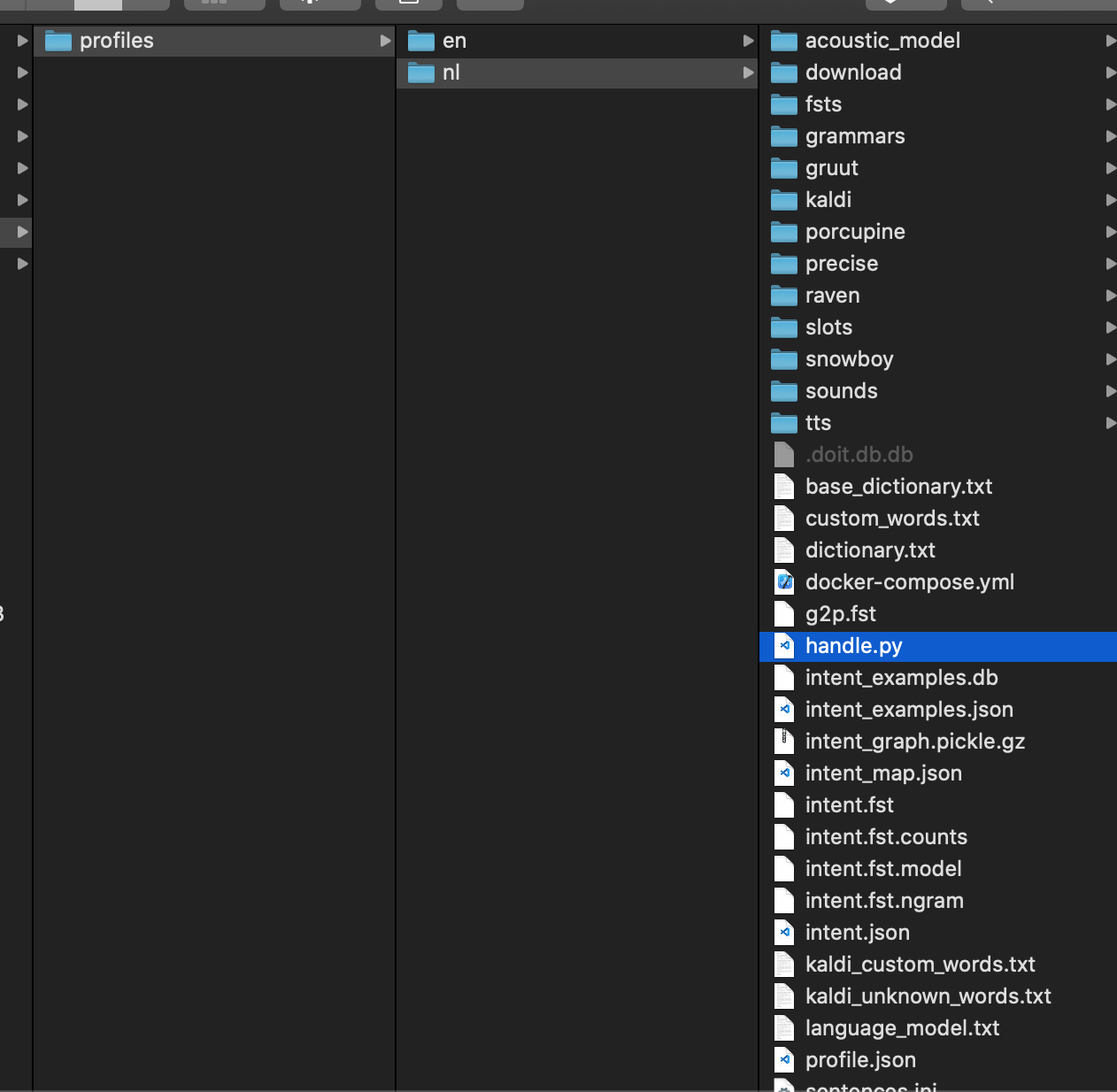
So if you set it to ${RHASSPY_PROFILE_DIR}/handle.py and put it in you active profile, see what happens.
please also attach the docker logs.: docker logs rhasspy
1 Like
Thanks to that log code I am seeing that it passes behind. I see that if you print the text you indicate, the problem is that it does not play the audio.
I have tried two things, in the first case what I did was to place the direct patch, and in 2nd case place the same as I put on the wakeup.
In the 1st case this comes out:
[DEBUG:2021-04-20 14:47:29,495] rhasspyremote_http_hermes: ['/profiles/es/handle.py']
[DEBUG:2021-04-20 14:47:29,503] rhasspywake_raven_hermes: Receiving audio
[DEBUG:2021-04-20 14:47:29,755] rhasspyremote_http_hermes: /home/pi/.config/rhasspy/profiles/es/wake.wav: No such file or directory
[WARNING:2021-04-20 14:47:29,756] rhasspyremote_http_hermes: Output: b'Hey there!\ntest-test-test\n'
…
cd /home/pi/.config/rhasspy/profiles/es/
ls
deepspeech          handle.py               profile.json  sentences.ini     supervisord.log  wake.wav
In the 2nd case this comes out:
[DEBUG:2021-04-20 14:42:19,892] rhasspyremote_http_hermes: Traceback (most recent call last):
  File "/profiles/es/handle.py", line 16, in <module>
    os.system(f"aplay ${RHASSPY_PROFILE_DIR}/wake.wav")
NameError: name 'RHASSPY_PROFILE_DIR' is not defined
[WARNING:2021-04-20 14:42:19,893] rhasspyremote_http_hermes: Output: b'Hi!\n'
[DEBUG:2021-04-20 14:42:21,450] rhasspy-wake-raven: Exiting refractory periodAs I said, thanks to that logs command I can see that if it works (I did not know that command, I’m new in this world, so sorry for not seeing it before).
What does not work is the execution of the commands, I do not know why.
ok cool, so handly.py is working
The ${RHASSPY_PROFILE_DIR} is not found in handle.py, because that variable is not known there.
Try it with
os.system(f"aplay /home/pi/.config/rhasspy/profiles/es/sounds/wake.wav")
Assuming you have that in your profile, please check the path.
What is it that you want to achieve? The original code:
speech(random.choice(replies))
should activate the Text to speech
Does this work in a terminal?
aplay /home/pi/.config/rhasspy/profiles/es/sounds/wake.wav
if not, the python script will certainly not work
In the log it does not work:
[DEBUG:2021-04-20 14:58:24,629] rhasspyremote_http_hermes: /home/pi/.config/rhasspy/profiles/es/wake.wav: No such file or directory
In Terminal works and reproduces well:
    aplay /home/pi/.config/rhasspy/profiles/es/wake.wav
    Playing WAVE '/home/pi/.config/rhasspy/profiles/es/wake.wav' : Signed 16 bit Little Endian, Rate 22050 Hz, Stereo
Is it honestly rare, there is some other way of playing audio? I will not use TTS.
Hmm ok, that is strange.
Can you post the whole python script?
#!/usr/bin/env python3
import sys
import json
import os

data = json.loads(sys.stdin.read())
intent = data["intent"]["name"]
wake = data["wakeword_id"]

if wake:
    print("WORRRKKKKKKKKK!!!!!!!!!!!!!!!")
    print(wake)

if intent == "banal_1":
    os.system("aplay /home/pi/.config/rhasspy/profiles/es/wake.wav")
    print("test-test-test")
    print(intent)
Logs:
[DEBUG:2021-04-20 15:17:06,861] rhasspyremote_http_hermes: ['/profiles/es/handle.py']
[DEBUG:2021-04-20 15:17:07,091] rhasspyremote_http_hermes: /home/pi/.config/rhasspy/profiles/es/wake.wav: No such file or directory

[WARNING:2021-04-20 15:17:07,092] rhasspyremote_http_hermes: Failed to parse output as JSON: Expecting value: line 1 column 1 (char 0)
[WARNING:2021-04-20 15:17:07,092] rhasspyremote_http_hermes: Output: b'WORRRKKKKKKKKK!!!!!!!!!!!!!!!\noye_robot\ntest-test-test\nHola\n'
[DEBUG:2021-04-20 15:17:08,772] rhasspy-wake-raven: Exiting refractory period
Note “Hello” was the “Intent” I said. It registers everything well, executes the print correctly. The problem is sound.
I am trying more things, as with threads and does not work with the handle but if executing the direct python3, you can think of the reason?
import subprocess

def runcommand (cmd):
        proc = subprocess.Popen(cmd,
                                stdout=subprocess.PIPE,
                                stderr=subprocess.PIPE,
                                shell=True,
                                universal_newlines=True)
        std_out, std_err = proc.communicate()
        return proc.returncode, std_out, std_err
runcommand("aplay /home/pi/.config/rhasspy/profiles/es/wake.wav")
I do not know much about the os command, but you might want to try playsound
I do not know what you ar e trying to achieve, but for me this is clearly some python issue and not a Rhasspy issue
1 Like
You could always POST the WAV data to Rhasspy itself:
curl -X POST \
     -H 'Content-Type: audio/wav' \
     --data-binary @/path/to/file.wav \
     'http://localhost:12101/api/play-wav'
or send an MQTT message:
mosquitto_pub -p 12183 \
              -t hermes/audioServer/default/playBytes/1 \
              -s < /path/to/file.wav
1 Like
It works on console, but not in the Python code of handle.py
[DEBUG:2021-04-20 18:05:55,459] rhasspyasr_deepspeech_hermes: Receiving audio
[DEBUG:2021-04-20 18:05:55,488] rhasspyremote_http_hermes: Warning: Couldn't read data from file "/home/pi/Desktop/wake.wav", this makes
Warning: an empty POST.
  % Total    % Received % Xferd  Average Speed   Time    Time     Time  Current
                                 Dload  Upload   Total   Spent    Left  Speed
100 85 100 85 0 0 1024 0 --:--:-- --:--:-- --:--:-- 1024Log:
[DEBUG:2021-04-20 21:23:20,467] rhasspyremote_http_hermes: Traceback (most recent call last):
  File "/profiles/es/handle.py", line 5, in <module>
    from playsound import playsound
ModuleNotFoundError: No module named 'playsound'
The problem is that that comes out with other dependencies, most. I have them installed correctly, in console runs well.
I think with HTTP POST if it’s going to work, but I still can not make it work on Python. Can you help me?
I have this:
import requests

requests.post("http://localhost:12101/api/play-wav",
              data = "/home/pi/Desktop/demo.wav",
headers = {"Content-Type": "audio/wav"})Hmm ok, I don’t know. Maybe because the python is called from Rhasspy docker, which had playsound not installed.
1 Like
Do you know about this?
From what I have read in various topics, your biggest problem is not understanding how docker works. I assume you are trying to get the script to run as command script and therefore you are running inside docker and the path “/home/pi/Desktop/demo.wav” does not exist inside docker.
From the way it sounds when you write English is not your native language (it isn’t mine either) and most problems you face come from not recognizing what is available inside docker and what is outside. You should find yourself an introduction into docker in your language somewhere on the internet and visit the script problem after you know how to get files into docker, what is available inside docker and what is on the host system. That is not something, the rhasspy forum does cover naturally and while we try to help you, you seem to run into the same problem over and over when trying out different approaches to how to play sound from rhasspy.
You have stuff installec on the host system, and your commands work there, but the host system is completely different to the system rhasspy runs inside docker, so naturally everything you try in there doesn’t work if you try it the same way you do on the host system. The host system of course finds “/home/pi/Desktop/demo.wav”, but you can think of a docker container as a completely different linux system, and what you install on the host, or what files you have on the host, just is not available naturally in there. So you have to learn about how docker works and how to get stuff inside docker, about how the paths are different between host system and docker in regards to the profile folder ("/profiles/es" inside docker and “/home/pi/.config/rhasspy/profiles/es” on the host system). Without you having that understanding, there is not much we can help you with on this forum.
1 Like